
Category: Google Business Profile (GMB)
Comprehensive Guide to Verifying Your Google Business Profile (GBP)
If you’ve ever gotten an email that says “Further verification is required to manage your account”, we feel your pain. Getting suspended or hit with a verification on your GMB is one of the most soul-crushing, stressful things a business owner can go through. Luckily, a verification is much easier to complete than a full suspension, and in this post we’ll show you exactly how to get your profile back as fast as possible.
Ensuring your Google Business Profile (GBP) is accurately verified can significantly enhance your visibility and credibility online. Sometimes, Google requests additional verification, such as video verification, to ensure businesses are accurately represented. This comprehensive guide covers the verification process, common issues, and helpful Q&As to simplify your verification experience.
Understanding Additional Verification
Google sometimes asks for further verification beyond typical methods (like postcards or phone calls) to confirm the authenticity and accuracy of your business listing. Video verification is increasingly common and ensures that your business details match your Google listing.
How to Successfully Complete Video Verification
Step 1: Preparing for Verification
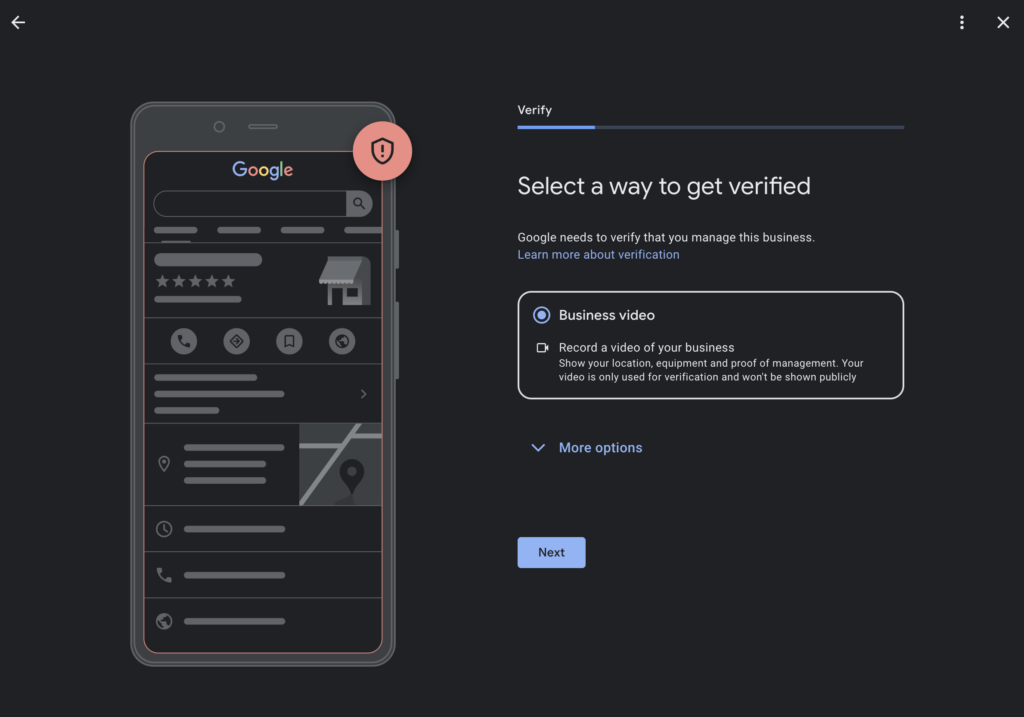
Before you start recording your verification video:
- Ensure you have sufficient lighting and stable recording conditions.
- Plan to include all required elements clearly in a continuous, uninterrupted recording.
- Keep the video concise (1-2 minutes long).
- Avoid capturing identifiable faces, sensitive documents, or personal information clearly.
Step 2: Show Your Business Location Clearly
Begin your video outside your establishment:
- Capture clear visuals of street signs, recognizable landmarks, neighboring businesses, and your building’s exterior.
- The surroundings must clearly match your listed address.
Step 3: Demonstrate Your Business Name
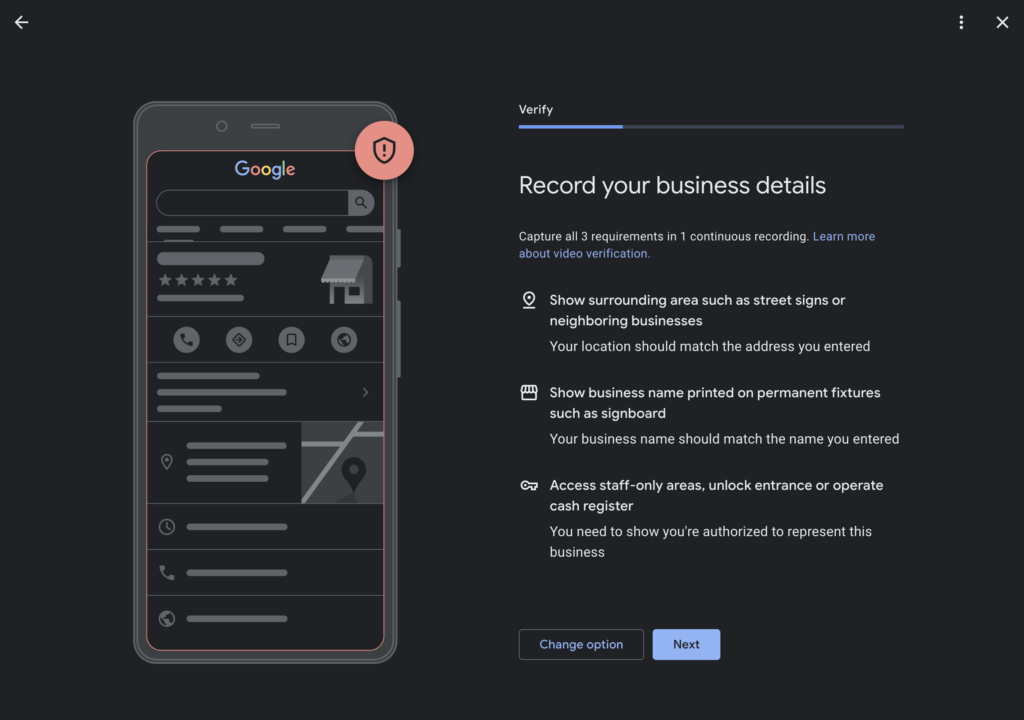
Clearly display your business name through:
- Permanent signage (outdoor signs, plaques, decals on doors/windows).
- Confirm the exact match of your business name to the one registered in your Google Business Profile.
Step 4: Prove Management Authorization
Demonstrate your authority clearly by:
- Entering staff-only areas or unlocking the main entrance.
- Operating business-specific equipment or machinery, such as cash registers or POS systems.
- Clearly indicating your active management role.
Step 5: Submit Your Verification Video
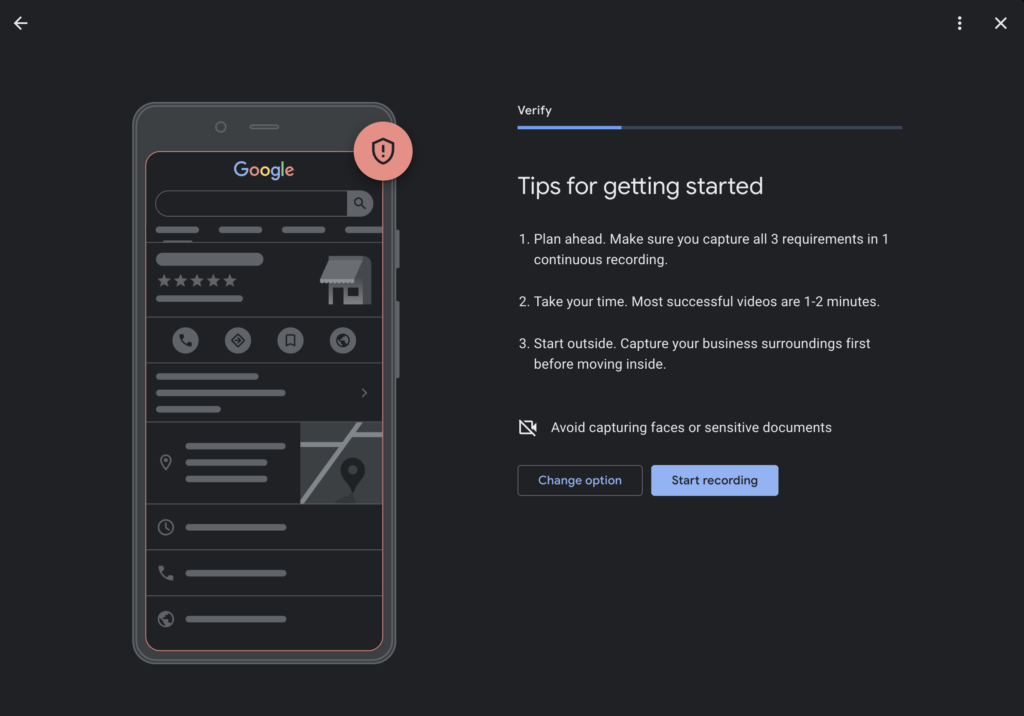
Once you’ve captured all required elements:
- Upload your video following Google’s provided instructions carefully.
- Ensure your video meets all outlined criteria clearly and accurately.
Common Issues and Solutions:
Issue: Google rejects the video.
- Solution: Review feedback carefully, ensuring you clearly include all required points. Consider improving lighting, stability, and video quality if re-recording is necessary.
Issue: Mismatched Address or Business Name
- Solution: Update your profile information to accurately reflect signage and surroundings before resubmitting.
Frequently Asked Questions (FAQs)
Q: Why is additional verification necessary?
A: Additional verification protects businesses and customers by ensuring listings are accurate and legitimate.
Q: Will my verification video be public?
A: No, your verification video remains private and is used solely for verification purposes by Google.
Q: What happens after successful verification?
A: Once verified, your profile updates will become visible to customers, enhancing your online visibility and search rankings.
Q: How long does verification take?
A: Google typically reviews verification submissions within a few days. However, processing times can vary depending on Google’s review load.
By following this detailed guide, you can efficiently navigate Google’s verification process, resolving common issues and confidently managing your Google Business Profile.
Step-by-Step Guide to Optimize Your Google Business Profile (GBP) for Your Pest Control Company
If you’re tired of your Google Business Profile not showing up on the Google search results, you aren’t alone. You might feel tired of running around, trying to run your pest control business and feel overwhelmed by how much is required to optimize your GBP. Don’t throw in the towel just yet.
Imagine how you would feel if you knew how simple it was to optimize your GBP, and you could get it done in less than an hour. Well, we made this guide for you!
Here’s a step-by-step guide to optimize your Google Business Profile (GBP) for your pest control company, focusing on local search optimization and customer engagement:
1. Optimize Your Google Business Profile Information
- Business Name: Ensure your business name is correctly listed and consistent across all online platforms.
- Address: Double-check your address for accuracy and proper formatting to ensure consistency across the web.
- Service Areas: Clearly define the areas you serve, focusing on your primary and secondary markets.
- Phone Number: Use a local phone number that matches your other online profiles to build trust with Google and customers.
- Business Hours: Keep your business hours updated, including special hours for holidays or emergencies.
- Website: Make sure the website link directs customers to a relevant landing page, such as your home page or a specific pest control service page.
2. Set Up Proper Service Categories
- Primary Category: Select “Pest Control Service” as your primary category to match your main service offering.
- Additional Categories: Add related categories like “Exterminator,” “Wildlife Control Service,” “Termite Control,” “Rodent Control,” and other relevant services you provide.
3. Add Photos and Videos
- Professional Photos: Upload high-quality photos of your office, service vehicles, and team members in uniform.
- On-the-Job Photos: Include images of your technicians at work, performing pest control services. This helps potential customers see the breadth of your services and professionalism.
- Before and After Photos: Show examples of pest infestations before and after your service to highlight the effectiveness of your treatments.
- Videos: Add short videos explaining your services, showcasing customer testimonials, or providing tips for preventing common pests.
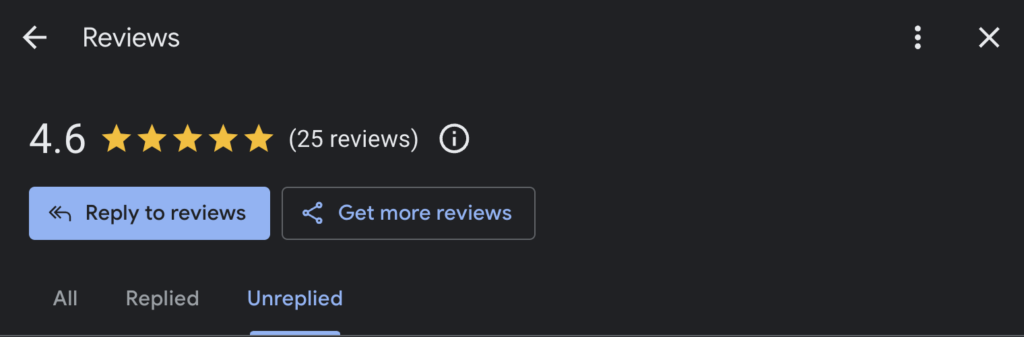
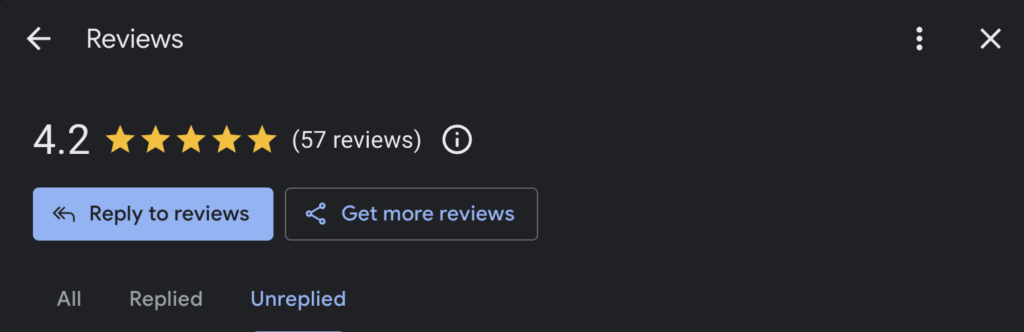
4. Manage Reviews
- Request Reviews: Encourage satisfied customers to leave reviews. Provide your technicians with lanyards featuring a QR code that links directly to your review page to make it easy for customers to give feedback.
- Respond Quickly: Respond to new reviews promptly, thanking customers for positive feedback and addressing any negative comments or concerns professionally.
- Request Specific Feedback: Ask customers to mention specific pests or treatments in their reviews, which can help with keyword relevance and showcase your expertise.
5. Post Weekly Updates
- Content Ideas: Share updates about your services, seasonal pest control tips, special offers, or company news. Highlight any certifications, new services, or case studies to keep your profile engaging.
- Keywords: Use relevant keywords related to pest control services in your posts to boost visibility.
- Call to Action: Include a clear call to action in each post, such as “Call Today,” “Schedule an Inspection,” or “Get a Free Quote.”
6. Complete the Q&A Section
- Common Questions: Populate the Q&A section with frequently asked questions about your services, treatments, safety protocols, and pricing.
- Thorough Answers: Provide detailed, helpful answers to each question to improve your profile’s relevance and help potential customers make informed decisions.
7. Add Social Profiles
- Link Your Accounts: Add links to all your active social media profiles, such as Facebook, Instagram, Twitter, and LinkedIn, to enhance your online presence and engage with customers.
8. Monitor Insights and Performance
- Regularly Review Insights: Google provides insights on how customers find your business and interact with your profile. Use this data to adjust your strategy and improve engagement.
- Optimize Based on Performance: If certain posts or updates are performing well, consider creating more content in that style or on those topics.
9. Utilize Lanyards with QR Codes for Reviews
- Generate QR Codes: Use a QR code generator to create a code that links directly to your Google review page.
- Design and Distribute Lanyards: Ensure the lanyards are durable and prominently display the QR code, along with a friendly message encouraging customers to leave a review.
- Train Your Technicians: Instruct your technicians to ask for reviews and show customers how to use the QR code, especially after completing a successful service.
10. Stay Updated and Engage with Customers
- Engage Regularly: Regularly check your GBP for new updates, reviews, or questions. Active engagement shows customers you are attentive and helps improve your online presence.
- Keep Up with Changes: Stay informed about any updates or new features on Google Business Profile to ensure you are utilizing all available tools.
By following these steps, you can optimize your Google Business Profile for your pest control company, improving your chances of ranking higher in local searches like “pest control near me” and attracting more customers.
If all of this sounds like too much, you might want to consider LocalSink, a digital marketing agency that helps pest control companies manage their Google Business Profile.
For Pest Control Companies Who Don’t Want to Wait…
If you’re a local home service business owner, chances are you’re spending your time doing good work and keeping things running. You may not have the time to spend working on your Google Business Profile, even though it’s extremely important.
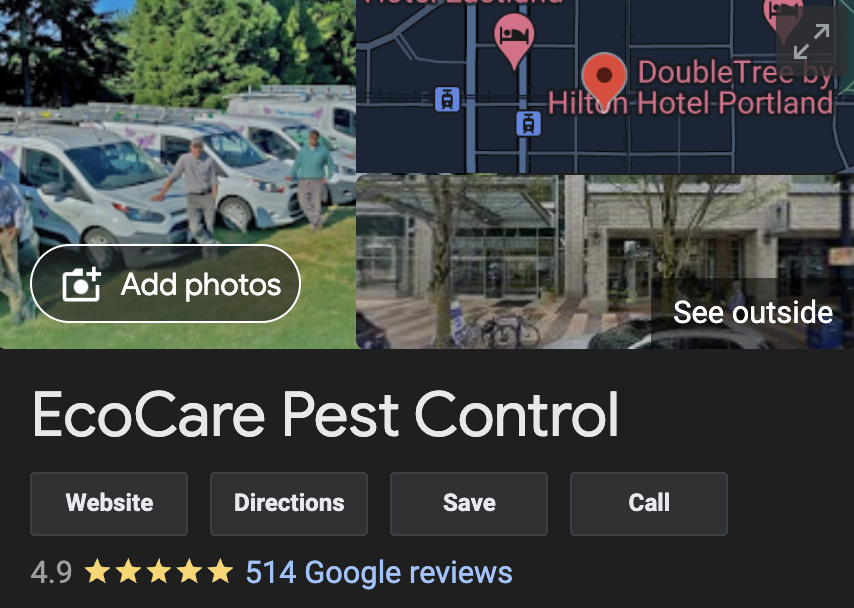
Just look at what we did for EcoCare Pest Control, one of the best pest control companies in Portland & Vancouver, WA!
That’s why we started LocalSink, a digital marketing agency that manages Google Business Profiles for pest control companies just like you. We check all the boxes listed above, and more! So, if you’re a plumber who needs some extra help, feel free to contact us!
Step-by-Step Guide to Optimize Your Google Business Profile (GBP) for Your Waterproofing Company
If you’re tired of your Google Business Profile not showing up on the Google search results, you aren’t alone. You might feel tired of running around, trying to run your waterproofing business and feel overwhelmed by how much is required to optimize your GBP. Don’t throw in the towel just yet.
Imagine how you would feel if you knew how simple it was to optimize your GBP, and you could get it done in less than an hour. Well, we made this guide for you!
Here’s a step-by-step guide to optimize your Google Business Profile (GBP) for your waterproofing company, focusing on enhancing local search visibility and improving customer engagement:
1. Optimize Your Google Business Profile Information
- Business Name: Ensure your business name is accurately listed and consistent across all online platforms.
- Address: Verify that your address is correct and formatted properly to ensure consistency and improve local SEO.
- Service Areas: Clearly define all the areas you serve, especially focusing on your primary market.
- Phone Number: Use a local phone number that matches your other online profiles to build trust with Google and customers.
- Business Hours: Keep your business hours updated, including any variations for holidays or emergencies.
- Website: Ensure the website link directs users to a relevant landing page, such as your homepage or a page detailing your waterproofing services.
2. Set Up Proper Service Categories
- Primary Category: Choose “Waterproofing Company” as your primary category to align with your main service offering.
- Additional Categories: Add other relevant categories, such as “Basement Waterproofing,” “Foundation Repair,” “Concrete Contractor,” “Crawl Space Encapsulation,” and “Mold Remediation.” These should cover the full range of services you provide.
3. Add Photos and Videos
- Professional Photos: Upload high-quality photos of your team, service vehicles, and equipment.
- Action Shots: Include images of your team performing waterproofing services, such as basement waterproofing, foundation repair, and crawl space encapsulation. This helps potential customers see the breadth of your services and professionalism.
- Before and After Photos: Show examples of projects before and after waterproofing work to demonstrate the effectiveness of your services.
- Videos: Add short videos that explain your waterproofing process, showcase customer testimonials, or provide tips on preventing water damage.

4. Manage Reviews
- Request Reviews: Encourage satisfied customers to leave reviews. Provide your technicians with lanyards featuring a QR code that links directly to your review page to make it easy for customers to provide feedback.
- Respond Quickly: Always respond to new reviews promptly, thanking customers for their feedback and addressing any concerns professionally.
- Encourage Detailed Feedback: Ask customers to mention specific services, such as basement waterproofing or foundation repair, in their reviews to help with keyword relevance.
5. Post Weekly Updates
- Content Ideas: Share updates about your services, tips for preventing water damage, special offers, or company news. Highlight any certifications, new services, or case studies to keep your profile engaging.
- Keywords: Use relevant keywords related to waterproofing services in your posts to enhance visibility.
- Call to Action: Include a clear call to action in each post, such as “Contact Us Today,” “Schedule an Inspection,” or “Get a Free Quote.”
6. Complete the Q&A Section
- Common Questions: Populate the Q&A section with frequently asked questions about your services, such as the types of waterproofing solutions you offer, your process, and pricing.
- Provide Comprehensive Answers: Offer detailed and helpful answers to each question to improve your profile’s relevance and assist potential customers in making informed decisions.
7. Add Social Profiles
- Link Social Media Accounts: Add links to all your active social media profiles, such as Facebook, Instagram, LinkedIn, and Twitter, to enhance your online presence and engage with your audience.
8. Monitor Insights and Performance
- Regularly Check Insights: Google provides insights on how customers find your business and interact with your profile. Use this data to adjust your strategy and improve engagement.
- Optimize Based on Data: If you notice certain posts or updates are performing well, consider creating more content in that style or on those topics.
9. Utilize Lanyards with QR Codes for Reviews
- Generate QR Codes: Use a QR code generator to create a code that links directly to your Google review page.
- Design Effective Lanyards: Ensure the lanyards are sturdy and prominently display the QR code, along with a friendly message encouraging customers to leave a review.
- Train Your Team: Educate your technicians on how to ask for reviews and show customers how to use the QR code, particularly after completing a successful waterproofing job.
10. Stay Updated and Engage with Customers
- Engage Regularly: Regularly check your GBP for new updates, reviews, or questions. Active engagement shows customers you are attentive and responsive, which can help build trust and enhance your online presence.
- Stay Informed: Keep up with any changes or new features on Google Business Profile to ensure you are utilizing all available tools to their fullest potential.
By following these steps, you can optimize your Google Business Profile for your waterproofing company, improving your chances of ranking higher in local searches like “waterproofing service near me” and attracting more customers.
If all of this sounds like too much, you might want to consider LocalSink, a digital marketing agency that helps waterproofing companies manage their Google Business Profile.
For Waterproofing Companies Who Don’t Want to Wait…
If you’re a local home service business owner, chances are you’re spending your time doing good work and keeping things running. You may not have the time to spend working on your Google Business Profile, even though it’s extremely important.
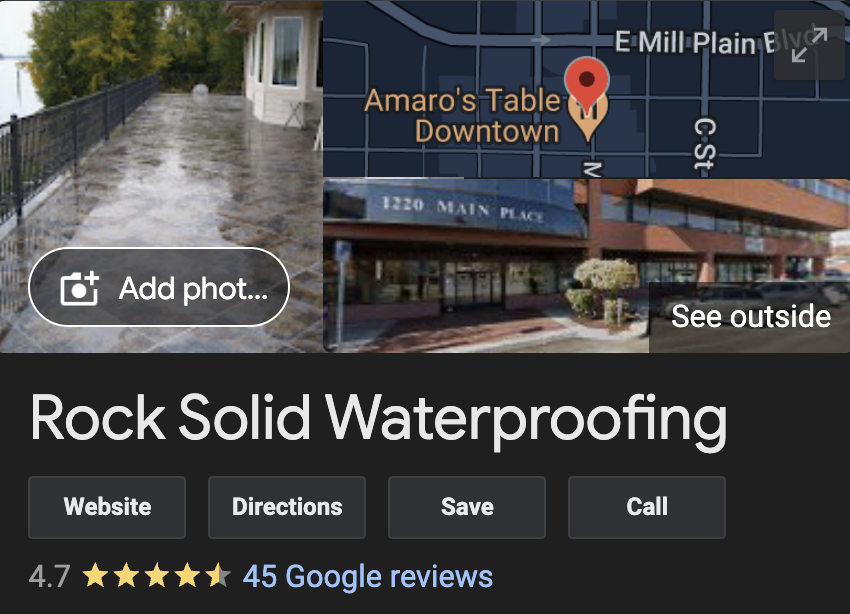
Just look at what we did for Rock Solid Waterproofing, one of the top basement waterproofing companies in Portland & Vancouver, WA!
That’s why we started LocalSink, a digital marketing agency that manages Google Business Profiles for waterproofing companies just like you. We check all the boxes listed above, and more! So, if you’re a plumber who needs some extra help, feel free to contact us!
Step-by-Step Guide to Optimize Your Google Business Profile (GBP) for Your Roofing Company
If you’re tired of your Google Business Profile not showing up on the Google search results, you aren’t alone. You might feel tired of running around, trying to run your roofing business and feel overwhelmed by how much is required to optimize your GBP. Don’t throw in the towel just yet.
Imagine how you would feel if you knew how simple it was to optimize your GBP, and you could get it done in less than an hour. Well, we made this guide for you!
Here’s a step-by-step guide to optimize your Google Business Profile (GBP) for your roofing company, focusing on enhancing local search visibility and improving customer engagement:
1. Optimize Your Google Business Profile Information
- Business Name: Ensure your business name is accurately listed and consistent across all online platforms.
- Address: Verify that your address is correct and formatted properly to ensure consistency and improve local SEO.
- Service Areas: Clearly define all the areas you serve, focusing on your primary and secondary markets.
- Phone Number: Use a local phone number that matches your other online profiles to build trust with Google and customers.
- Business Hours: Keep your business hours updated, including any variations for holidays or emergencies.
- Website: Make sure the website link directs users to a relevant landing page, such as your homepage or a specific page detailing your roofing services.
2. Set Up Proper Service Categories
- Primary Category: Choose “Roofing Contractor” as your primary category to align with your main service offering.
- Additional Categories: Add other relevant categories, such as “Roof Repair,” “Roofing Supply Store,” “Skylight Contractor,” “Gutter Cleaning Service,” and “Siding Contractor” to cover the full range of services you provide.
3. Add Photos and Videos
- Professional Photos: Upload high-quality photos of your team, service vehicles, and office.
- On-the-Job Photos: Include images of your team working on roofing projects, showcasing different types of roofing materials and services like installations, repairs, and inspections. This helps potential customers see the breadth of your services and professionalism.
- Before and After Photos: Show examples of roofing projects before and after work to demonstrate the quality and effectiveness of your services.
- Videos: Add short videos that explain your roofing process, showcase customer testimonials, or provide tips on roof maintenance and care.
4. Manage Reviews
- Request Reviews: Encourage satisfied customers to leave reviews. Providing your technicians with lanyards featuring a QR code that links directly to your review page can make it easy for customers to provide feedback.
- Respond Quickly: Always respond to new reviews promptly, thanking customers for their feedback and addressing any concerns professionally.
- Encourage Detailed Feedback: Ask customers to mention specific services, such as roof replacement or repair, in their reviews to help with keyword relevance.
5. Post Weekly Updates
- Content Ideas: Share updates about your services, tips for roof maintenance, seasonal offers, or company news. Highlight any certifications, new services, or case studies to keep your profile engaging.
- Keywords: Use relevant keywords related to roofing services in your posts to enhance visibility.
- Call to Action: Include a clear call to action in each post, such as “Contact Us Today,” “Schedule a Free Roof Inspection,” or “Get a Quote.”
6. Complete the Q&A Section
- Common Questions: Populate the Q&A section with frequently asked questions about your services, such as the types of roofs you install, your process, and pricing.
- Provide Comprehensive Answers: Offer detailed and helpful answers to each question to improve your profile’s relevance and assist potential customers in making informed decisions.
7. Add Social Profiles
- Link Social Media Accounts: Add links to all your active social media profiles, such as Facebook, Instagram, LinkedIn, and Twitter, to enhance your online presence and engage with your audience.
8. Monitor Insights and Performance
- Regularly Check Insights: Google provides insights on how customers find your business and interact with your profile. Use this data to adjust your strategy and improve engagement.
- Optimize Based on Data: If you notice certain posts or updates are performing well, consider creating more content in that style or on those topics.
9. Utilize Lanyards with QR Codes for Reviews
- Generate QR Codes: Use a QR code generator to create a code that links directly to your Google review page.
- Design Effective Lanyards: Ensure the lanyards are sturdy and prominently display the QR code, along with a friendly message encouraging customers to leave a review.
- Train Your Team: Educate your technicians on how to ask for reviews and show customers how to use the QR code, particularly after completing a roofing job.
10. Stay Updated and Engage with Customers
- Engage Regularly: Regularly check your GBP for new updates, reviews, or questions. Active engagement shows customers you are attentive and responsive, which can help build trust and enhance your online presence.
- Stay Informed: Keep up with any changes or new features on Google Business Profile to ensure you are utilizing all available tools to their fullest potential.
By following these steps, you can optimize your Google Business Profile for your roofing company, improving your chances of ranking higher in local searches like “roofing service near me” and attracting more customers.
If all of this sounds like too much, you might want to consider LocalSink, a digital marketing agency that helps roofing companies manage their Google Business Profile.
For Roofers Who Don’t Want to Wait…
If you’re a local home service business owner, chances are you’re spending your time doing good work and keeping things running. You may not have the time to spend working on your Google Business Profile, even though it’s extremely important.
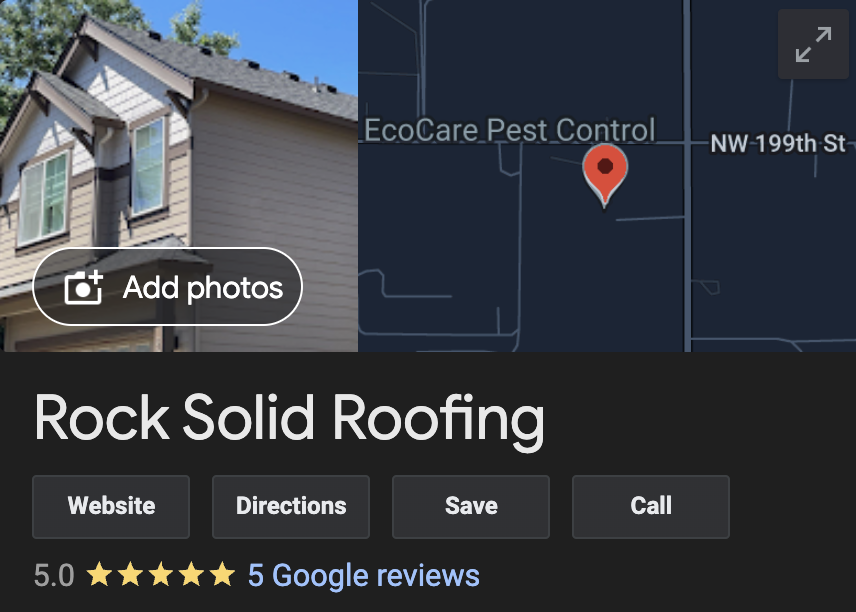
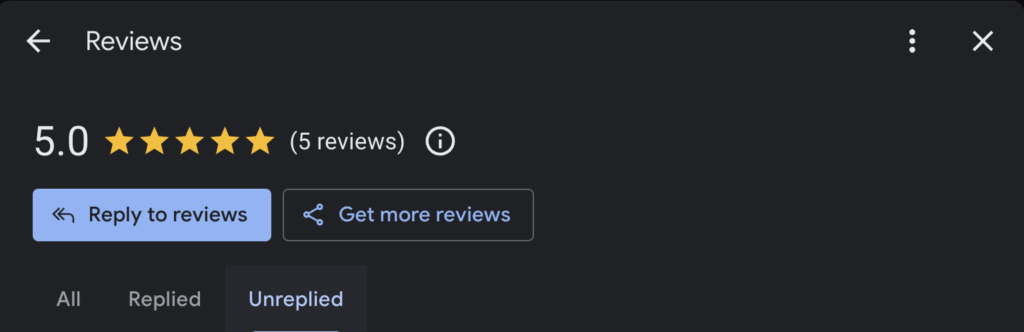
Just look at what we did for Rock Solid Roofing, one of the top roofers in Portland & Vancouver, WA!
That’s why we started LocalSink, a digital marketing agency that manages Google Business Profiles for roofers just like you. We check all the boxes listed above, and more! So, if you’re a plumber who needs some extra help, feel free to contact us!
Step-by-Step Guide to Optimize Your Google Business Profile (GBP) for Your Electrical Company
If you’re tired of your Google Business Profile not showing up on the Google search results, you aren’t alone. You might feel tired of running around, trying to run your electrical business and feel overwhelmed by how much is required to optimize your GBP. Don’t throw in the towel just yet.
Imagine how you would feel if you knew how simple it was to optimize your GBP, and you could get it done in less than an hour. Well, we made this guide for you!
Here’s a step-by-step guide to optimize your Google Business Profile (GBP) for your electrical company, focusing on local search optimization and customer engagement:
1. Optimize Your Google Business Profile Information
- Business Name: Ensure your business name is consistent across all platforms and reflects your brand identity.
- Address: Verify your address is accurate and formatted correctly. Consistency is key for local SEO.
- Service Areas: Clearly define all the areas you serve, particularly focusing on your main service locations.
- Phone Number: Use a local phone number that matches other online profiles to build trust with Google and customers.
- Business Hours: Keep your business hours updated, including any variations for holidays or special events.
- Website: Ensure the website link directs users to a relevant landing page, such as your home page or a specific service page.
2. Set Up Proper Service Categories
- Primary Category: Select “Electrician” as your primary category to align with your core services.
- Additional Categories: Add related categories like “Electrical Contractor,” “Lighting Contractor,” “Emergency Electrician,” “Solar Energy Equipment Supplier,” etc., to cover all services you provide.
3. Add Photos and Videos
- Professional Photos: Upload high-quality photos of your office, service vehicles, and team members.
- On-the-Job Photos: Include pictures of your team working on electrical installations, repairs, or inspections. These help potential customers visualize the quality and scope of your work.
- Before and After Photos: Showcase completed projects to demonstrate your expertise.
- Videos: Consider adding short videos that highlight your services or feature customer testimonials.
4. Manage Reviews
- Encourage Reviews: Ask satisfied customers to leave reviews. Equip your technicians with lanyards featuring a QR code linking directly to your review page, making it easy for customers to provide feedback.
- Respond Promptly: Always reply to new reviews quickly, thanking customers for positive feedback or addressing any concerns raised in negative reviews.
- Ask for Specifics: Encourage customers to mention specific services or experiences in their reviews, which can help with keyword relevance.
5. Post Weekly Updates
- Content Ideas: Share updates about your services, special offers, industry tips, or company news. Highlight any new services or certifications to keep your profile fresh and engaging.
- Keywords: Use relevant keywords related to electrical services in your posts to enhance visibility.
- Call to Action: Include a clear call to action in every post, such as “Contact Us Today,” “Schedule an Inspection,” or “Learn More.”
6. Complete the Q&A Section
- Anticipate Common Questions: Populate the Q&A section with common questions customers might have about your services, pricing, or safety protocols.
- Provide Clear Answers: Offer detailed, helpful answers to each question, which can improve your profile’s relevance and assist potential customers in making informed decisions.
7. Add Social Profiles
- Link Your Social Media: Add links to all your active social media profiles, including Facebook, Instagram, LinkedIn, and Twitter, to enhance your online presence and build customer trust.
8. Monitor Insights and Performance
- Regularly Review Insights: Google provides insights on how customers find your business and interact with your profile. Use this data to refine your strategy and improve engagement.
- Adjust Your Approach: If certain posts or updates are performing well, consider creating more content in a similar style or on related topics.
9. Utilize Lanyards with QR Codes for Reviews
- Create QR Codes: Use a QR code generator to create a code that links directly to your Google review page.
- Design Lanyards: Ensure your lanyards are sturdy and prominently display the QR code, along with a friendly request for customers to leave a review.
- Train Your Technicians: Teach your technicians to ask for reviews and demonstrate how to use the QR code, particularly after completing a job successfully.
10. Stay Updated and Engage with Customers
- Engage Regularly: Regularly check your GBP for new updates, reviews, or questions. Active engagement shows customers you’re attentive and helps improve your online presence.
- Keep Up with Changes: Stay informed about any changes or new features on Google Business Profile to make the most of all available tools.
By following these steps, you can optimize your Google Business Profile for your electrical company, improving your chances of ranking higher in local searches like “electrician near me” and attracting more customers. If all of this sounds like too much, you might want to consider LocalSink, a digital marketing agency that helps electricians manage their Google Business Profile.
For Electricians Who Don’t Want to Wait…
If you’re a local home service business owner, chances are you’re spending your time doing good work and keeping things running. You may not have the time to spend working on your Google Business Profile, even though it’s extremely important.
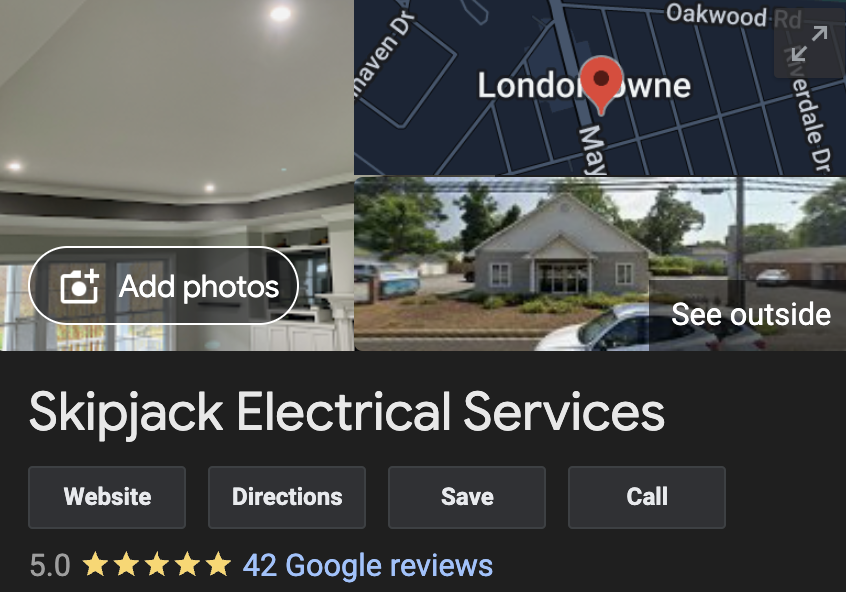
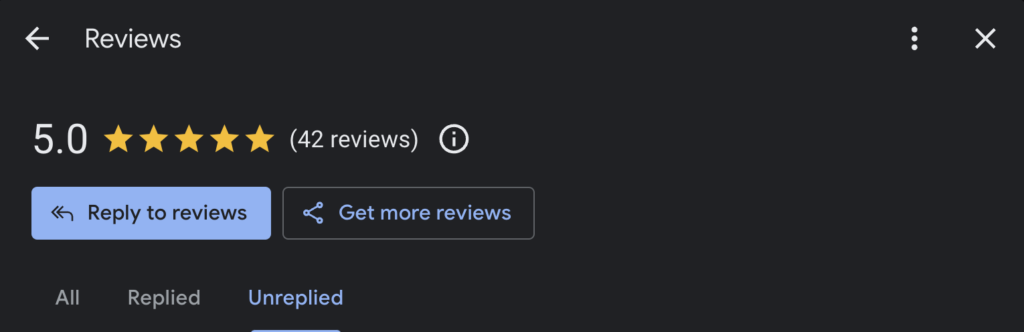
Just look at what we did for Skipjack Electrical, one of the top electricians in Edgewater & Annapolis, MD!
That’s why we started LocalSink, a digital marketing agency that manages Google Business Profiles for electricians just like you. We check all the boxes listed above, and more! So, if you’re a plumber who needs some extra help, feel free to contact us!
Step-by-Step Guide to Optimize Your Google Business Profile (GBP) for Your Plumbing Company
If you’re tired of your Google Business Profile not showing up on the Google search results, you aren’t alone. You might feel tired of running around, trying to run your plumbing business and feel overwhelmed by how much is required to optimize your GBP. Don’t throw in the towel just yet.
Imagine how you would feel if you knew how simple it was to optimize your GBP, and you could get it done in less than an hour. Well, we made this guide for you!
Here is a step-by-step guide to optimize your Google Business Profile (GBP) for your plumbing company:
1. Optimize Your Google Business Profile Information
- Business Name: Ensure your business name is accurate and consistent with your branding.
- Address: Make sure your address is up-to-date and correctly formatted.
- Service Areas: List all the areas you serve, especially focusing on your primary market.
- Phone Number: Use a local phone number and ensure it’s the same across all your online profiles.
- Business Hours: Keep your business hours up to date, including any special holiday hours.
- Website: Ensure your website link is correct and leads to a relevant landing page.
2. Set Up Proper Service Categories
- Primary Category: Choose “Plumber” as your primary category.
- Additional Categories: Add additional relevant categories, such as “Drainage Service,” “Water Heater Installation,” “Emergency Plumber,” etc., to cover all services you offer.
3. Add Photos and Videos
- Exterior and Interior Photos: Add high-quality photos of your office, vehicles, and team.
- Action Shots: Include images of your team at work, showcasing the services you provide.
- Before and After Photos: Use these to highlight the quality of your work.
- Videos: If possible, add short videos explaining your services or featuring customer testimonials.
4. Manage Reviews
- Request Reviews: Ask satisfied customers to leave reviews. You can use the lanyards with a QR code that links directly to your review page to make this easy.
- Respond Promptly: Always respond to new reviews quickly and professionally, thanking the customer for their feedback and addressing any concerns they may have.
- Encourage Specific Feedback: Ask customers to mention specific services in their reviews, which can help with keyword relevance.
5. Post Weekly Updates
- Types of Posts: Share updates about your services, special offers, tips, or company news.
- Include Keywords: Use relevant keywords in your posts to improve visibility.
- Call to Action: Always include a call to action, such as “Call Now,” “Learn More,” or “Get a Quote.”
6. Complete the Q&A Section
- Common Questions: Populate the Q&A section with frequently asked questions about your services. Think about what customers often ask you in person or over the phone.
- Answers: Provide thorough, helpful answers to each question. This can improve your profile’s relevance and help customers make informed decisions.
7. Add Social Profiles
- Link Accounts: Add links to all your active social media profiles, such as Facebook, Instagram, Twitter, and LinkedIn. This can help build trust and show customers you are active online.
8. Monitor Insights and Performance
- Check Insights Regularly: GBP provides insights into how customers find your business and interact with your profile. Use this data to adjust your strategies as needed.
- Adjust Your Strategy: If you notice certain posts or updates are performing well, consider creating more content in that style or on that topic.
9. Utilize Lanyards with QR Codes for Reviews
- Create the QR Code: Use a QR code generator to create a code that links directly to your review page.
- Design the Lanyards: Ensure the lanyards are durable and display the QR code prominently, along with a polite message encouraging reviews.
- Train Technicians: Train your technicians to request reviews and show customers how to use the QR code.
10. Stay Updated and Engage with Customers
- Regular Engagement: Regularly check your GBP for new updates, reviews, or questions. Engage with customers to show you are active and attentive.
- Stay Informed: Keep up to date with any changes or new features on Google Business Profile to ensure you are taking full advantage of all available tools.
By following these steps, you can optimize your Google Business Profile to rank higher in local searches like “plumber near me” and attract more customers to your business. If all of this sounds like too much, you might want to consider LocalSink, a digital marketing agency that helps plumbing companies manage their Google Business Profile.
For Plumbers Who Don’t Want to Wait…
If you’re a local home service business owner , chances are you’re spending your time doing good work and keeping things running. You may not have the time to spend working on your Google Business Profile, even though it’s extremely important.
That’s why we started LocalSink, a digital marketing agency that manages Google Business Profiles for plumbers just like you. We check all the boxes listed above, and more! So, if you’re a plumber who needs some extra help, feel free to contact us!
Step-by-Step Guide to Optimize Your Google Business Profile (GBP) for Your Real Estate Company
If you’re tired of your Google Business Profile not showing up on the Google search results, you aren’t alone. You might feel tired of running around, trying to run your real estate business and feel overwhelmed by how much is required to optimize your GBP. Don’t throw in the towel just yet.
Imagine how you would feel if you knew how simple it was to optimize your GBP, and you could get it done in less than an hour. Well, we made this guide for you!
Here’s a step-by-step guide to optimize your Google Business Profile (GBP) for your real estate company, focusing on enhancing local search visibility and improving customer engagement:
1. Optimize Your Google Business Profile Information
- Business Name: Ensure your business name is accurately listed and consistent across all online platforms.
- Address: Verify that your address is correct and formatted properly. Consistent information across the web helps with local SEO.
- Service Areas: Clearly define all the areas you serve, focusing on your primary markets. Include neighborhoods, cities, or regions where you are most active.
- Phone Number: Use a local phone number that matches other online profiles to build trust with Google and potential clients.
- Business Hours: Keep your business hours updated, including any variations for holidays or special events. For real estate, indicating weekend availability can be beneficial.
- Website: Make sure the website link directs users to a relevant landing page, such as your homepage or a specific page detailing your real estate services.
2. Set Up Proper Service Categories
- Primary Category: Choose “Real Estate Agency” as your primary category to align with your main service offering.
- Additional Categories: Add other relevant categories, such as “Real Estate Consultant,” “Property Management Company,” “Commercial Real Estate Agency,” and “Real Estate Developer” to cover the full range of services you provide.
3. Add Photos and Videos
- Professional Photos: Upload high-quality photos of your team, office, and any branded vehicles.
- Property Photos: Include images of the properties you currently have listed or recently sold. Highlight key features and property types (e.g., residential, commercial, luxury homes).
- Team Photos: Show images of your real estate agents at work, such as showing homes, meeting with clients, or at local community events. This helps potential clients connect with your team on a personal level.
- Videos: Add short videos that feature virtual tours of properties, client testimonials, or market updates. Videos are a powerful way to engage with potential clients and showcase your expertise.
4. Manage Reviews
- Request Reviews: Encourage satisfied clients to leave reviews. Provide your agents with lanyards featuring a QR code that links directly to your review page, making it easy for clients to provide feedback.
- Respond Quickly: Always respond to new reviews promptly, thanking clients for their feedback and addressing any concerns professionally.
- Encourage Detailed Feedback: Ask clients to mention specific experiences, such as a home purchase or sale, in their reviews to help with keyword relevance.
5. Post Weekly Updates
- Content Ideas: Share updates about new listings, market trends, tips for buyers and sellers, or community news. Highlight any achievements, such as awards or new team members, to keep your profile engaging.
- Keywords: Use relevant keywords related to real estate services in your posts to enhance visibility.
- Call to Action: Include a clear call to action in each post, such as “Contact Us Today,” “Schedule a Free Consultation,” or “View Our Listings.”
6. Complete the Q&A Section
- Common Questions: Populate the Q&A section with frequently asked questions about your services, such as the buying/selling process, market conditions, or what sets your agency apart.
- Provide Comprehensive Answers: Offer detailed and helpful answers to each question to improve your profile’s relevance and assist potential clients in making informed decisions.
7. Add Social Profiles
- Link Social Media Accounts: Add links to all your active social media profiles, such as Facebook, Instagram, LinkedIn, and Twitter. This enhances your online presence and provides more opportunities for client engagement.
8. Monitor Insights and Performance
- Regularly Check Insights: GBP provides insights on how customers find your business and interact with your profile. Use this data to adjust your strategy and improve engagement.
- Optimize Based on Data: If certain posts or updates are performing well, consider creating more content in that style or on those topics.
9. Utilize Lanyards with QR Codes for Reviews
- Generate QR Codes: Use a QR code generator to create a code that links directly to your Google review page.
- Design Effective Lanyards: Ensure the lanyards are sturdy and prominently display the QR code, along with a friendly message encouraging clients to leave a review.
- Train Your Team: Educate your agents on how to ask for reviews and show clients how to use the QR code, especially after a successful transaction or meeting.
10. Stay Updated and Engage with Clients
- Engage Regularly: Regularly check your GBP for new updates, reviews, or questions. Active engagement shows clients you are attentive and responsive, which can help build trust and enhance your online presence.
- Stay Informed: Keep up with any changes or new features on Google Business Profile to ensure you are utilizing all available tools to their fullest potential.
By following these steps, you can optimize your Google Business Profile for your real estate company, improving your chances of ranking higher in local searches like “real estate service near me” and attracting more clients.
If all of this sounds like too much, you might want to consider LocalSink, a digital marketing agency that helps real estate companies manage their Google Business Profile.
For Real Estate Companies Who Don’t Want to Wait…
If you’re a local home service business, chances are you’re spending your time doing good work and keeping things running. You may not have the time to spend working on your Google Business Profile, even though it’s extremely important.
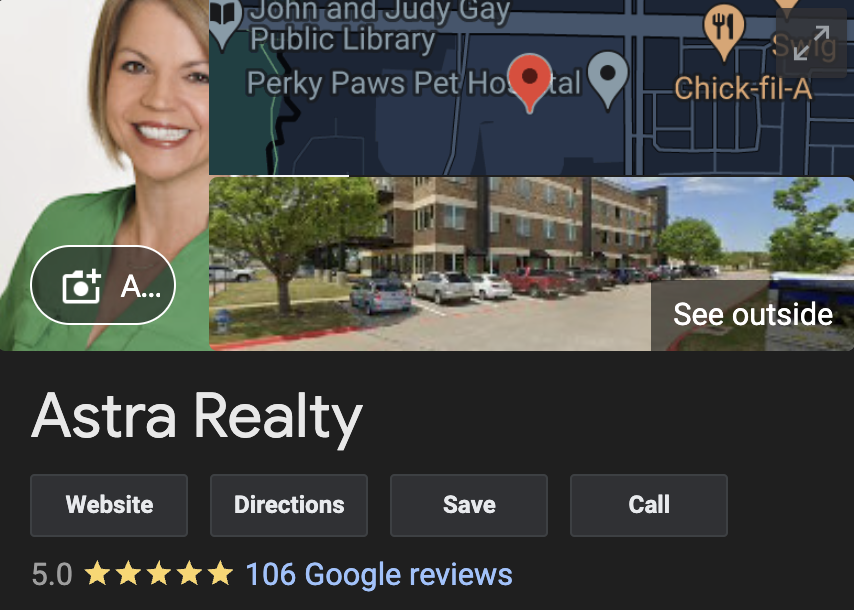
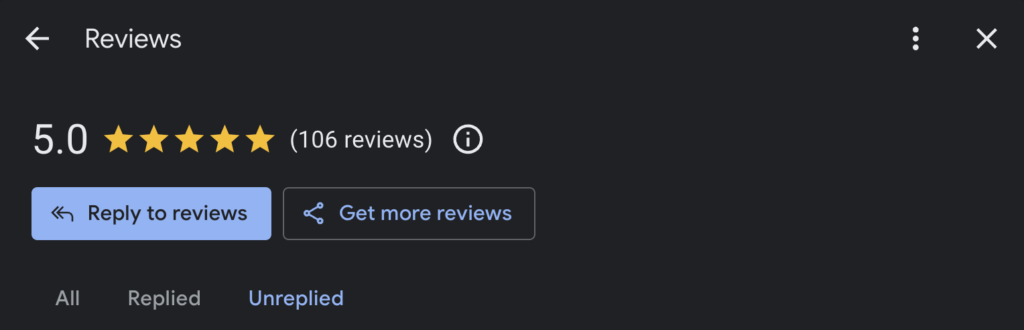
Just look at what we did for Astra Realty, one of the top realtors in Mckinney, TX!
That’s why we started LocalSink, a digital marketing agency that manages Google Business Profiles for real estate companies just like you. We check all the boxes listed above, and more! So, if you’re a plumber who needs some extra help, feel free to contact us!
Step-by-Step Guide to Optimize Your Google Business Profile (GBP) for Your Restoration Company
If you’re tired of your Google Business Profile not showing up on the Google search results, you aren’t alone. You might feel tired of running around, trying to run your restoration business and feel overwhelmed by how much is required to optimize your GBP. Don’t throw in the towel just yet.
Imagine how you would feel if you knew how simple it was to optimize your GBP, and you could get it done in less than an hour. Well, we made this guide for you!
Here’s a step-by-step guide to optimize your Google Business Profile (GBP) for your restoration company, focusing on improving local search visibility and enhancing customer engagement:
1. Optimize Your Google Business Profile Information
- Business Name: Ensure your business name is listed accurately and consistently across all online platforms.
- Address: Verify that your address is correct and formatted properly. Consistency across the web helps with local SEO.
- Service Areas: Clearly define all the areas you serve, especially focusing on your primary market.
- Phone Number: Use a local phone number that matches other online profiles to build trust with both Google and customers.
- Business Hours: Keep your business hours updated, including any variations for holidays or emergencies. Since restoration work often requires immediate response, consider mentioning your 24/7 availability prominently.
- Website: Ensure the website link directs users to a relevant landing page, such as your homepage or a page detailing your restoration services.
2. Set Up Proper Service Categories
- Primary Category: Choose “Water Damage Restoration Service” as your primary category, as this is a common service many customers look for.
- Additional Categories: Add other relevant categories, such as “Fire Damage Restoration,” “Mold Remediation,” “Storm Damage Restoration,” “Sewage Cleanup,” “Asbestos Testing,” and “Home Renovation.” These should cover the full range of services you offer.
3. Add Photos and Videos
- Professional Photos: Upload high-quality photos of your team, service vehicles, and equipment.
- Action Shots: Include images of your team at work during restoration projects, showing your expertise in water damage, fire damage, mold remediation, and other restoration services.
- Before and After Photos: Show examples of projects before and after restoration work. This is a powerful way to demonstrate the quality and effectiveness of your services.
- Videos: Consider adding short videos that explain your restoration process, highlight customer testimonials, or provide tips on what to do after a disaster.
4. Manage Reviews
- Request Reviews: Encourage satisfied customers to leave reviews. Providing your technicians with lanyards featuring a QR code that links directly to your review page can make this process easy and convenient for customers.
- Respond Promptly: Always respond to new reviews quickly, thanking customers for their feedback and addressing any concerns professionally.
- Encourage Detailed Feedback: Ask customers to mention specific services, such as water damage or mold remediation, in their reviews to help with keyword relevance.
5. Post Weekly Updates
- Content Ideas: Share updates about your services, tips for property damage prevention and recovery, customer success stories, or information about special offers. Highlight any certifications, industry partnerships, or case studies to demonstrate your credibility and expertise.
- Keywords: Use relevant keywords related to restoration services in your posts to improve your profile’s visibility.
- Call to Action: Include a clear call to action in every post, such as “Contact Us Now,” “Get a Free Quote,” or “Learn More.”
6. Complete the Q&A Section
- Anticipate Common Questions: Populate the Q&A section with frequently asked questions about your services, such as the types of damage you handle, your response times, insurance support, and safety protocols.
- Provide Comprehensive Answers: Offer detailed and helpful answers to each question. This can improve your profile’s relevance and assist potential customers in making informed decisions.
7. Add Social Profiles
- Link Social Media Accounts: Add links to all your active social media profiles, such as Facebook, Instagram, LinkedIn, and Twitter, to enhance your online presence and engage with your audience.
8. Monitor Insights and Performance
- Regularly Check Insights: GBP provides insights on how customers find your business and interact with your profile. Use this data to adjust your strategy and improve engagement.
- Optimize Based on Data: If you notice certain posts or updates are performing well, consider creating more content in that style or on those topics.
9. Utilize Lanyards with QR Codes for Reviews
- Generate QR Codes: Use a QR code generator to create a code that links directly to your Google review page.
- Design Effective Lanyards: Ensure the lanyards are sturdy and prominently display the QR code, along with a friendly message encouraging customers to leave a review.
- Train Your Team: Educate your technicians on how to ask for reviews and show customers how to use the QR code, particularly after completing a successful restoration job.
10. Stay Updated and Engage with Customers
- Engage Regularly: Regularly check your GBP for new updates, reviews, or questions. Engaging actively with customers shows that you are attentive and responsive, which can help build trust and enhance your online presence.
- Stay Informed: Keep up with any changes or new features on Google Business Profile to ensure you are utilizing all available tools to their fullest potential.
By following these steps, you can optimize your Google Business Profile for your restoration company, improving your chances of ranking higher in local searches like “restoration service near me” and attracting more customers.
If all of this sounds like too much, you might want to consider LocalSink, a digital marketing agency that helps restoration companies manage their Google Business Profile.
For Restoration Companies Who Don’t Want to Wait…
If you’re a local home service business owner, chances are you’re spending your time doing good work and keeping things running. You may not have the time to spend working on your Google Business Profile, even though it’s extremely important.
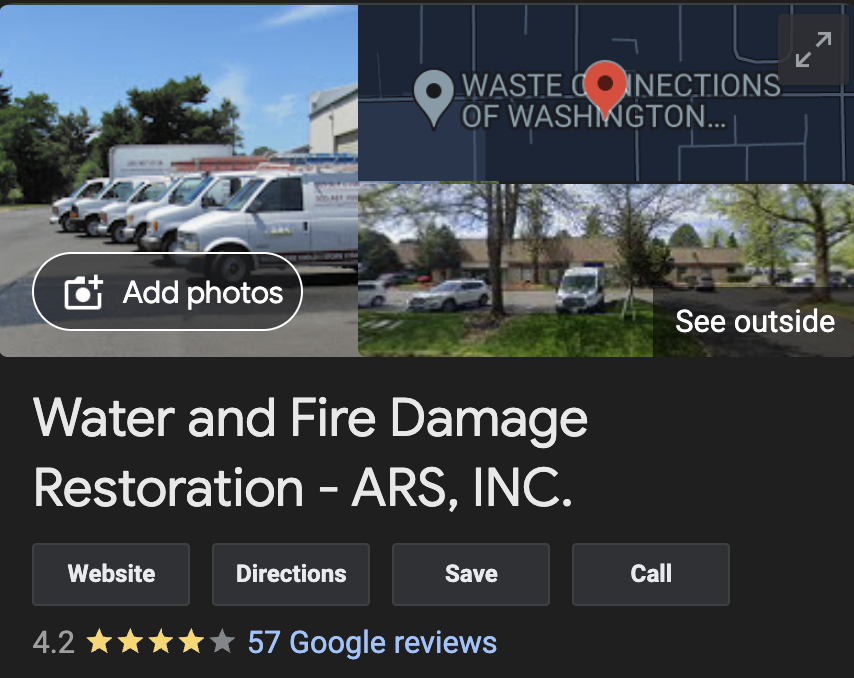
Just look at what we did for ARS Restoration, one of the top water damage restoration companies in Portland & Vancouver, WA!
That’s why we started LocalSink, a digital marketing agency that manages Google Business Profiles for restoration companies just like you. We check all the boxes listed above, and more! So, if you’re a plumber who needs some extra help, feel free to contact us!
The Ultimate Guide to Optimizing Your Google Business Profile for Electricians: Boost Your Local Search Visibility and Attract More Customers
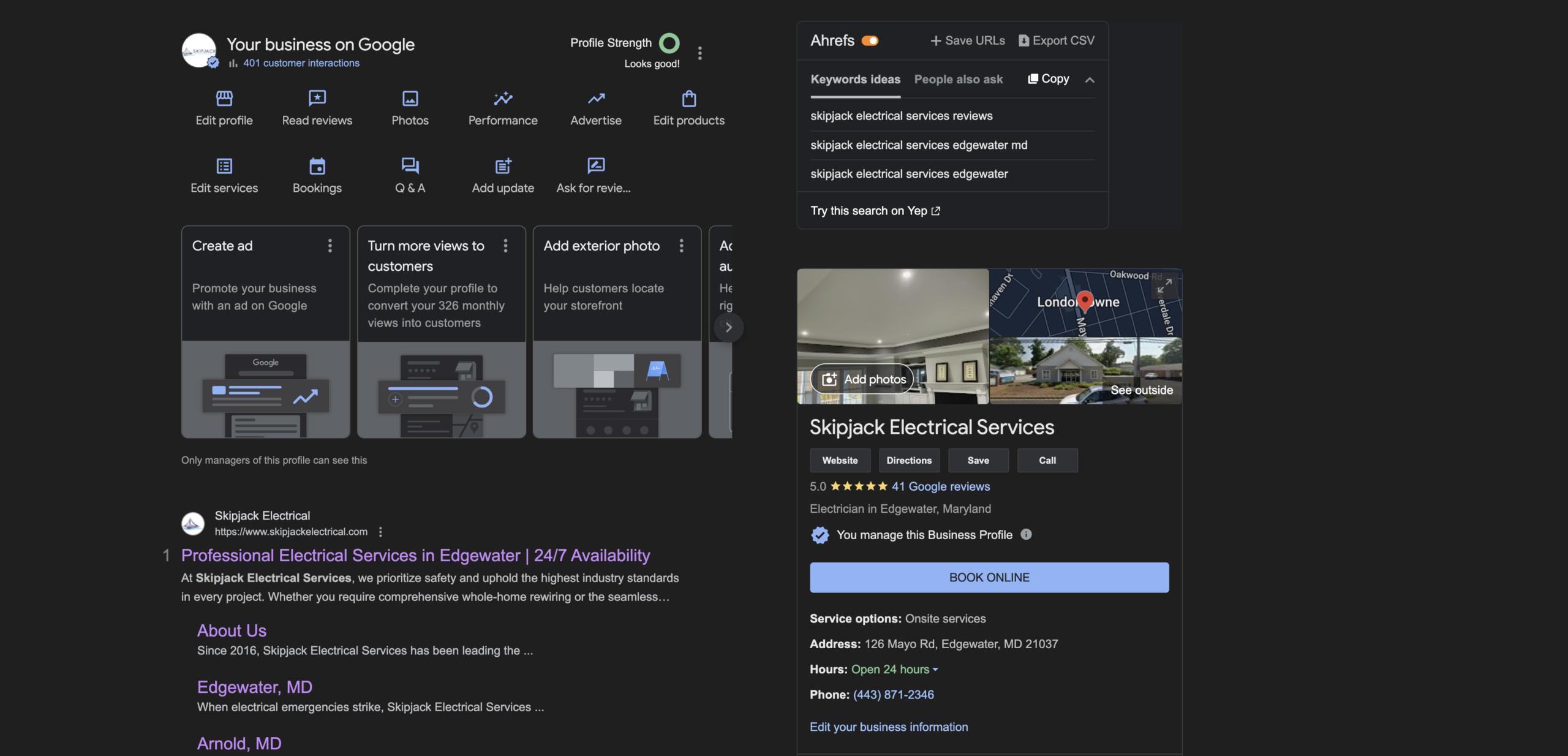
Managing a Google Business Profile can be a real headache for electricians. Between juggling daily jobs, handling customer inquiries, and keeping up with the demands of the business, finding time to optimize your GBP might feel like just another stress-inducing task on your never-ending to-do list.
Many electricians struggle with understanding the ins and outs of Google’s platform, dealing with constant updates, and figuring out how to stand out in a sea of competitors. But fear not—optimizing your GBP doesn’t have to be a source of stress.
With the right strategies, you can turn your profile into a powerful tool that attracts local customers and drives more business.
In the video below, I will go over exactly how I will be optimizing my new client’s GBP, who just happens to be one of the top electricians in Edgewater, MD. Seriously- look at his reviews.
1. Understanding Google Business Profile Growth
Organic growth in your GBP is always a positive sign, but it’s essential to manage how you approach advertising. While there is an “Advertise” button on your GBP dashboard, it can be cumbersome to use because it redirects you to a separate ad account.
For those who prefer simplicity, using Google Ads directly to promote your GBP might be a better option. This method is often more straightforward and can provide greater control over your advertising efforts.
2. Choosing the Right Categories
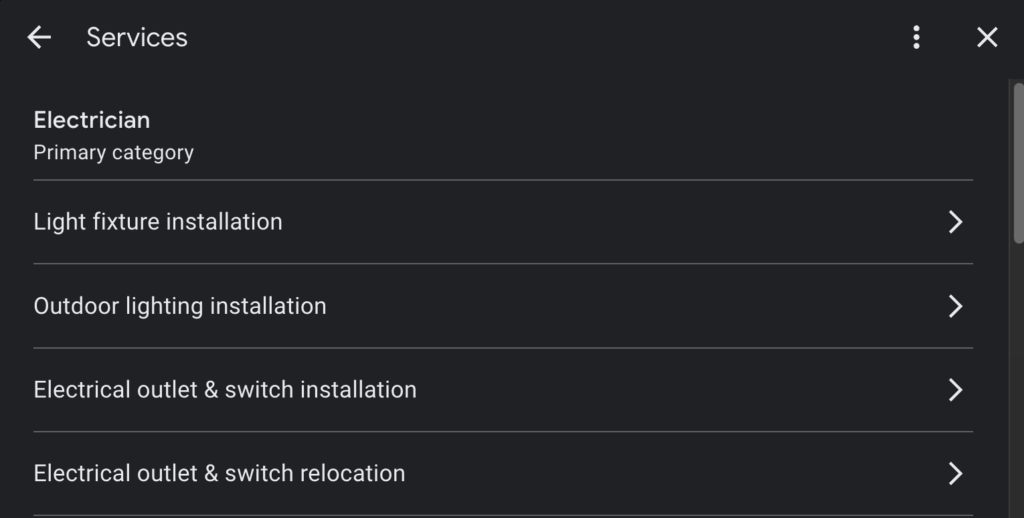
One of the fundamental steps in optimizing your GBP is selecting the appropriate categories. Your primary category should be the most obvious one related to your services—like “Electrician” for electricians. Make sure this is clear and straightforward, as it helps Google understand what your business is about, thereby improving your local search rankings.
3. Leveraging the Q&A Section
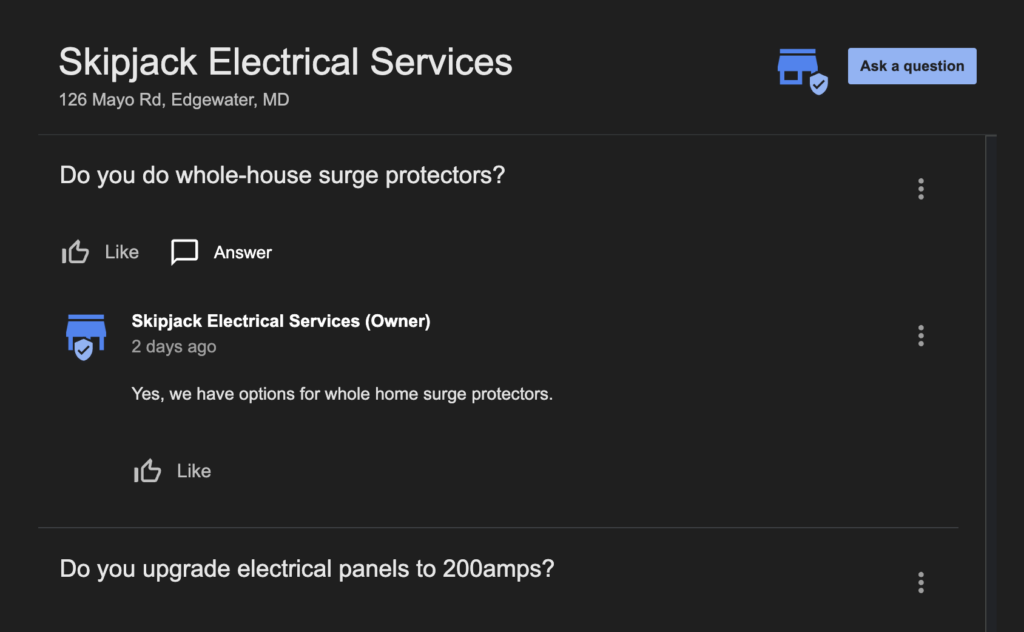
The Q&A section of your GBP is a powerful tool that many businesses overlook. This feature allows potential customers to ask questions about your services, and you can also preemptively add and answer questions.
For example, if your business makes high margins on specific services like hot tub installations or whole-house surge protectors, you should add questions and detailed answers about these services. However, avoid spamming the Q&A section with too many questions at once. Instead, introduce them gradually to maintain a natural flow of information.
4. Regularly Update Your Profile
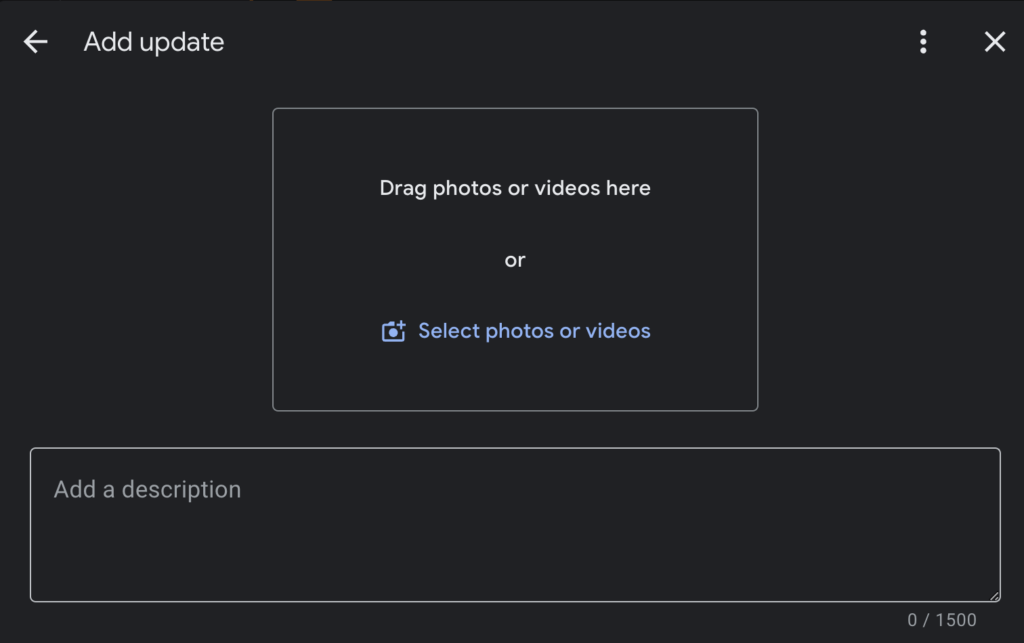
Keeping your GBP updated is crucial for staying relevant in local search results. Google values active profiles, so posting weekly updates can significantly benefit your visibility. These updates don’t have to be overly complex—a simple graphic created with tools like Canva, coupled with a brief description and a call-to-action (CTA), can suffice.
The primary goal of these updates is not necessarily to generate leads directly but to keep your profile active and engaged.
5. Utilize Offers to Attract Customers
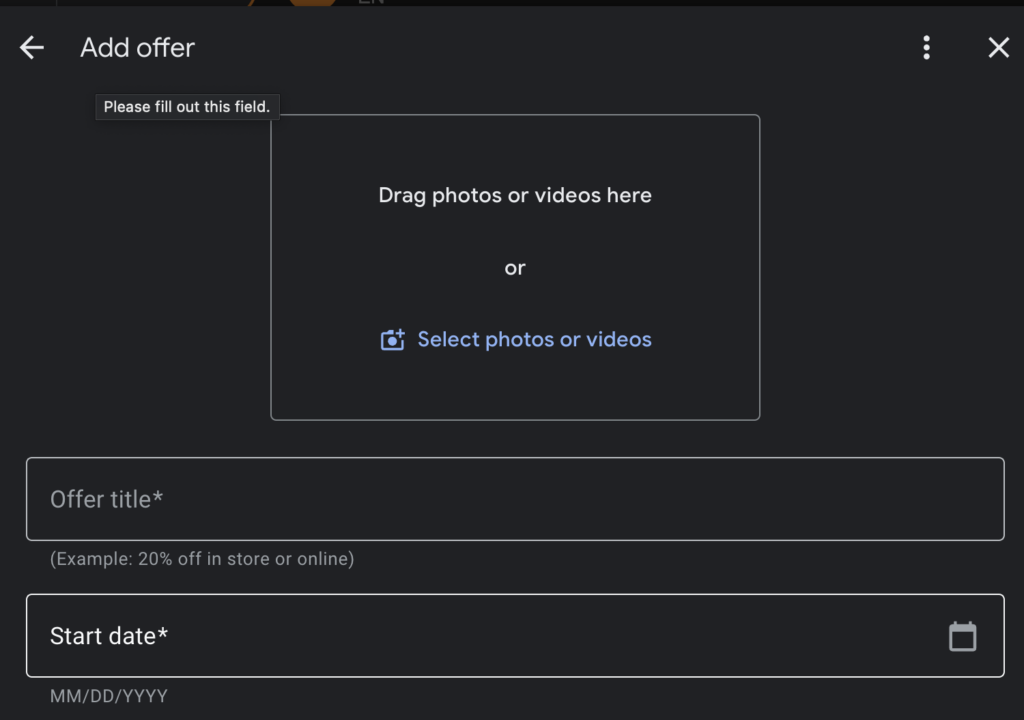
Offers are another excellent feature to leverage on your GBP. If you have a special deal or discount, make sure to post it in this section. An attractive offer can entice potential customers to choose your business over competitors.
For example, a coupon for a discount on electrical panel upgrades might be enough to tip the scales in your favor.
6. Encourage and Manage Reviews
Reviews are one of the most influential factors in local SEO. Encourage satisfied customers to leave positive reviews on your GBP. You can make this process easier by providing a direct link to your review page or even creating a QR code for quick access.
If a customer came through your Local Service Ads (LSA), direct them to leave a review through that platform, as LSA reviews are particularly impactful.
7. Maximize the Use of Photos and Videos
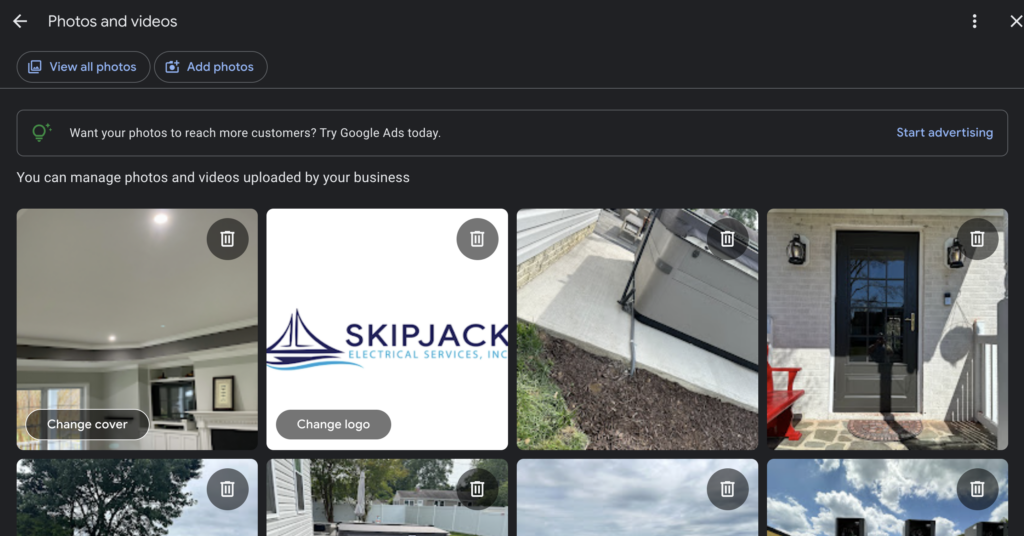
Adding photos and videos to your GBP can enhance your profile’s appeal. An exterior photo of your office, if applicable, can lend credibility to your business. Similarly, photos and videos of completed projects, your team in action, or even a short tour of your workspace can help build trust with potential customers.
8. Embed a Google Map on Your Website
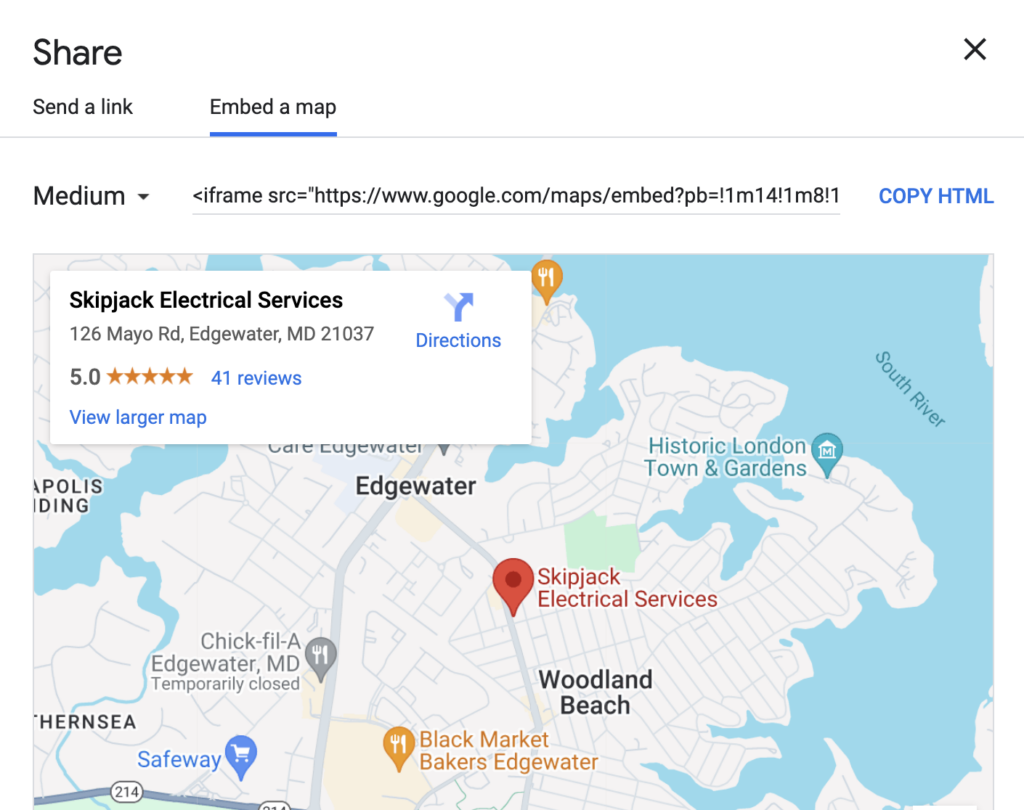
Linking your GBP to your website is another way to optimize your profile. Embedding a Google Map on your site not only helps customers find your location but also strengthens the connection between your website and GBP in Google’s eyes. To do this, use the “Share” and “Embed a Map” feature on Google Maps, select the size, and place it on the bottom of your homepage or contact page.
9. Stay Compliant with Google’s Guidelines
While it’s essential to take advantage of all the features GBP offers, it’s equally important to avoid falling into the trap of unnecessary recommendations from Google.
Sometimes, Google might suggest adding elements that aren’t relevant to your business, such as a restaurant menu for an electrician. Focus on the basics—hours, services, contact information—and disregard features that don’t add value to your profile.
Need Help?
LocalSink is a digital marketing agency that helps local service businesses manage & optimize their Google Business Profiles. If you reach out, you might just be the next success story!
First LSA Lead After Weeks of No Leads (Low Review Roofing Company)
How to Revive a Failing Local Services Ads Account: Lessons from a Real-World Experience
As a roofing company, there’s nothing more frustrating than investing time and money into a Local Services Ads (LSA) account, only to see it fail to deliver any leads. It’s a feeling of helplessness—watching your account gain impressions without generating a single call, and wondering if all your efforts are in vain.
This is exactly what happened with a roofing company I worked with in Portland and Vancouver. Despite setting up their LSA account just like I had for other successful clients, the leads weren’t coming in. Here’s what I did to turn things around and how you can, too.
While working with a new roofing company in Portland & Vancouver, I faced an unexpected challenge: their LSA (Local Services Ads) account was dead in the water. Despite setting it up as I had done for countless other companies, no leads were coming in. Frustration was mounting on both sides.
Here’s the timeline:
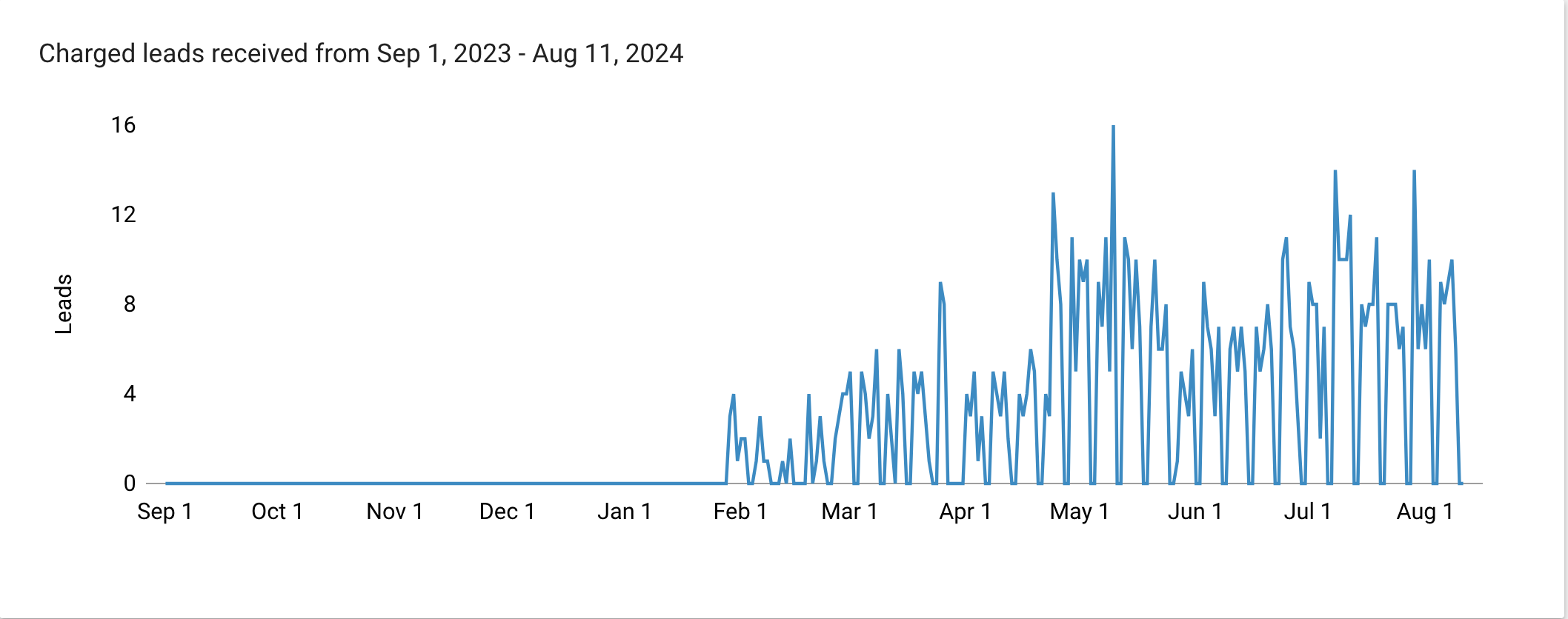
- June 1st: We started with 88 impressions and a 100% top impression rate, but the account was never ranking number one. No leads came in.
- July: Still no leads, and while the impression rate remained high, the account continued to fail to secure the top spot.
- August: Finally, a breakthrough. By the 5th of the month, the client received their first lead at a relatively low cost. We had 65 impressions, with a 41% absolute top impression rate.
So, what changed?
I took several key steps to optimize the account:
- Increased Budget: Initially, the budget was set at $1,000. I increased it to $3,000 to improve visibility.
- Constant GBP Updates: I made regular updates to the Google Business Profile (GBP). This included adding photos, ensuring the business hours were accurate, and embedding the GBP on the client’s website.
- Engagement: I actively engaged with the account by asking and answering questions, utilizing insights from a “People Also Ask” interview with one of their technicians.
- Linked Social Media: I connected all relevant social media profiles to the GBP.
- Manual Monitoring and Management: I kept a close eye on the account, marking leads as booked immediately and ensuring nothing was stuck in the active tab. This is crucial because unresolved leads can clog the system and slow down performance.
Despite initial setbacks, persistence paid off. The key takeaway is that even if your LSA account isn’t performing right away, continuous updates, engagement, and patience are critical. Don’t be discouraged; with time and consistent effort, results will follow.
If you need help with optimizing Local Service Ads for your local service business, feel free to reach out! My name is Will, and I run an agency that helps local service businesses called LocalSink. I’m here to help you navigate these challenges and achieve success.
Alternatively, check out our FREE Guide: Optimize your Local Service Ads for Local Home Service Businesses.