
Tag: Google Local Service Ads
The Complete, Unhinged Guide to Google Local Service Ads (get more LSA leads)
In today’s competitive market, attracting new customers for your home service business is more important than ever. Google Local Service Ads (LSA) offers a highly effective and cost-efficient solution to achieve this goal. This comprehensive guide will take you through every step of setting up and optimizing your LSA account, ensuring you get the most out of your investment.
Why Google Local Service Ads are Essential for Home Service Businesses
Google Local Service Ads are designed specifically for local businesses looking to connect with potential customers in their area. Here’s why LSAs are the ideal lead generation tool for home service businesses:
- Targeted Customer Acquisition: LSAs connect you directly with qualified leads actively searching for services like yours within your local area.
- Streamlined Lead Management: With a user-friendly dashboard, managing leads and tracking campaign performance becomes as easy as using a Customer Relationship Management (CRM) system.
- Cost-Effective Lead Generation: The pay-per-lead structure ensures you only incur costs when a potential customer expresses interest, making it a budget-conscious marketing strategy.
Before diving into the setup process, it’s important to ensure your business is eligible for the Google Guaranteed Badge, which can enhance your credibility and attract more customers.
Step 1: Check Your Eligibility for Google Local Service Ads
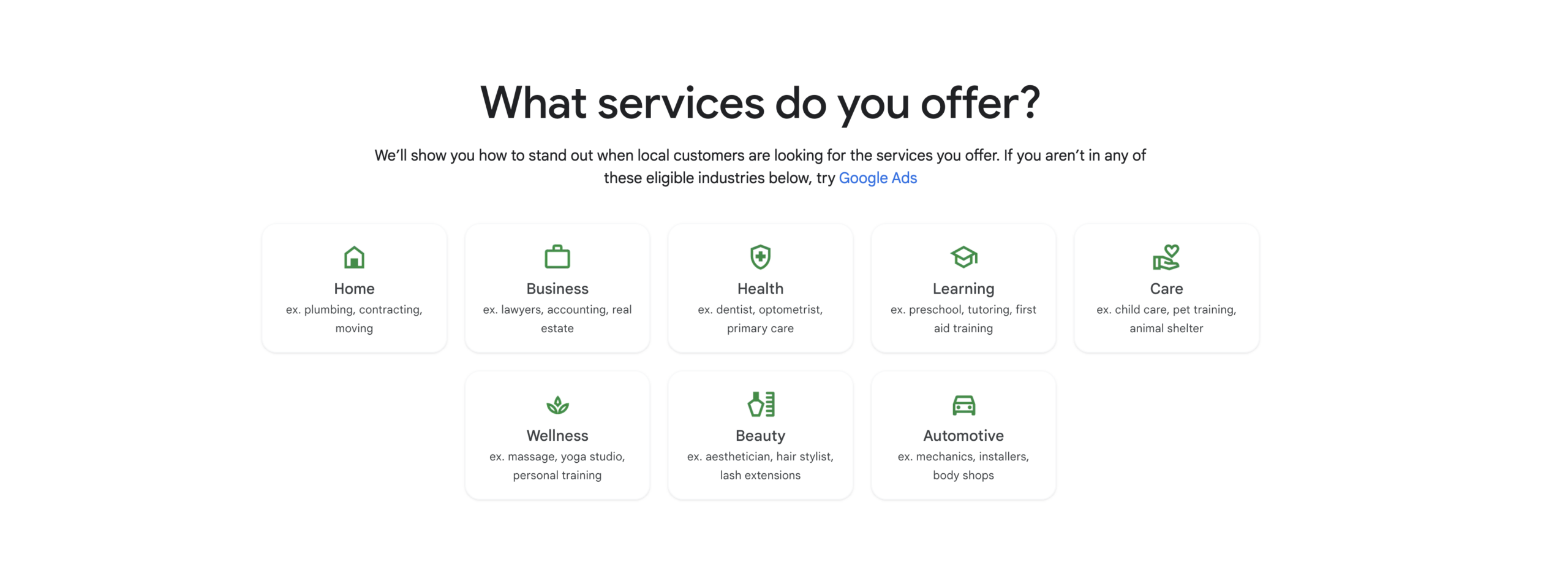
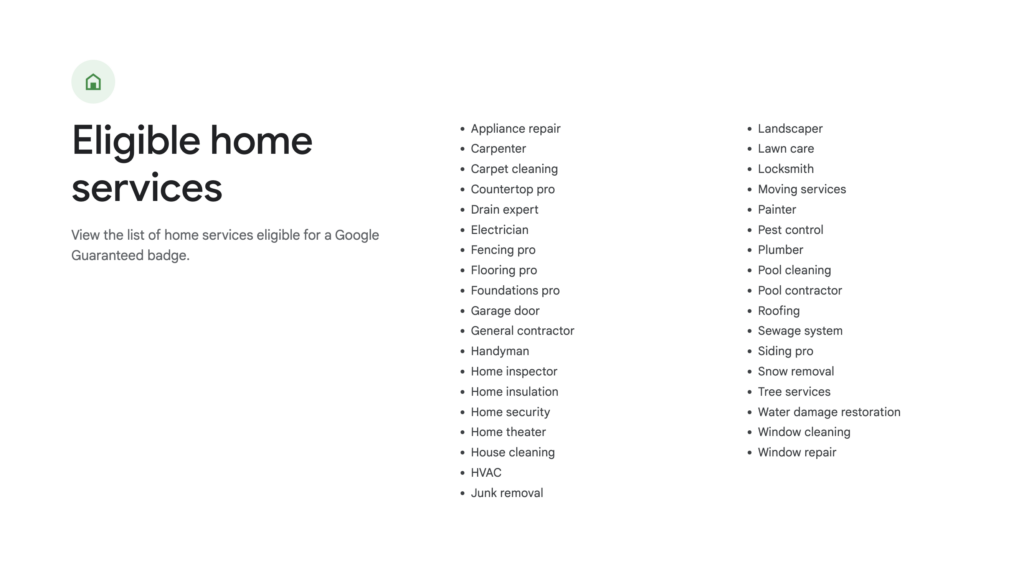
Google Local Service Ads cater to a wide range of home services, including but not limited to appliance repair, carpentry, landscaping, pest control, plumbing, roofing, and HVAC services. Before setting up your LSA account, check if your business falls under one of the eligible categories.
Step 2: Signing Up for a Google Local Service Ads Account
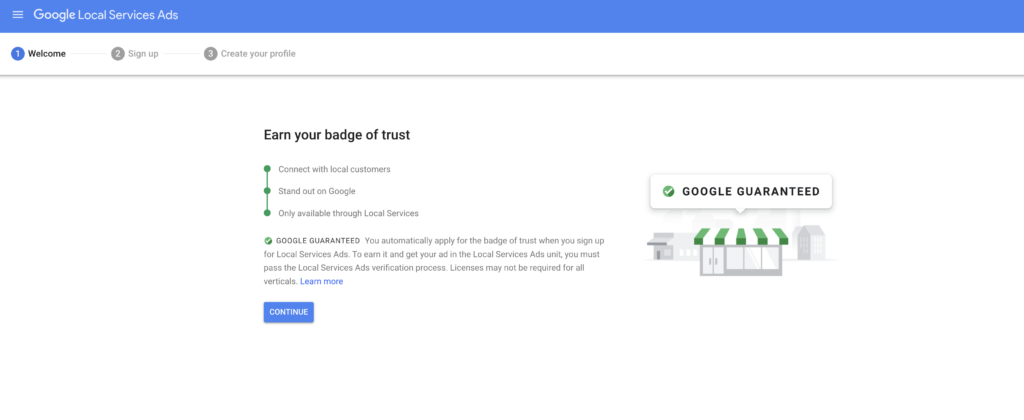
To start, visit ads.google.com/localservices/signup and click “Continue.” You’ll be redirected to an eligibility window where you can input your location and job category. Make sure to choose an email that you have access to, as all communication regarding leads and billing will be sent there.
Information Required for Account Setup
- Business Details: Enter your business name, phone number, website (optional), messaging preferences, owner’s name, and address. Ensure all information is accurate to avoid any verification issues.
- Verification Documents: To complete your profile setup, you’ll need to provide a valid license number, proof of insurance, and complete a background check for all customer-facing employees. Ensure all documentation is current and complies with Google’s requirements.
Step 3: Setting Your Budget and Bidding Strategy
Once your account is set up, it’s time to decide on a budget and bidding strategy:
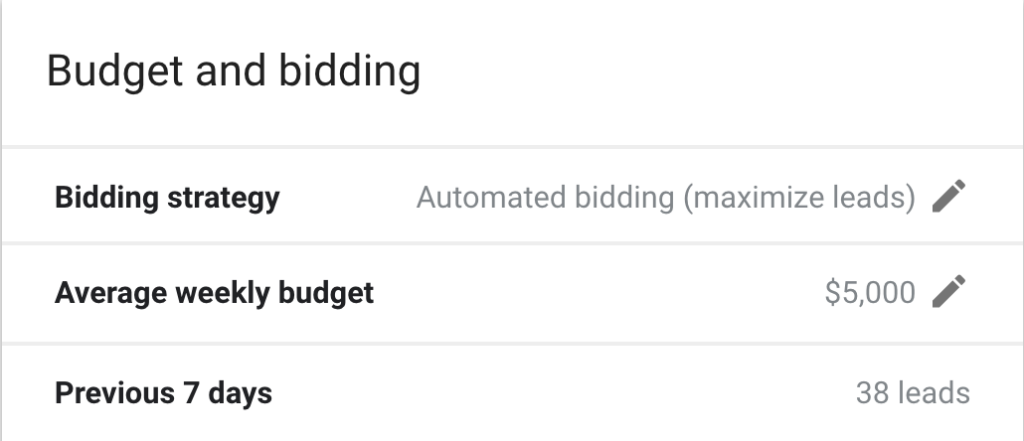
- Budget: Start with a flexible budget between $500 and $2,000 to test the waters. Adjust based on the performance and volume of leads you receive.
- Bidding Strategy: Google offers two primary bidding options:
- Maximize Leads Bidding: This automated strategy focuses on generating the most leads within your budget. It’s ideal for established businesses looking to optimize lead volume.
- Manual Bidding: For more experienced users, manual bidding allows you to set a maximum bid per lead, providing greater control over your spending.
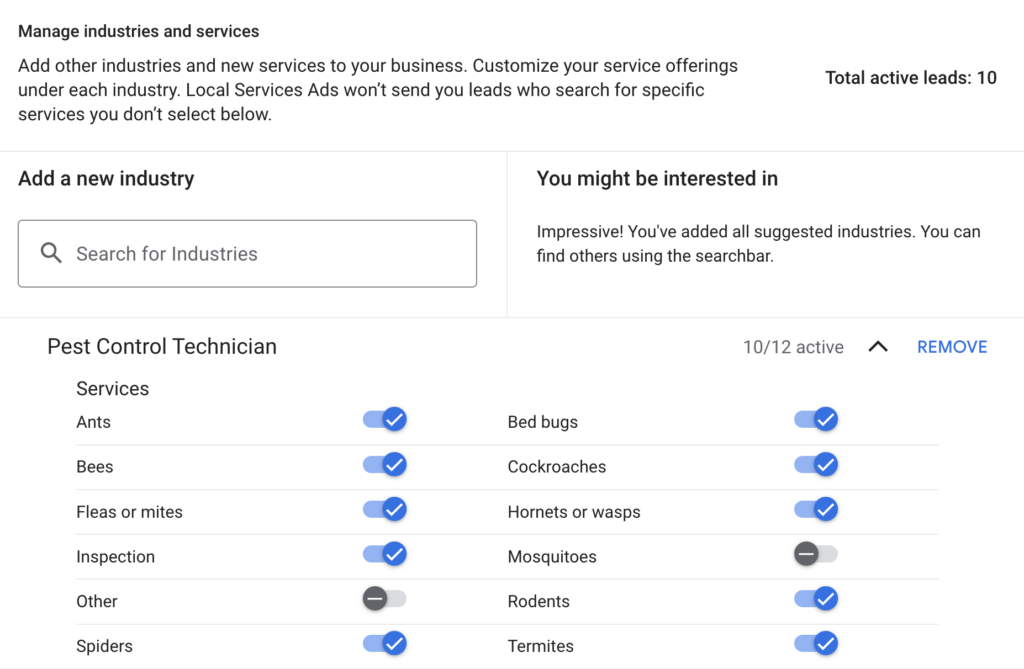
Step 4: Selecting Relevant Job Types and Service Areas
It’s crucial to select the specific job types your business offers and define the geographic areas where you’re willing to provide service:
- Job Types: Choose only the services you genuinely offer to avoid irrelevant leads. While you can include an “Other” option to capture more inquiries, this may result in calls that aren’t directly related to your core services.
- Service Areas: Clearly specify your target service areas and exclude regions you don’t want to cover. Regularly monitor your call logs to ensure you’re not receiving leads from outside your designated areas.
Step 5: Optimizing Your LSA Profile
A well-optimized LSA profile is key to attracting more leads and improving your local SEO:

- Photos: Upload high-quality images of your business, projects, team, and branded vehicles. A visually appealing profile can significantly enhance your campaign performance and build trust with potential customers.

- Business Hours: Set your business hours accurately to reflect when your team is available to take calls. This ensures Google sends leads during your operational hours, maximizing the chances of conversion.
Step 6: Lead Management and Optimization
Effective lead management is crucial for the success of your LSA campaigns. Here’s how to stay on top of your leads:
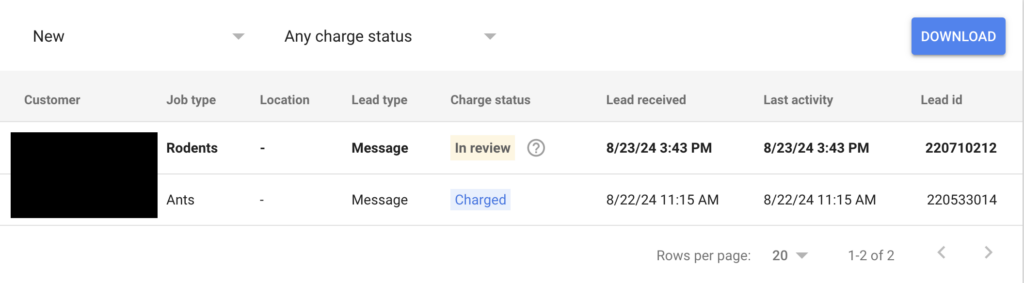
- Consistent Lead Marking: Mark your leads daily as “Booked,” “Completed,” “Archived,” or “Disputed” based on their status. This practice provides valuable data for optimizing your campaigns and improves your standing with Google.
- Disputing Leads: If you receive a lead that falls outside your service parameters or is otherwise irrelevant, don’t hesitate to dispute it. Google allows you to dispute leads for various reasons, such as incorrect contact information or services not offered.
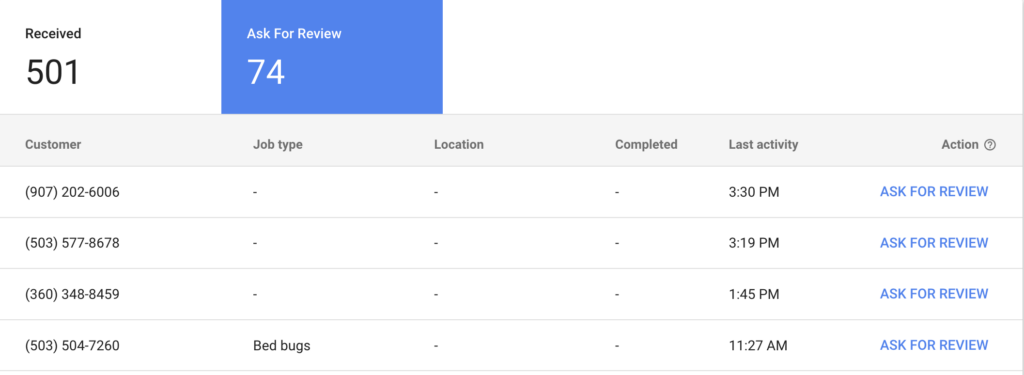
Step 7: Leveraging Reviews for Better Performance
Positive reviews significantly impact the visibility and credibility of your LSA profile. Encourage satisfied customers to leave reviews, especially Google Verified Reviews, which are highly valuable due to their direct connection to a completed LSA transaction.
Step 8: Analyzing Reports and Adjusting Strategies
The “Reports” tab in your LSA dashboard provides insights into campaign performance. Use this data to:
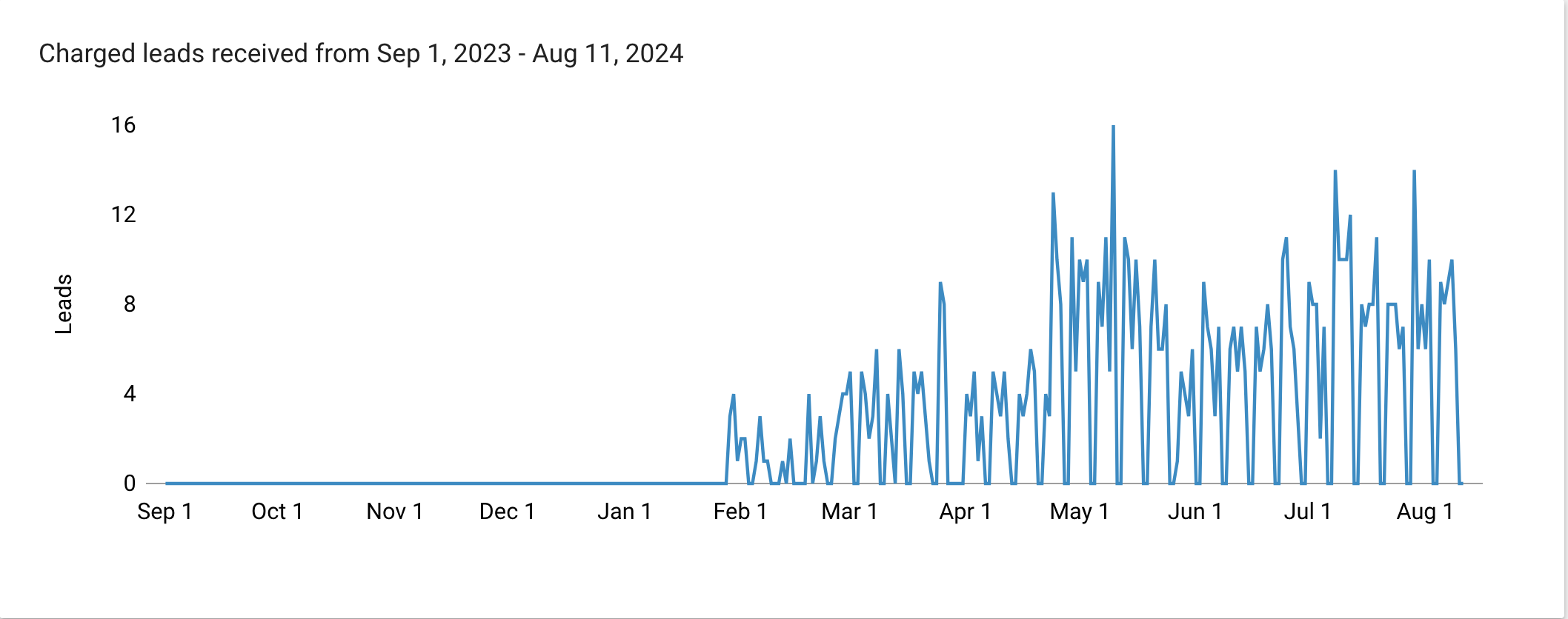
- Track Lead Generation: Monitor the volume of leads over time to identify trends and make necessary adjustments.
- Adjust Budgets: Regularly review your budget allocation and adjust it based on performance metrics to ensure you’re maximizing your return on investment.

Step 9: Managing Account Access and Notifications
Efficiently managing account access and configuring notifications ensures smooth operation and keeps your team informed about campaign performance. Set appropriate permission levels for users and customize notification preferences to stay updated on lead activity and performance reports.
Conclusion: Achieving Success with Google Local Service Ads
Google Local Service Ads are a powerful tool for home service businesses looking to connect with local customers and generate more leads. By following this comprehensive guide, you can optimize your LSA account to maximize its effectiveness, improve your local SEO, and ultimately grow your business.
If you need further assistance or want to learn more about how to leverage digital marketing for your home service business, feel free to reach out. I’m Will, and I run LocalSink, an agency dedicated to helping local service businesses succeed online.
First LSA Lead After Weeks of No Leads (Low Review Roofing Company)
How to Revive a Failing Local Services Ads Account: Lessons from a Real-World Experience
As a roofing company, there’s nothing more frustrating than investing time and money into a Local Services Ads (LSA) account, only to see it fail to deliver any leads. It’s a feeling of helplessness—watching your account gain impressions without generating a single call, and wondering if all your efforts are in vain.
This is exactly what happened with a roofing company I worked with in Portland and Vancouver. Despite setting up their LSA account just like I had for other successful clients, the leads weren’t coming in. Here’s what I did to turn things around and how you can, too.
While working with a new roofing company in Portland & Vancouver, I faced an unexpected challenge: their LSA (Local Services Ads) account was dead in the water. Despite setting it up as I had done for countless other companies, no leads were coming in. Frustration was mounting on both sides.
Here’s the timeline:
- June 1st: We started with 88 impressions and a 100% top impression rate, but the account was never ranking number one. No leads came in.
- July: Still no leads, and while the impression rate remained high, the account continued to fail to secure the top spot.
- August: Finally, a breakthrough. By the 5th of the month, the client received their first lead at a relatively low cost. We had 65 impressions, with a 41% absolute top impression rate.
So, what changed?
I took several key steps to optimize the account:
- Increased Budget: Initially, the budget was set at $1,000. I increased it to $3,000 to improve visibility.
- Constant GBP Updates: I made regular updates to the Google Business Profile (GBP). This included adding photos, ensuring the business hours were accurate, and embedding the GBP on the client’s website.
- Engagement: I actively engaged with the account by asking and answering questions, utilizing insights from a “People Also Ask” interview with one of their technicians.
- Linked Social Media: I connected all relevant social media profiles to the GBP.
- Manual Monitoring and Management: I kept a close eye on the account, marking leads as booked immediately and ensuring nothing was stuck in the active tab. This is crucial because unresolved leads can clog the system and slow down performance.
Despite initial setbacks, persistence paid off. The key takeaway is that even if your LSA account isn’t performing right away, continuous updates, engagement, and patience are critical. Don’t be discouraged; with time and consistent effort, results will follow.
If you need help with optimizing Local Service Ads for your local service business, feel free to reach out! My name is Will, and I run an agency that helps local service businesses called LocalSink. I’m here to help you navigate these challenges and achieve success.
Alternatively, check out our FREE Guide: Optimize your Local Service Ads for Local Home Service Businesses.