
Author: David Bratvold
Step-by-Step Guide to Optimize Your Google Business Profile (GBP) for Your Restoration Company
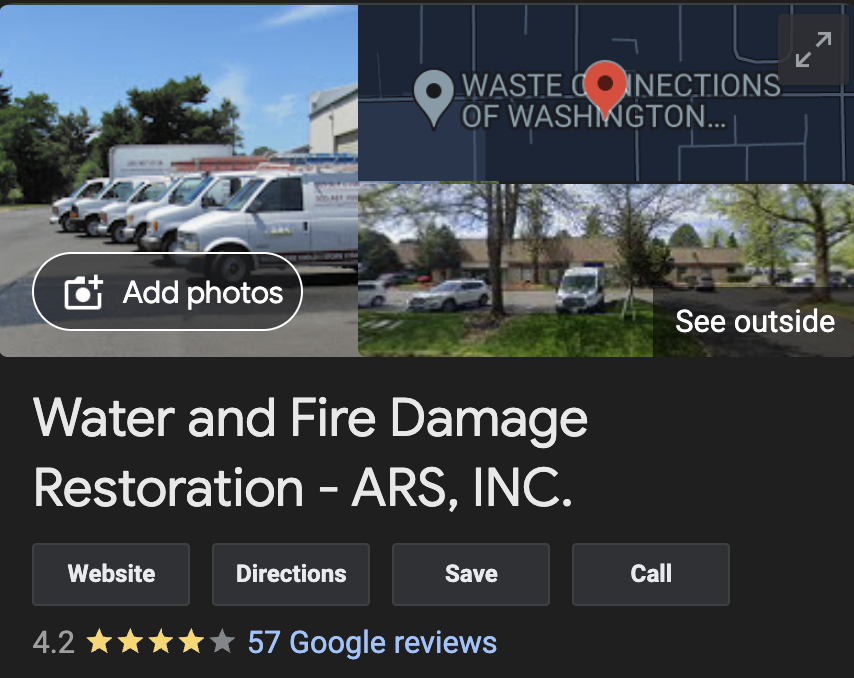
If you’re tired of your Google Business Profile not showing up on the Google search results, you aren’t alone. You might feel tired of running around, trying to run your restoration business and feel overwhelmed by how much is required to optimize your GBP. Don’t throw in the towel just yet.
Imagine how you would feel if you knew how simple it was to optimize your GBP, and you could get it done in less than an hour. Well, we made this guide for you!
Here’s a step-by-step guide to optimize your Google Business Profile (GBP) for your restoration company, focusing on improving local search visibility and enhancing customer engagement:
1. Optimize Your Google Business Profile Information
- Business Name: Ensure your business name is listed accurately and consistently across all online platforms.
- Address: Verify that your address is correct and formatted properly. Consistency across the web helps with local SEO.
- Service Areas: Clearly define all the areas you serve, especially focusing on your primary market.
- Phone Number: Use a local phone number that matches other online profiles to build trust with both Google and customers.
- Business Hours: Keep your business hours updated, including any variations for holidays or emergencies. Since restoration work often requires immediate response, consider mentioning your 24/7 availability prominently.
- Website: Ensure the website link directs users to a relevant landing page, such as your homepage or a page detailing your restoration services.
2. Set Up Proper Service Categories
- Primary Category: Choose “Water Damage Restoration Service” as your primary category, as this is a common service many customers look for.
- Additional Categories: Add other relevant categories, such as “Fire Damage Restoration,” “Mold Remediation,” “Storm Damage Restoration,” “Sewage Cleanup,” “Asbestos Testing,” and “Home Renovation.” These should cover the full range of services you offer.
3. Add Photos and Videos
- Professional Photos: Upload high-quality photos of your team, service vehicles, and equipment.
- Action Shots: Include images of your team at work during restoration projects, showing your expertise in water damage, fire damage, mold remediation, and other restoration services.
- Before and After Photos: Show examples of projects before and after restoration work. This is a powerful way to demonstrate the quality and effectiveness of your services.
- Videos: Consider adding short videos that explain your restoration process, highlight customer testimonials, or provide tips on what to do after a disaster.
4. Manage Reviews
- Request Reviews: Encourage satisfied customers to leave reviews. Providing your technicians with lanyards featuring a QR code that links directly to your review page can make this process easy and convenient for customers.
- Respond Promptly: Always respond to new reviews quickly, thanking customers for their feedback and addressing any concerns professionally.
- Encourage Detailed Feedback: Ask customers to mention specific services, such as water damage or mold remediation, in their reviews to help with keyword relevance.
5. Post Weekly Updates
- Content Ideas: Share updates about your services, tips for property damage prevention and recovery, customer success stories, or information about special offers. Highlight any certifications, industry partnerships, or case studies to demonstrate your credibility and expertise.
- Keywords: Use relevant keywords related to restoration services in your posts to improve your profile’s visibility.
- Call to Action: Include a clear call to action in every post, such as “Contact Us Now,” “Get a Free Quote,” or “Learn More.”
6. Complete the Q&A Section
- Anticipate Common Questions: Populate the Q&A section with frequently asked questions about your services, such as the types of damage you handle, your response times, insurance support, and safety protocols.
- Provide Comprehensive Answers: Offer detailed and helpful answers to each question. This can improve your profile’s relevance and assist potential customers in making informed decisions.
7. Add Social Profiles
- Link Social Media Accounts: Add links to all your active social media profiles, such as Facebook, Instagram, LinkedIn, and Twitter, to enhance your online presence and engage with your audience.
8. Monitor Insights and Performance
- Regularly Check Insights: GBP provides insights on how customers find your business and interact with your profile. Use this data to adjust your strategy and improve engagement.
- Optimize Based on Data: If you notice certain posts or updates are performing well, consider creating more content in that style or on those topics.
9. Utilize Lanyards with QR Codes for Reviews
- Generate QR Codes: Use a QR code generator to create a code that links directly to your Google review page.
- Design Effective Lanyards: Ensure the lanyards are sturdy and prominently display the QR code, along with a friendly message encouraging customers to leave a review.
- Train Your Team: Educate your technicians on how to ask for reviews and show customers how to use the QR code, particularly after completing a successful restoration job.
10. Stay Updated and Engage with Customers
- Engage Regularly: Regularly check your GBP for new updates, reviews, or questions. Engaging actively with customers shows that you are attentive and responsive, which can help build trust and enhance your online presence.
- Stay Informed: Keep up with any changes or new features on Google Business Profile to ensure you are utilizing all available tools to their fullest potential.
By following these steps, you can optimize your Google Business Profile for your restoration company, improving your chances of ranking higher in local searches like “restoration service near me” and attracting more customers.
If all of this sounds like too much, you might want to consider LocalSink, a digital marketing agency that helps restoration companies manage their Google Business Profile.
For Restoration Companies Who Don’t Want to Wait…
If you’re a local home service business owner, chances are you’re spending your time doing good work and keeping things running. You may not have the time to spend working on your Google Business Profile, even though it’s extremely important.
Just look at what we did for ARS Restoration, one of the top water damage restoration companies in Portland & Vancouver, WA!
That’s why we started LocalSink, a digital marketing agency that manages Google Business Profiles for restoration companies just like you. We check all the boxes listed above, and more! So, if you’re a plumber who needs some extra help, feel free to contact us!
How to DOUBLE Leads for Your Roofing Company in ONE WEEK With Google Local Services Ads
If you’re a roofing company with a Google Local Services Ads account, you might be tired of not seeing the amount of leads you were hoping for. You might be frustrated hearing other companies in your area getting handed hundreds of LSA leads each month on a silver platter, while you’re lucky if you even get 1 or 2 leads in a month!
It’s so darn frustrating! The good news is that you aren’t alone.
Now, imagine looking at your LSA dashboard and seeing more leads than you can handle, at a cost per lead that you CAN handle!
Here’s a step-by-step guide for managing your Google Local Services Ads (LSA) and Google Business Profile (GBP) for your roofing company:
1. Optimize for “Roofer Near Me” Searches:
- Ensure proper category setup: Make sure your LSA and GBP are listed under “Roofing Services” or “Roofing Contractor.”
- Leverage keywords in review replies: Incorporate phrases like “roofer near me” naturally when responding to reviews to enhance local SEO.
- Accurately define service areas: Ensure that all relevant service areas are included and that unwanted areas are added to the exclusion list.
2. Weekly GBP Updates:
- Post updates weekly: Highlight recent roofing projects, customer success stories, promotions, or roofing tips.
- Use roofing-related keywords such as “roof replacement,” “skylight installation,” and “gutter services” to ensure your updates resonate with search queries.
3. Reply to All Reviews:
- Respond quickly to every review: Show appreciation for positive reviews and offer resolutions for negative ones.
- Include roofing-related terms in your replies to reinforce your relevance for search terms like “roof repair” or “roofing contractor.”
4. Add Plenty of Pictures:
- Regularly upload new photos showing:
- Before and after roofing projects.
- Your roofing team in action.
- Branded trucks and equipment.
- Completed skylight or gutter installations.
- Update photos weekly to keep your profile fresh and engaging.
5. Lead Management:
- Clear the “New,” “Active,” and “Booked” tabs quickly: Mark leads as “completed” or “archived” as soon as they’re dealt with. This keeps your lead flow optimized and signals to Google that you are effectively managing them.
- Check and update lead statuses daily to ensure your account remains active and receives more leads.
6. Insurance Verification:
- Check insurance status regularly: Set reminders to verify your insurance details monthly to avoid any lapses that could result in suspension.
7. Service Areas and Exclusion List:
- Ensure service areas are properly set: Highlight the areas where you provide roofing services and add excluded areas where you don’t.
- Review these settings regularly to ensure they’re up-to-date with your service offerings.
8. Policy Manager Tab:
- Monitor policy violations weekly: Check the “Policy Manager” tab for any violations or warnings that could affect your LSA status and address them promptly.
9. Budget Management:
- Set to ‘Automated Bidding (maximize leads)’: This bidding strategy will help Google generate more leads within your budget.
- Adjust budget weekly: Set your budget to three times your previous week’s spend to maximize leads without overspending.
10. Business Bio and Details:
- Highlight appealing services: Select business bio options such as “100% financing” or “Free in-home estimate” to attract more customers.
- Double-check phone number and website: Make sure the correct phone number and website are listed in both your LSA and GBP profiles to avoid any potential customer drop-offs.
11. Business Hours or Ad Schedule:
- Align your business hours with availability: Ensure your listed business hours match the times you have someone answering the phone.
- Alternatively, set a custom ad schedule so that your ads only run during hours when you can respond promptly to calls.
Regular Monitoring:
- Weekly Review Checklist:
- Post new GBP updates.
- Respond to all reviews.
- Upload fresh pictures.
- Mark leads as completed or archived.
- Review insurance status.
- Update service areas and exclusions.
- Monitor the Policy Manager tab for any issues.
- Adjust the budget based on last week’s spending.
This process will help ensure your roofing company’s LSA and GBP are fully optimized to generate the maximum amount of leads and boost your visibility in search results.
If this all sounds like too much, you might want to find a digital marketing agency that offers Google Local Services Ads Management– or…
Tired of Waiting for Local Services Ads Results for Your Roofing Company?
We can help! LocalSink is a digital marketing agency for roofers like you!
In fact, we’ll do the same thing we did for Rock Solid Roofing, the best roofer in Portland, OR!
We check all the boxes above, and more! We handle all aspects of your digital marketing, so that you can focus on what you do best- building your business. Don’t hesitate to contact us if you think we could help!
How to Find a Digital Marketing Agency for Your Electrical Company (and not get burned again)
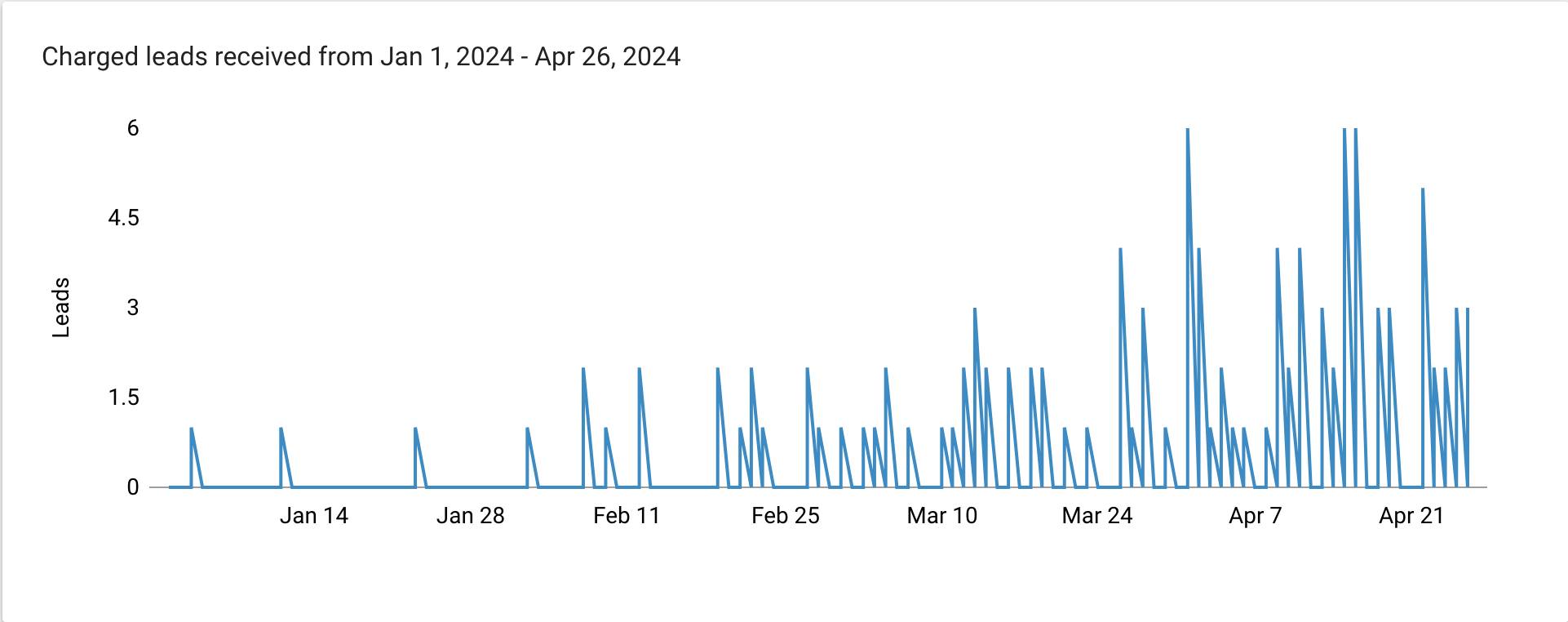
If you’re tired of looking for a good marketing agency for your electrical business, you aren’t alone. You might feel tired of running around, trying to run your business, not having the time to juggle the both the business and the digital marketing. At the same time, the marketing agencies you’ve hired aren’t making the darn phone ring!
We know how frustrating this can be, but don’t throw in the towel just yet.
Imagine how you would feel if you knew how simple it was to find an agency that meets your needs. Even better, you could find the right agency in less than an hour. Well, we made this guide for you!
Here are some steps you should take to find an agency that will actually deliver results and help you grow your business:
1. Clarify Your Goals and Budget
- First, get crystal clear on what you want to achieve with your digital marketing. Are you looking to get more service calls, increase your local visibility, or boost overall leads? Knowing your goals will help you find an agency that aligns with what you need.
- Set a realistic budget for how much you’re willing to invest. This will help you filter out agencies that are out of your price range and focus on those that fit within your budget.
2. Search for Agencies with Industry Experience
- Try to find a marketing agency that works with electrical companies or similar service-based businesses. This ensures they understand the unique challenges and opportunities in your industry.
- Check out their case studies and client testimonials to see if they’ve helped businesses like yours before. Look for examples of success in generating leads and calls.
3. Ask for Referrals from Other Business Owners
- Reach out to other local business owners or professionals in your network. Personal referrals are often the best way to find agencies that deliver real results.
4. Evaluate Their Transparency and Communication Style
- Choose an agency that’s upfront about their services, pricing, and the results they can realistically achieve. Avoid those that make big promises without backing them up.
- Pay attention to how they communicate. A good agency will be clear, responsive, and willing to explain their strategies and answer all your questions.
5. Ensure They Offer Full-Service Marketing
- Make sure the agency can handle all aspects of your digital marketing, including Google Business Profile management, Google Ads Management, Google Local Services Ads Management, Local SEO, social media, and any other services you might need. It’s easier to work with one agency that does it all.
- Ask them to explain their approach to these services and how they customize their strategies for electrical companies.
6. Request a Tailored Proposal
- A reputable agency will provide a proposal tailored to your business, outlining the strategies they recommend and the results they expect to achieve. This should be based on your goals and the specific needs of your business.
7. Look for Transparency in Reporting and Results
- Make sure they offer regular, detailed reports showing what they’re doing, the progress being made, and your return on investment. You want to see clear evidence of their efforts and results.
- Ask about the key performance indicators (KPIs) they focus on and how these align with your business goals.
8. Carefully Review Contract Terms
- Be wary of agencies that require long-term contracts without a clear exit option. A good agency should offer flexibility and prove their value through results, not lengthy commitments.
9. Start with a Small Project or Trial Period
- If possible, begin with a smaller project or a trial period. This allows you to gauge the agency’s performance and ensure they’re a good fit before committing to a longer partnership.
We hope this helps you find the right agency to grow your electrical business. Let us know if this helps!
Need Help With Digital Marketing for Your Electrical Company?
At LocalSink, we believe digital marketing should be an added benefit to your local home service business, and not add more problems to your plate. We do not use contracts with our clients, since we believe that if our services are good, you’ll stay! We track everything to make sure results are measured, and make sure that clients get regular face-to-face interaction with our team.
We’ll help your electrical company the same way we helped Skipjack Electrical, one of the best electricians in Edgewater/Annapolis, MD.
If you are looking for an agency that checks all the boxes above, consider contacting us!
How to Fix 404 & 4xx Errors in Ahrefs
Broken links and missing pages can frustrate users and damage your website’s credibility. When visitors encounter a 404 error page, it indicates that the URL they attempted to access no longer exists, creating a dead end in their browsing experience. But it’s not just users who are affected—search engines also take note. Internal links pointing to 404 URLs can waste your site’s crawl budget, causing search engine crawlers to miss important content and negatively impact your SEO performance.
This blog post will walk you through understanding the common causes of 404 and other 4xx errors, the importance of fixing them, and step-by-step instructions on how to identify and resolve these issues using tools like Ahrefs and WordPress. By taking proactive steps to address these errors, you can enhance user experience, maintain smooth website navigation, and ensure search engines efficiently index your site. Let’s dive into the process of cleaning up those broken links and keeping your website in top shape!
404 ERROR
Issue details
404 – Not Found is one of the most common 4xx errors and indicates that the requested URL does not exist. Links pointing to the 404 URLs are widely known as “broken links”.
404 URLs on your website damage the user experience, as people cannot access the page or file via a link they click. Besides, internal links to 404 URLs create unnecessary “dead ends” for the search engine crawlers and can waste your crawl budget.
How to fix
Review the list of 404 URLs on your website. Click on the number of inlinks to a given 404 URL to access the list of pages that link to it.
You should review the internal outgoing links to all the 404 pages reported and either remove these links or replace them with relevant links to live pages.
Alternatively, you can set the appropriate 301 redirects. It is especially important for the 404 pages with a decent number of external backlinks.
4XX ERROR
Issue details
4xx HTTP status codes indicate that the requested page or resource cannot be accessed. 401 – Unauthorized, 403 – Forbidden, 408 – Request Timeout, and 404 – Not Found are the most common “Client Errors”.
4xx URLs damage the user experience on your website as people cannot access the page or file via a link they click. Besides, internal links to 4xx URLs create unnecessary “dead ends” for the search engine crawlers and can waste your crawl budget.
Pages of your website that changed their response code to 4xx will be removed from Google’s index.
How to fix
Review the list of 4xx URLs. Click on the number of inlinks to a given 4xx URL to access the list of pages that link to it.
You should review the internal outgoing links to all the 4xx pages reported and either remove these links or replace them with relevant links to live pages.
Alternatively, you can set the appropriate 301 redirects. It is especially important when for moved or deleted pages on your website.
This will provide smooth crawlability for your website and guarantee good user experience.
The HTTP 429 (Too Many Requests) response code may indicate that the crawling speed set in the crawl settings for your project is too high for a web server. Reduce it in the crawl settings and run a project re-crawl.
Step-By-Step: Fix 404/4xx errors
- Go to ahrefs.com and log-in.
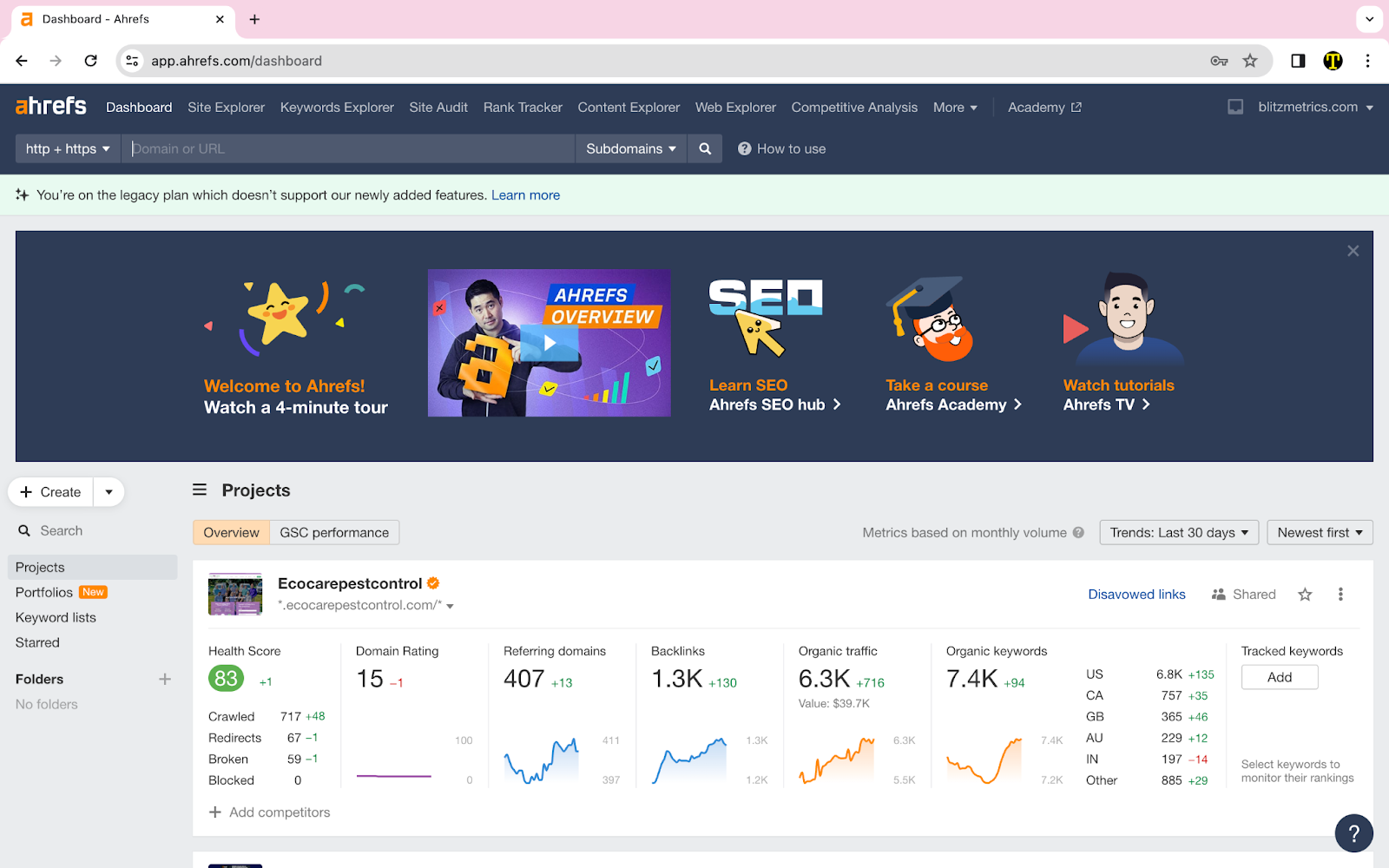
Open your client’s website too in WP Engine and open another tab of the client’s website.

- Once you are in the dashboard, click “Site Audit” located on the top of the window.
- Switch back to ahrefs tab and go to site audit, located at the top of the page.

- Find Ecocare’s website and click on it.

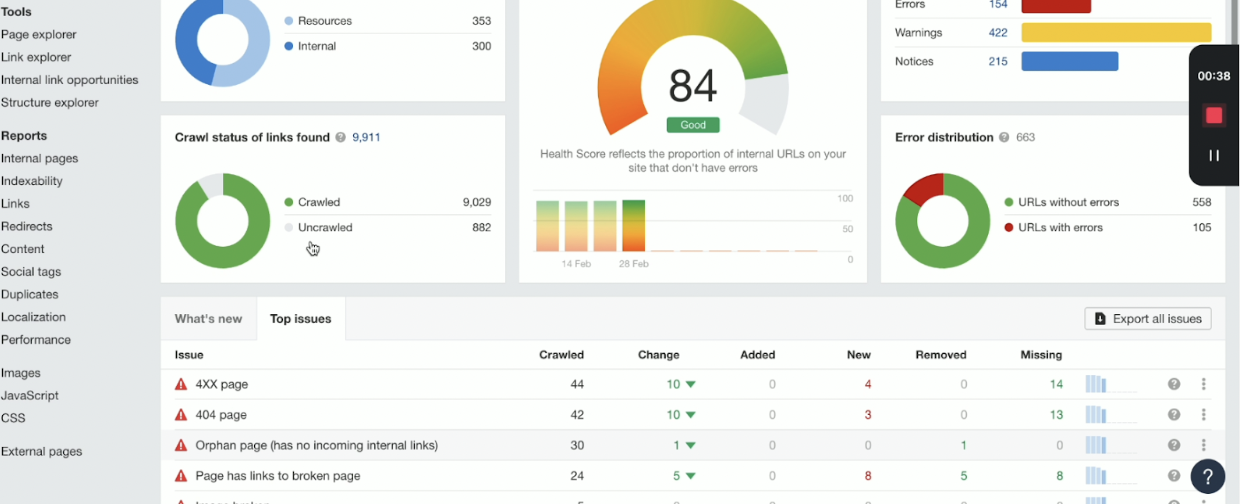
- Click on “Top Issues” and here you can see the specific issues. For this example, I clicked on the 4XX Page.
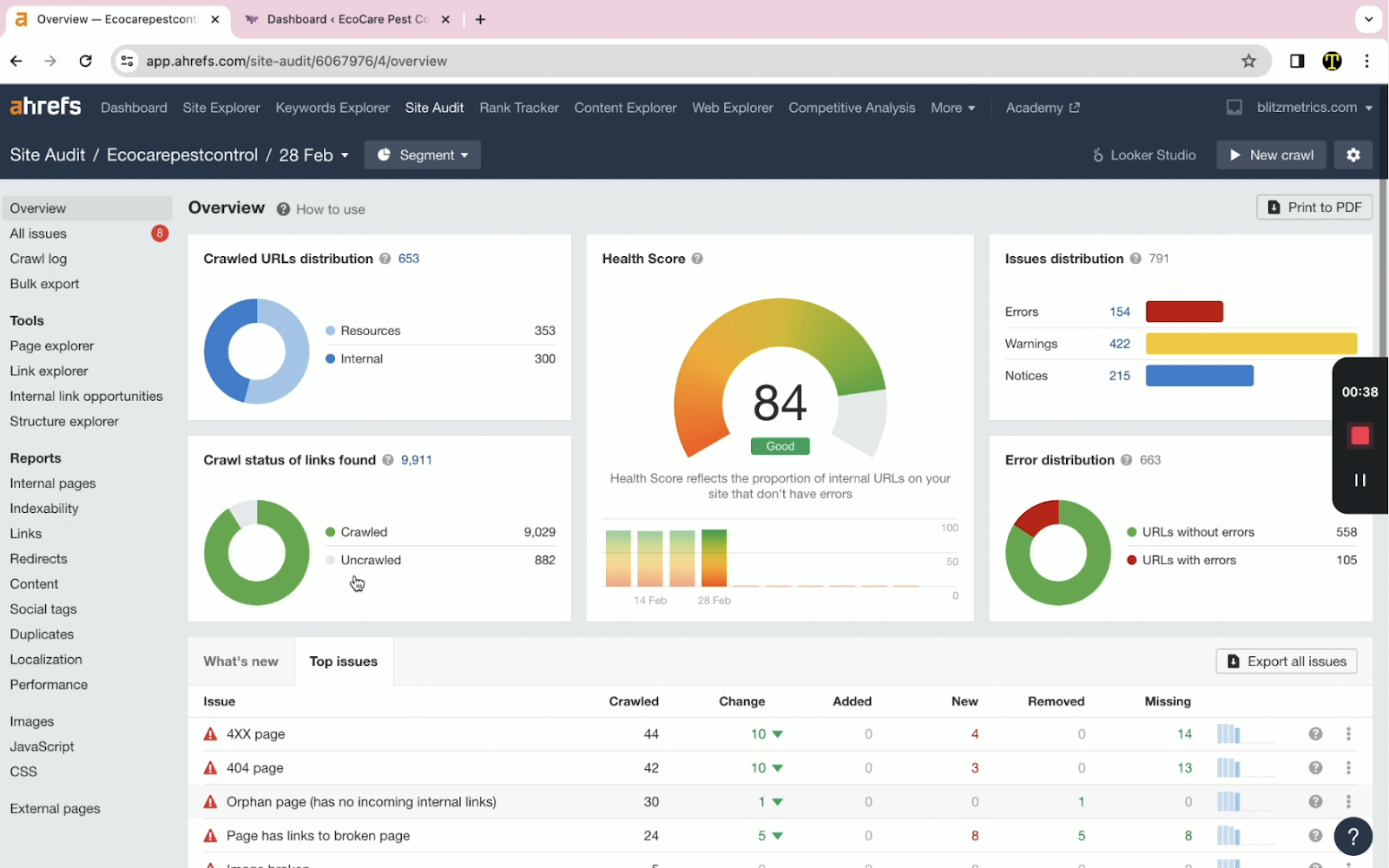
- Once you’ve clicked on the issue that you’d like to focus on, now you can see all URLs that are problematic. Click on the “Links to 4XX pages” tab next.

- For this example, we will be working on the second link on the list.

On the table, you can see the “Anchor” word in which the 4xx link was attached. In this case, it is “over 15 years.” Click on the “Target URL.”
A pop-up window will appear and I clicked on the link under 404 Not found to check the link out. You can skip this and click on the “First Found at” link instead.

In this window, you can also check other issues of the link. Click on the “Full URL” after.

- The page where the error was found will not pop up on another tab. Enable Visual Builder once you are on the page.

- To speed things up in finding the anchor text. Use the Ctrl+F function to find the anchor word. For this case study, it is “over 15 years.”
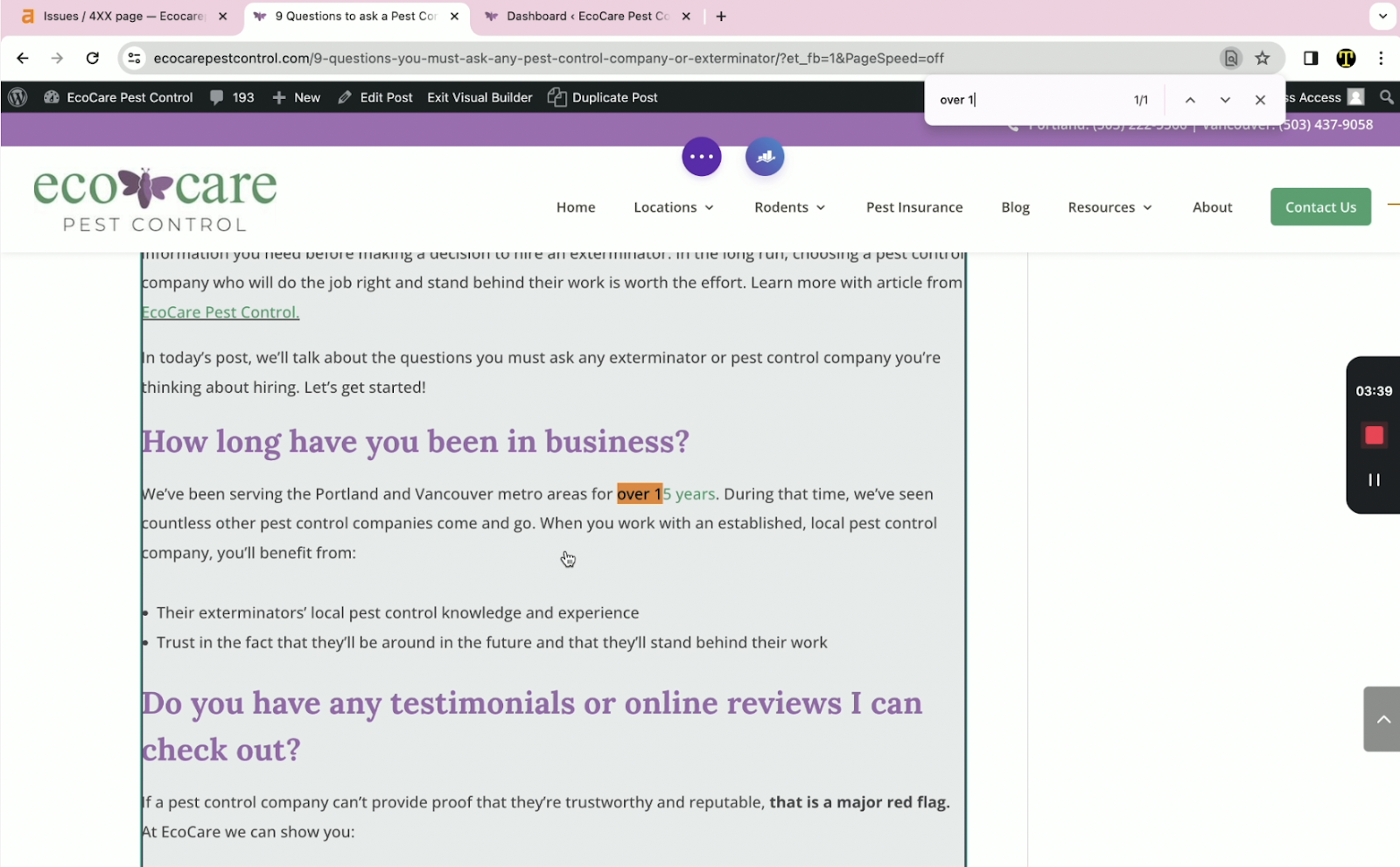
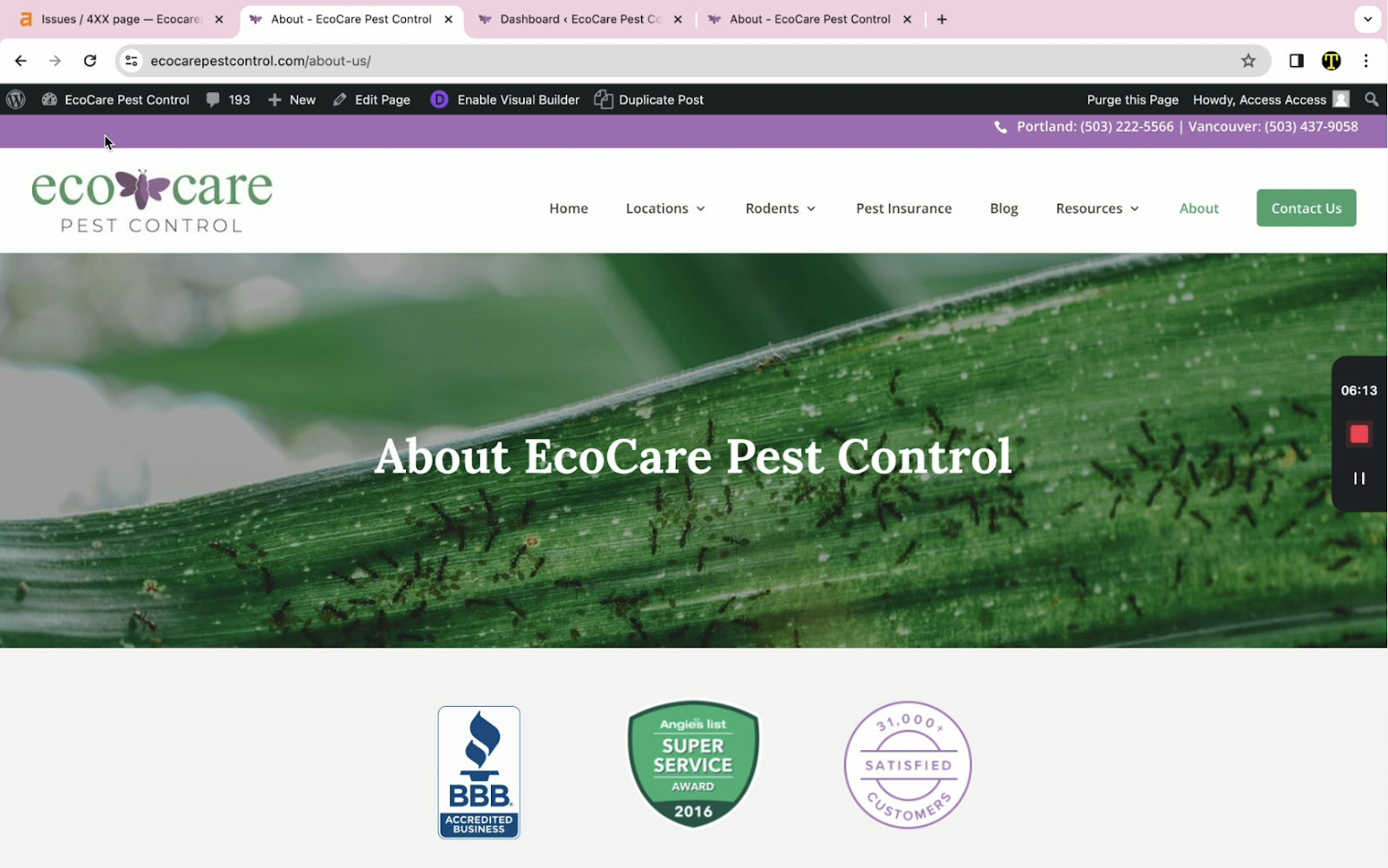
- On another tab, go to the client’s website and find a page that is relevant to the anchored word. In this case, I used the about page.
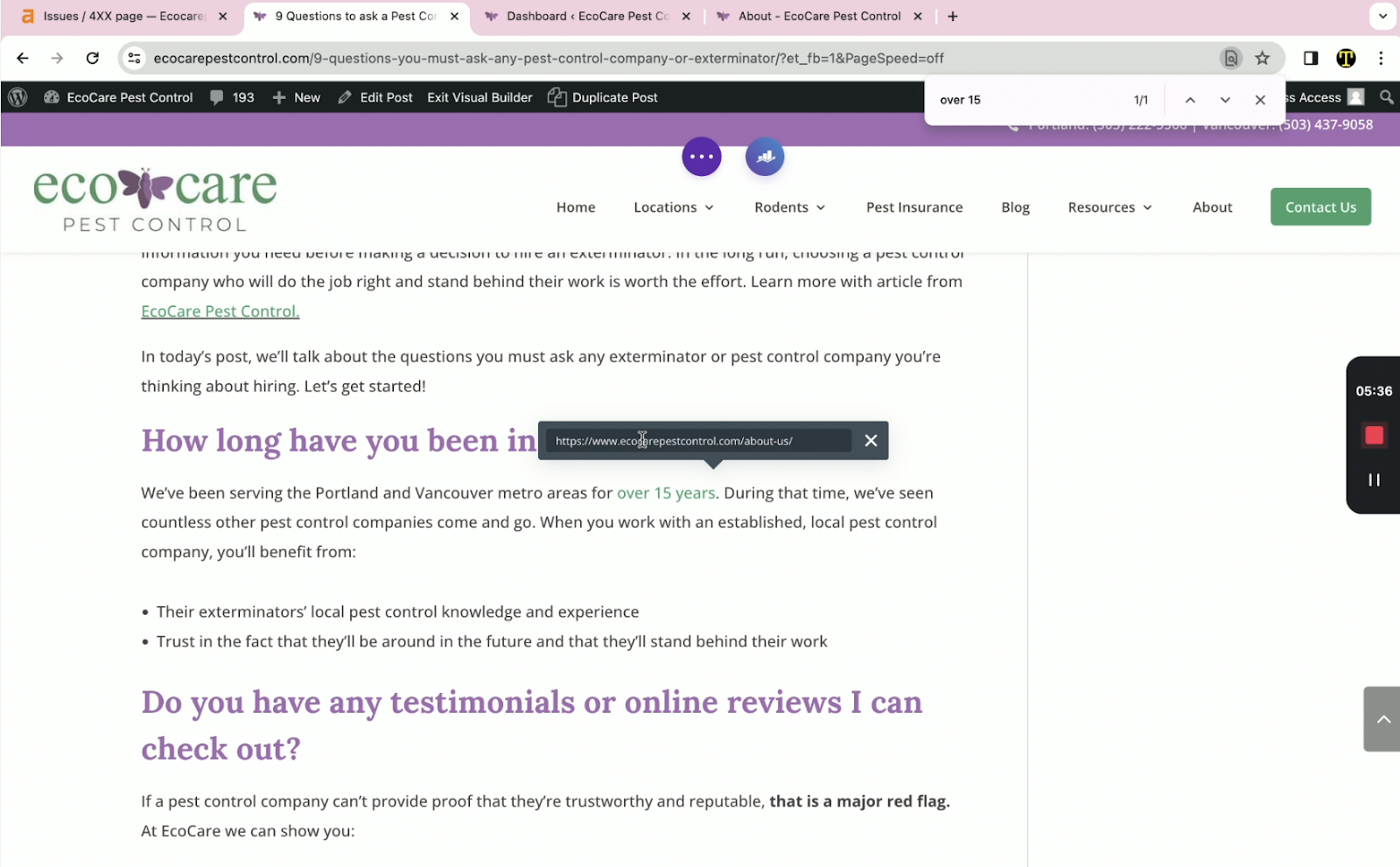
To add the link, select the anchor words and you can see link icon that looks like chains.
- Once you are done, click on the 3 dots found at the top of the page.

And click on “Save” on the right side of the panel.

- To check if it is properly linked, click on “Exit Visual Builder”, hit the Ctrl+F option and type in the anchor word. Click on it and it should redirect you to the page you just linked.

How to Embed Videos on Your WordPress Elementor Website
Embedding videos on your WordPress Elementor website is a powerful way to showcase your services and engage potential customers. At LocalSink, we regularly add videos to our clients’ websites to highlight their expertise and attract more leads.
Did you know video content increases the amount of time people spend on your website by 88%?
Here’s a step-by-step guide to embedding videos on a local home service business website built with Elementor.
Steps to Embed Videos:
1. Access the WordPress Editor:
- Log in to your WordPress dashboard.
- Go to the page or post where you want to add the video.
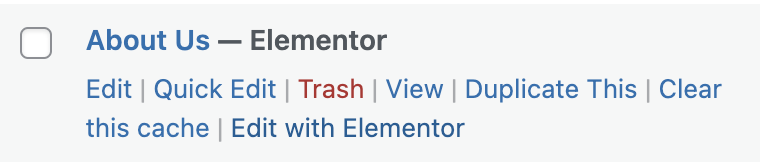
- Click “Edit with Elementor” to open the Elementor editor.
2. Add the Video Widget:
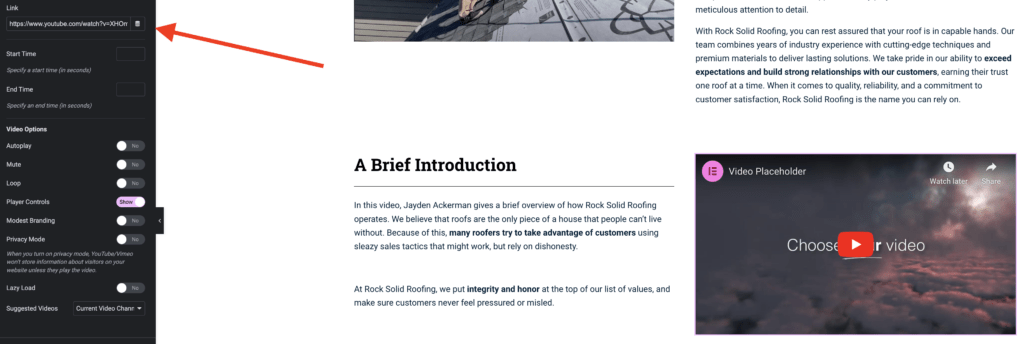
- Copy the video URL from your hosting platform (like YouTube or Vimeo).
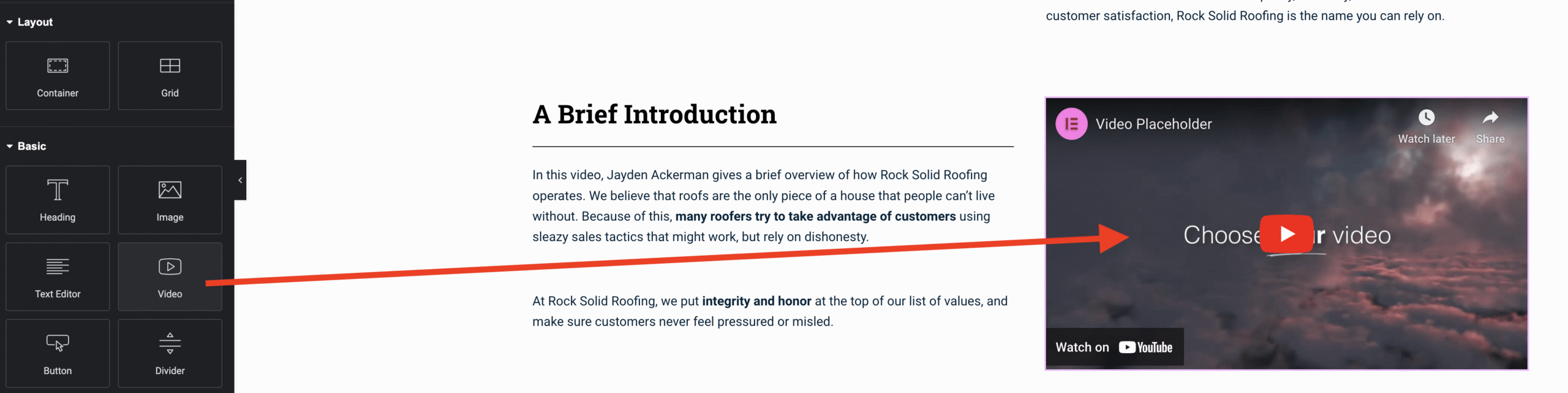
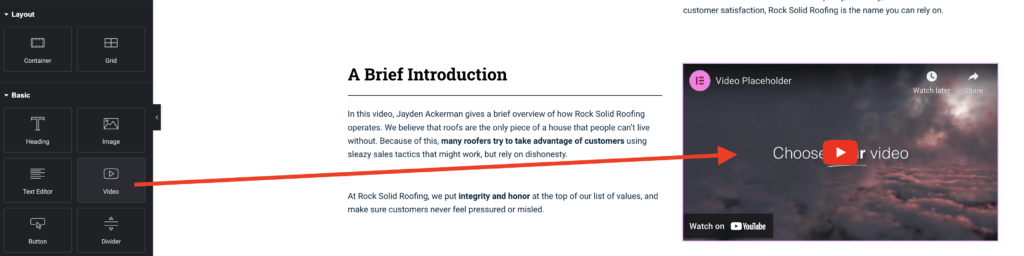
- In Elementor, drag and drop the “Video” widget to your desired spot on the page.
3. Paste Video URL:
- In the widget settings, paste the video URL in the “Link” field.
4. Customize Video Settings (Optional):
- Adjust options such as autoplay, mute, loop, start/end time, and size to fit your needs.
5. Publish the Page:
- Once you’re happy with the video placement, click “Publish” to make the changes live. Preview the page to confirm everything looks good.
Additional Notes:
- Ensure your video platform allows embedding and hasn’t restricted playback.
- Clear your website cache after embedding the video to ensure it displays properly.
Troubleshooting:
- If the video doesn’t display, check the URL and ensure embedding is enabled. Clear your cache if issues persist.
By following these steps, LocalSink can help local home service businesses effectively use videos on their WordPress Elementor websites, enhancing user engagement and showcasing their services.
The Complete, Unhinged Guide to Google Local Service Ads (get more LSA leads)
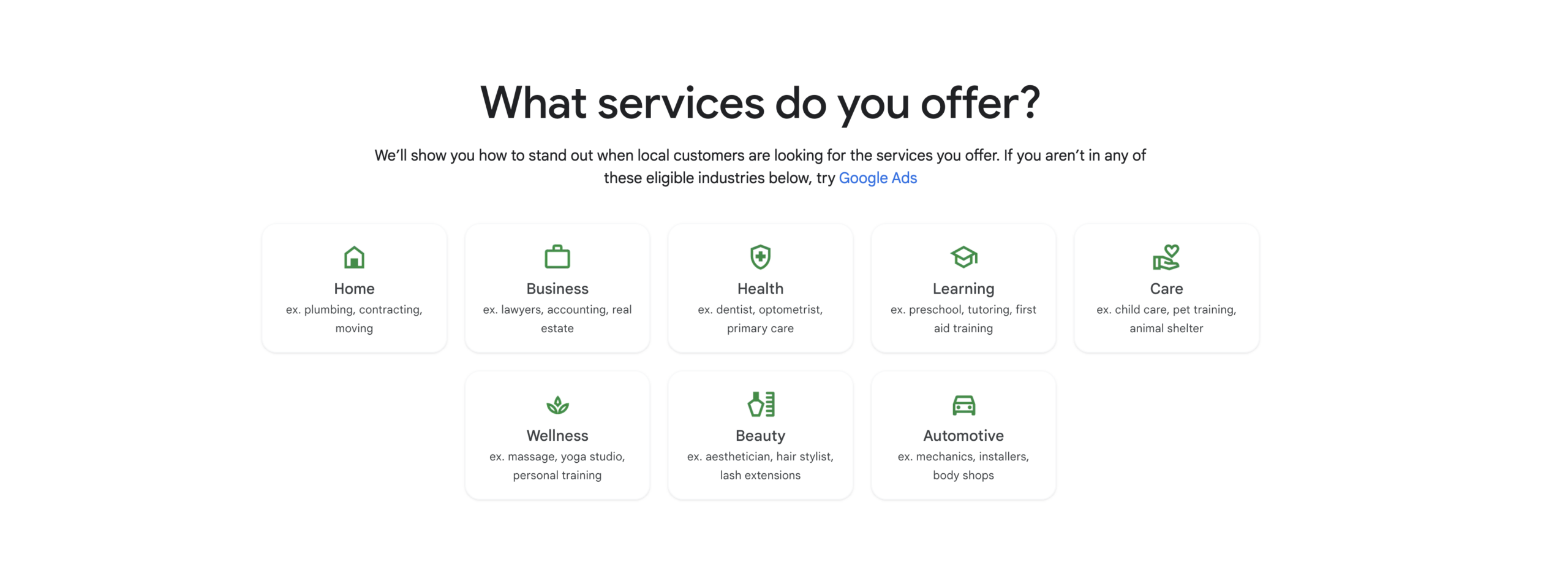
In today’s competitive market, attracting new customers for your home service business is more important than ever. Google Local Service Ads (LSA) offers a highly effective and cost-efficient solution to achieve this goal. This comprehensive guide will take you through every step of setting up and optimizing your LSA account, ensuring you get the most out of your investment.
Why Google Local Service Ads are Essential for Home Service Businesses
Google Local Service Ads are designed specifically for local businesses looking to connect with potential customers in their area. Here’s why LSAs are the ideal lead generation tool for home service businesses:
- Targeted Customer Acquisition: LSAs connect you directly with qualified leads actively searching for services like yours within your local area.
- Streamlined Lead Management: With a user-friendly dashboard, managing leads and tracking campaign performance becomes as easy as using a Customer Relationship Management (CRM) system.
- Cost-Effective Lead Generation: The pay-per-lead structure ensures you only incur costs when a potential customer expresses interest, making it a budget-conscious marketing strategy.
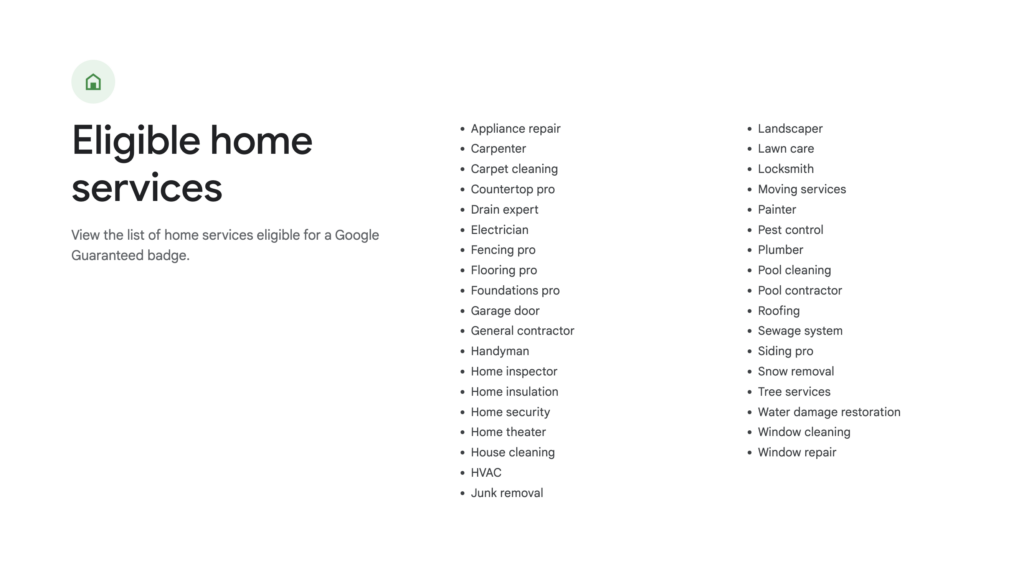
Before diving into the setup process, it’s important to ensure your business is eligible for the Google Guaranteed Badge, which can enhance your credibility and attract more customers.
Step 1: Check Your Eligibility for Google Local Service Ads
Google Local Service Ads cater to a wide range of home services, including but not limited to appliance repair, carpentry, landscaping, pest control, plumbing, roofing, and HVAC services. Before setting up your LSA account, check if your business falls under one of the eligible categories.
Step 2: Signing Up for a Google Local Service Ads Account
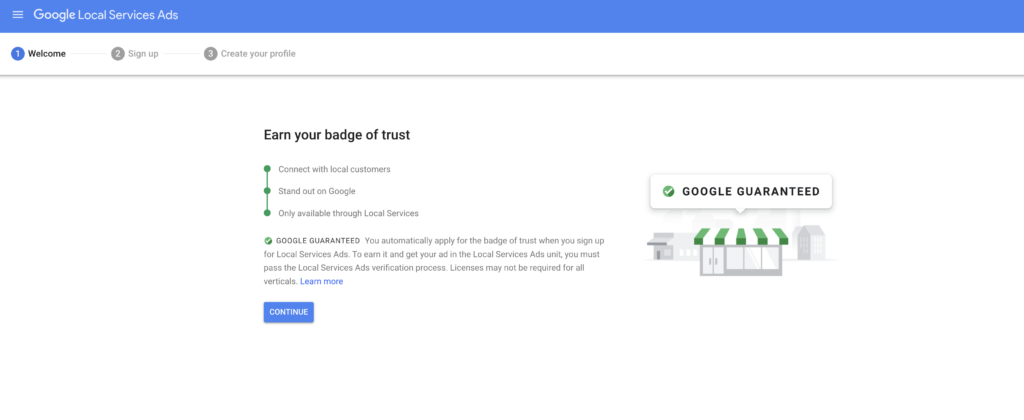
To start, visit ads.google.com/localservices/signup and click “Continue.” You’ll be redirected to an eligibility window where you can input your location and job category. Make sure to choose an email that you have access to, as all communication regarding leads and billing will be sent there.
Information Required for Account Setup
- Business Details: Enter your business name, phone number, website (optional), messaging preferences, owner’s name, and address. Ensure all information is accurate to avoid any verification issues.
- Verification Documents: To complete your profile setup, you’ll need to provide a valid license number, proof of insurance, and complete a background check for all customer-facing employees. Ensure all documentation is current and complies with Google’s requirements.
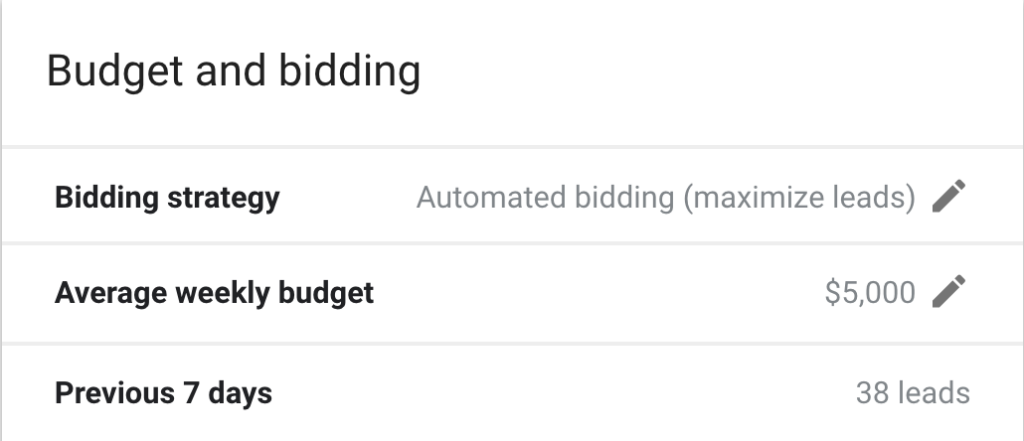
Step 3: Setting Your Budget and Bidding Strategy
Once your account is set up, it’s time to decide on a budget and bidding strategy:
- Budget: Start with a flexible budget between $500 and $2,000 to test the waters. Adjust based on the performance and volume of leads you receive.
- Bidding Strategy: Google offers two primary bidding options:
- Maximize Leads Bidding: This automated strategy focuses on generating the most leads within your budget. It’s ideal for established businesses looking to optimize lead volume.
- Manual Bidding: For more experienced users, manual bidding allows you to set a maximum bid per lead, providing greater control over your spending.
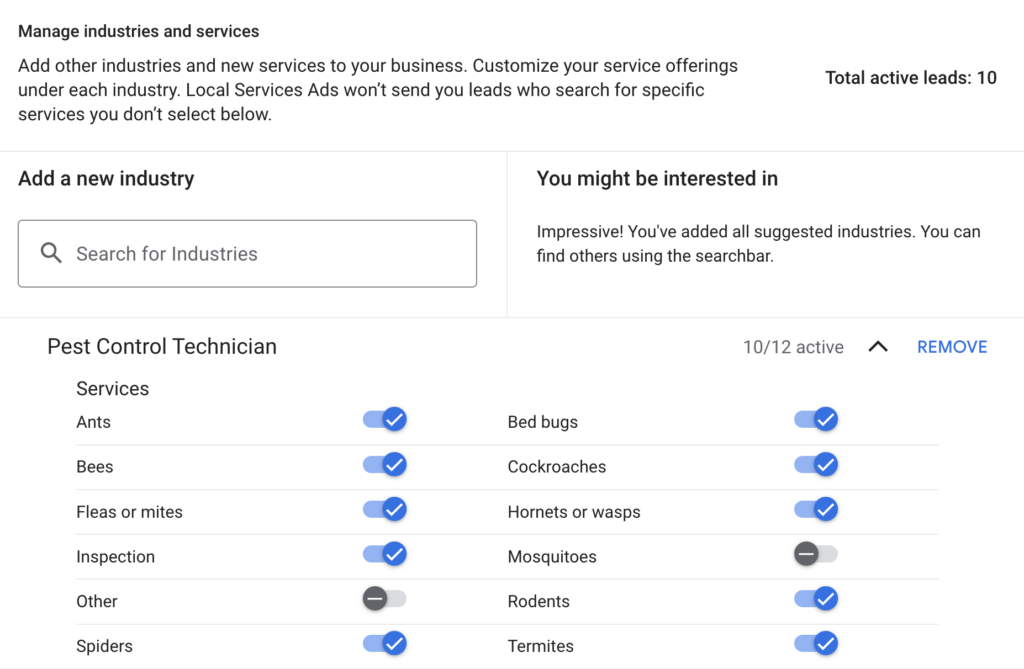
Step 4: Selecting Relevant Job Types and Service Areas
It’s crucial to select the specific job types your business offers and define the geographic areas where you’re willing to provide service:
- Job Types: Choose only the services you genuinely offer to avoid irrelevant leads. While you can include an “Other” option to capture more inquiries, this may result in calls that aren’t directly related to your core services.
- Service Areas: Clearly specify your target service areas and exclude regions you don’t want to cover. Regularly monitor your call logs to ensure you’re not receiving leads from outside your designated areas.
Step 5: Optimizing Your LSA Profile
A well-optimized LSA profile is key to attracting more leads and improving your local SEO:

- Photos: Upload high-quality images of your business, projects, team, and branded vehicles. A visually appealing profile can significantly enhance your campaign performance and build trust with potential customers.

- Business Hours: Set your business hours accurately to reflect when your team is available to take calls. This ensures Google sends leads during your operational hours, maximizing the chances of conversion.
Step 6: Lead Management and Optimization
Effective lead management is crucial for the success of your LSA campaigns. Here’s how to stay on top of your leads:
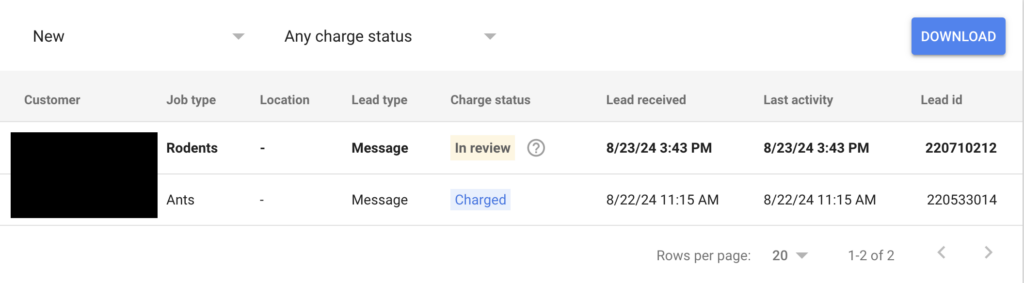
- Consistent Lead Marking: Mark your leads daily as “Booked,” “Completed,” “Archived,” or “Disputed” based on their status. This practice provides valuable data for optimizing your campaigns and improves your standing with Google.
- Disputing Leads: If you receive a lead that falls outside your service parameters or is otherwise irrelevant, don’t hesitate to dispute it. Google allows you to dispute leads for various reasons, such as incorrect contact information or services not offered.
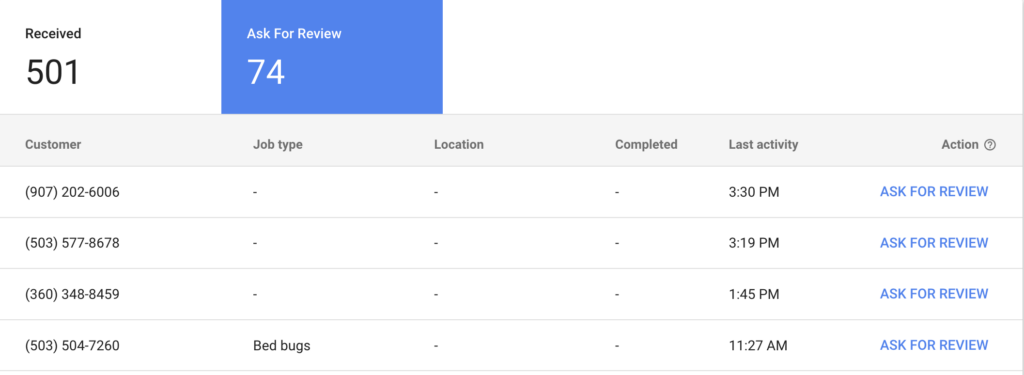
Step 7: Leveraging Reviews for Better Performance
Positive reviews significantly impact the visibility and credibility of your LSA profile. Encourage satisfied customers to leave reviews, especially Google Verified Reviews, which are highly valuable due to their direct connection to a completed LSA transaction.
Step 8: Analyzing Reports and Adjusting Strategies
The “Reports” tab in your LSA dashboard provides insights into campaign performance. Use this data to:
- Track Lead Generation: Monitor the volume of leads over time to identify trends and make necessary adjustments.
- Adjust Budgets: Regularly review your budget allocation and adjust it based on performance metrics to ensure you’re maximizing your return on investment.

Step 9: Managing Account Access and Notifications
Efficiently managing account access and configuring notifications ensures smooth operation and keeps your team informed about campaign performance. Set appropriate permission levels for users and customize notification preferences to stay updated on lead activity and performance reports.
Conclusion: Achieving Success with Google Local Service Ads
Google Local Service Ads are a powerful tool for home service businesses looking to connect with local customers and generate more leads. By following this comprehensive guide, you can optimize your LSA account to maximize its effectiveness, improve your local SEO, and ultimately grow your business.
If you need further assistance or want to learn more about how to leverage digital marketing for your home service business, feel free to reach out. I’m Will, and I run LocalSink, an agency dedicated to helping local service businesses succeed online.
The Ultimate Guide to Optimizing Your Google Business Profile for Electricians: Boost Your Local Search Visibility and Attract More Customers
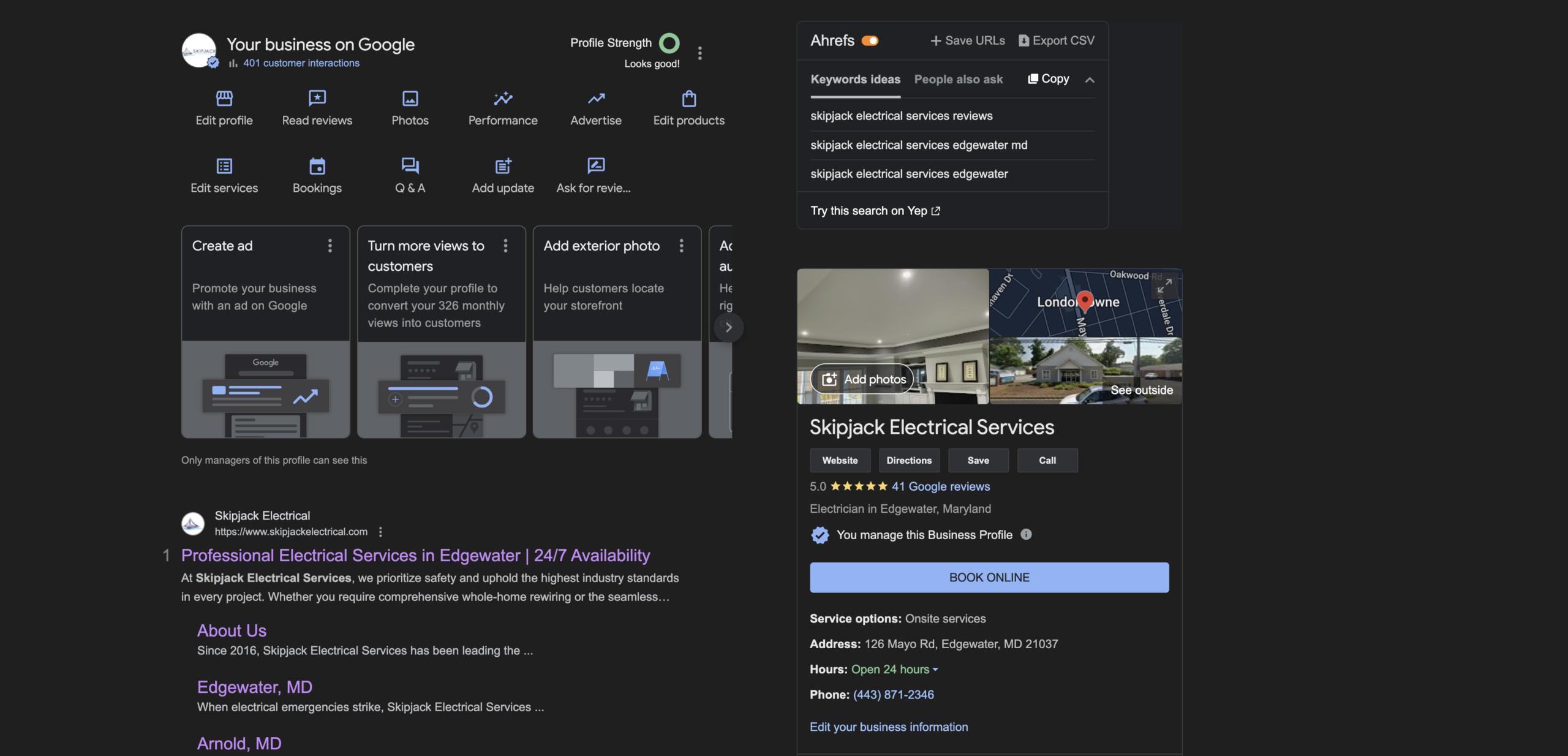
Managing a Google Business Profile can be a real headache for electricians. Between juggling daily jobs, handling customer inquiries, and keeping up with the demands of the business, finding time to optimize your GBP might feel like just another stress-inducing task on your never-ending to-do list.
Many electricians struggle with understanding the ins and outs of Google’s platform, dealing with constant updates, and figuring out how to stand out in a sea of competitors. But fear not—optimizing your GBP doesn’t have to be a source of stress.
With the right strategies, you can turn your profile into a powerful tool that attracts local customers and drives more business.
In the video below, I will go over exactly how I will be optimizing my new client’s GBP, who just happens to be one of the top electricians in Edgewater, MD. Seriously- look at his reviews.
1. Understanding Google Business Profile Growth
Organic growth in your GBP is always a positive sign, but it’s essential to manage how you approach advertising. While there is an “Advertise” button on your GBP dashboard, it can be cumbersome to use because it redirects you to a separate ad account.
For those who prefer simplicity, using Google Ads directly to promote your GBP might be a better option. This method is often more straightforward and can provide greater control over your advertising efforts.
2. Choosing the Right Categories
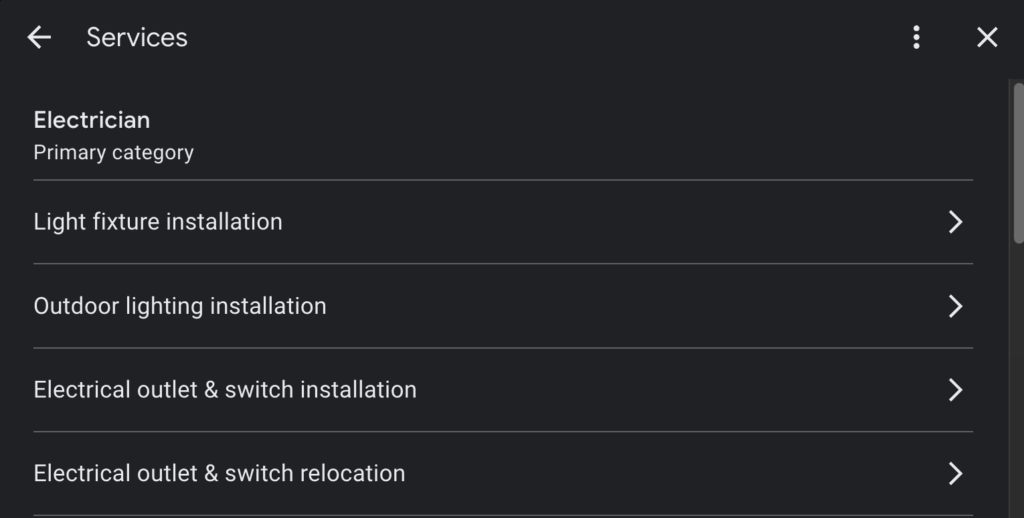
One of the fundamental steps in optimizing your GBP is selecting the appropriate categories. Your primary category should be the most obvious one related to your services—like “Electrician” for electricians. Make sure this is clear and straightforward, as it helps Google understand what your business is about, thereby improving your local search rankings.
3. Leveraging the Q&A Section
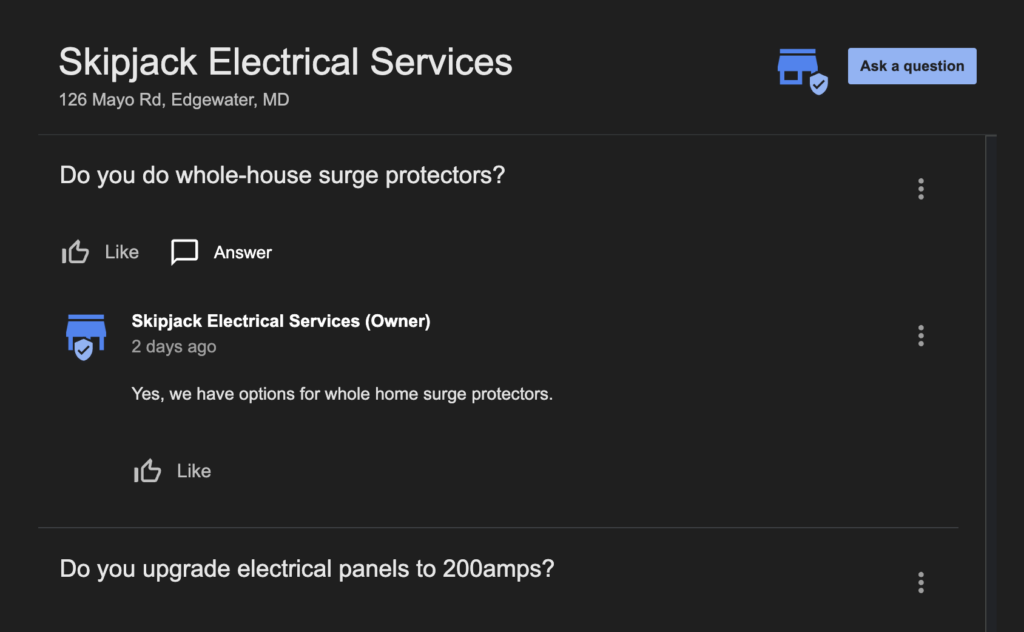
The Q&A section of your GBP is a powerful tool that many businesses overlook. This feature allows potential customers to ask questions about your services, and you can also preemptively add and answer questions.
For example, if your business makes high margins on specific services like hot tub installations or whole-house surge protectors, you should add questions and detailed answers about these services. However, avoid spamming the Q&A section with too many questions at once. Instead, introduce them gradually to maintain a natural flow of information.
4. Regularly Update Your Profile
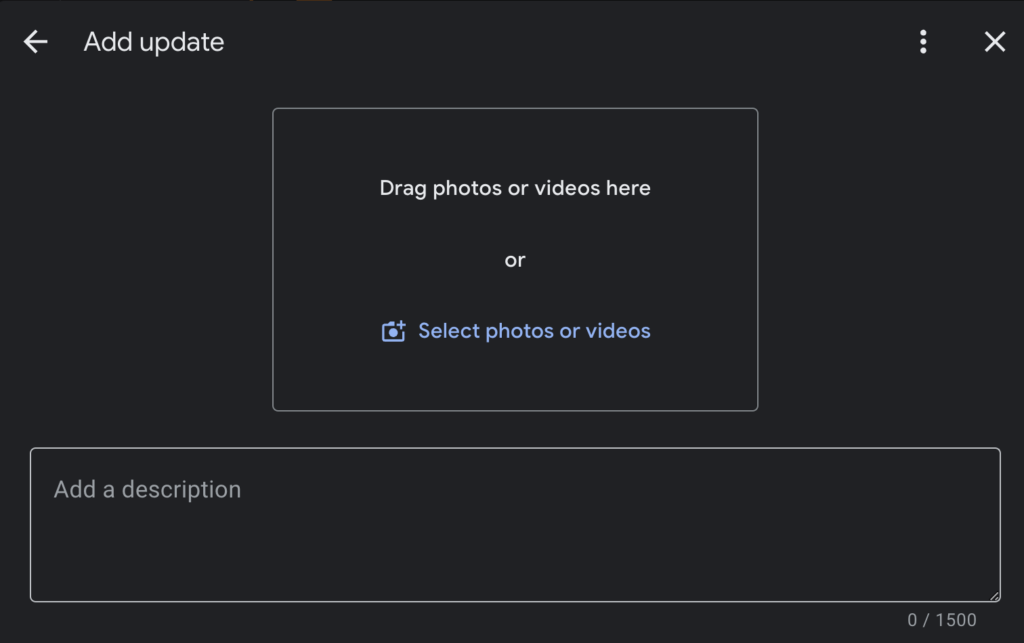
Keeping your GBP updated is crucial for staying relevant in local search results. Google values active profiles, so posting weekly updates can significantly benefit your visibility. These updates don’t have to be overly complex—a simple graphic created with tools like Canva, coupled with a brief description and a call-to-action (CTA), can suffice.
The primary goal of these updates is not necessarily to generate leads directly but to keep your profile active and engaged.
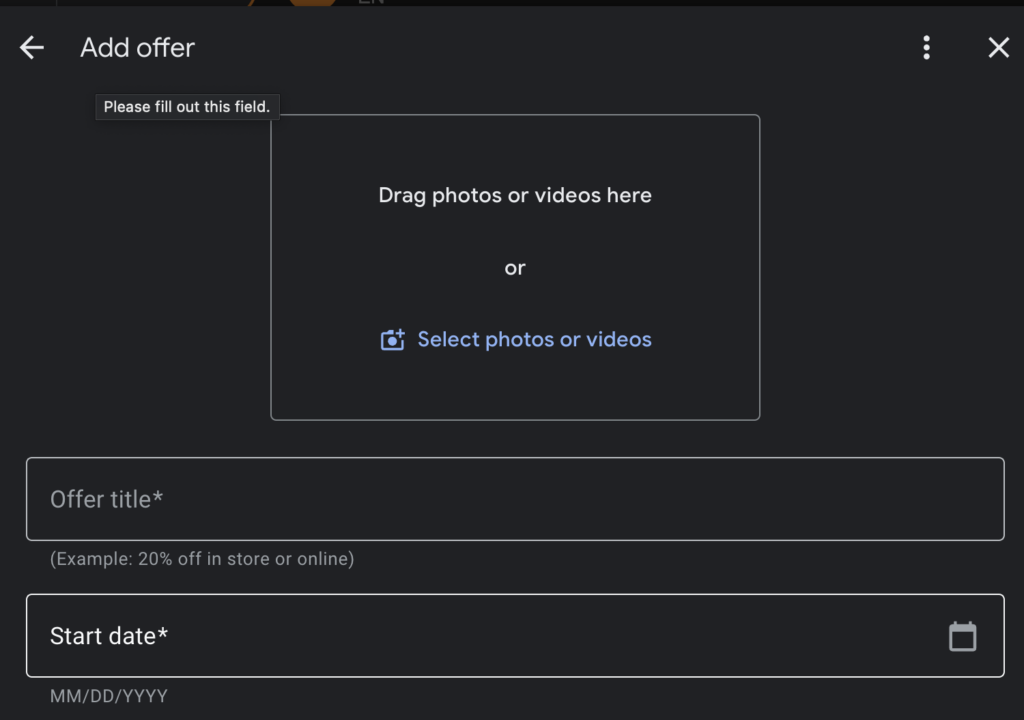
5. Utilize Offers to Attract Customers
Offers are another excellent feature to leverage on your GBP. If you have a special deal or discount, make sure to post it in this section. An attractive offer can entice potential customers to choose your business over competitors.
For example, a coupon for a discount on electrical panel upgrades might be enough to tip the scales in your favor.
6. Encourage and Manage Reviews
Reviews are one of the most influential factors in local SEO. Encourage satisfied customers to leave positive reviews on your GBP. You can make this process easier by providing a direct link to your review page or even creating a QR code for quick access.
If a customer came through your Local Service Ads (LSA), direct them to leave a review through that platform, as LSA reviews are particularly impactful.
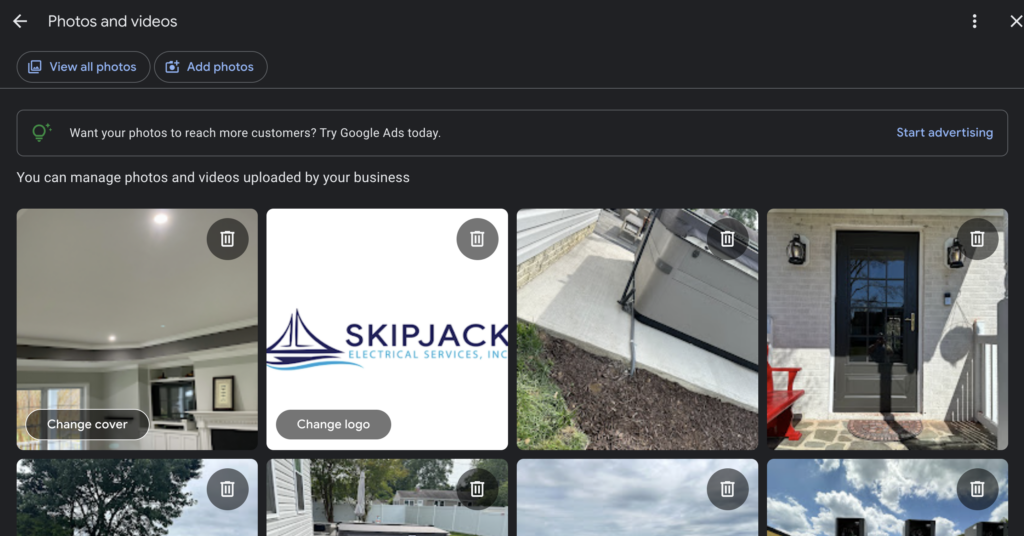
7. Maximize the Use of Photos and Videos
Adding photos and videos to your GBP can enhance your profile’s appeal. An exterior photo of your office, if applicable, can lend credibility to your business. Similarly, photos and videos of completed projects, your team in action, or even a short tour of your workspace can help build trust with potential customers.
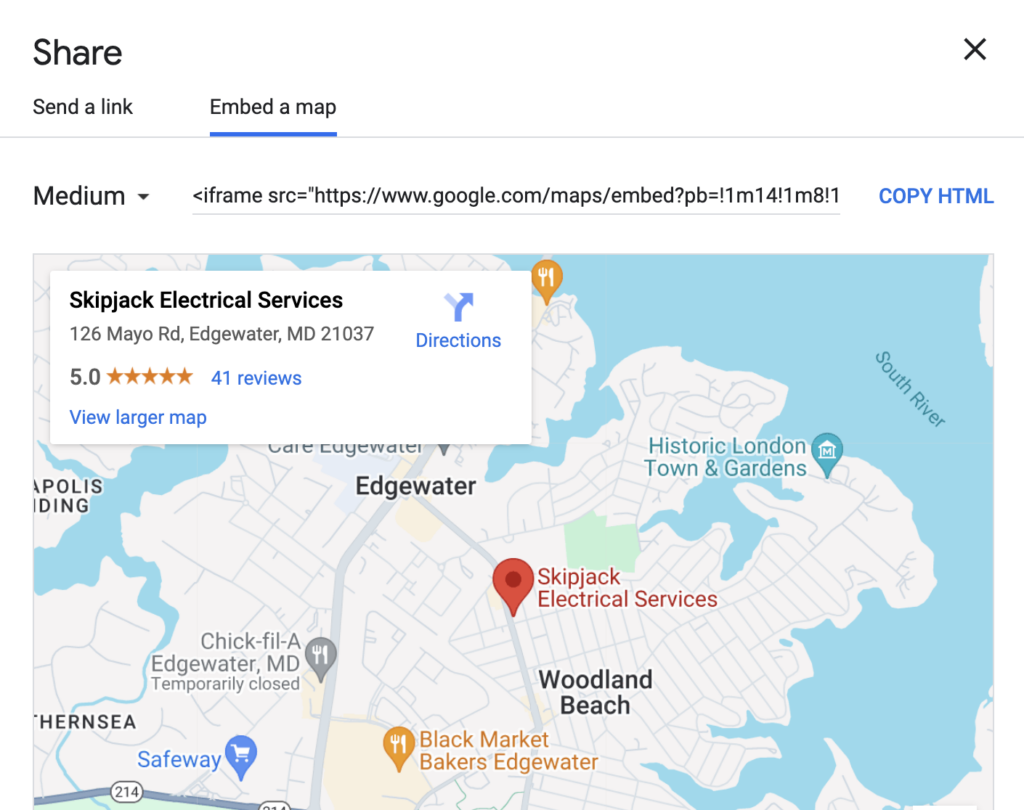
8. Embed a Google Map on Your Website
Linking your GBP to your website is another way to optimize your profile. Embedding a Google Map on your site not only helps customers find your location but also strengthens the connection between your website and GBP in Google’s eyes. To do this, use the “Share” and “Embed a Map” feature on Google Maps, select the size, and place it on the bottom of your homepage or contact page.
9. Stay Compliant with Google’s Guidelines
While it’s essential to take advantage of all the features GBP offers, it’s equally important to avoid falling into the trap of unnecessary recommendations from Google.
Sometimes, Google might suggest adding elements that aren’t relevant to your business, such as a restaurant menu for an electrician. Focus on the basics—hours, services, contact information—and disregard features that don’t add value to your profile.
Need Help?
LocalSink is a digital marketing agency that helps local service businesses manage & optimize their Google Business Profiles. If you reach out, you might just be the next success story!
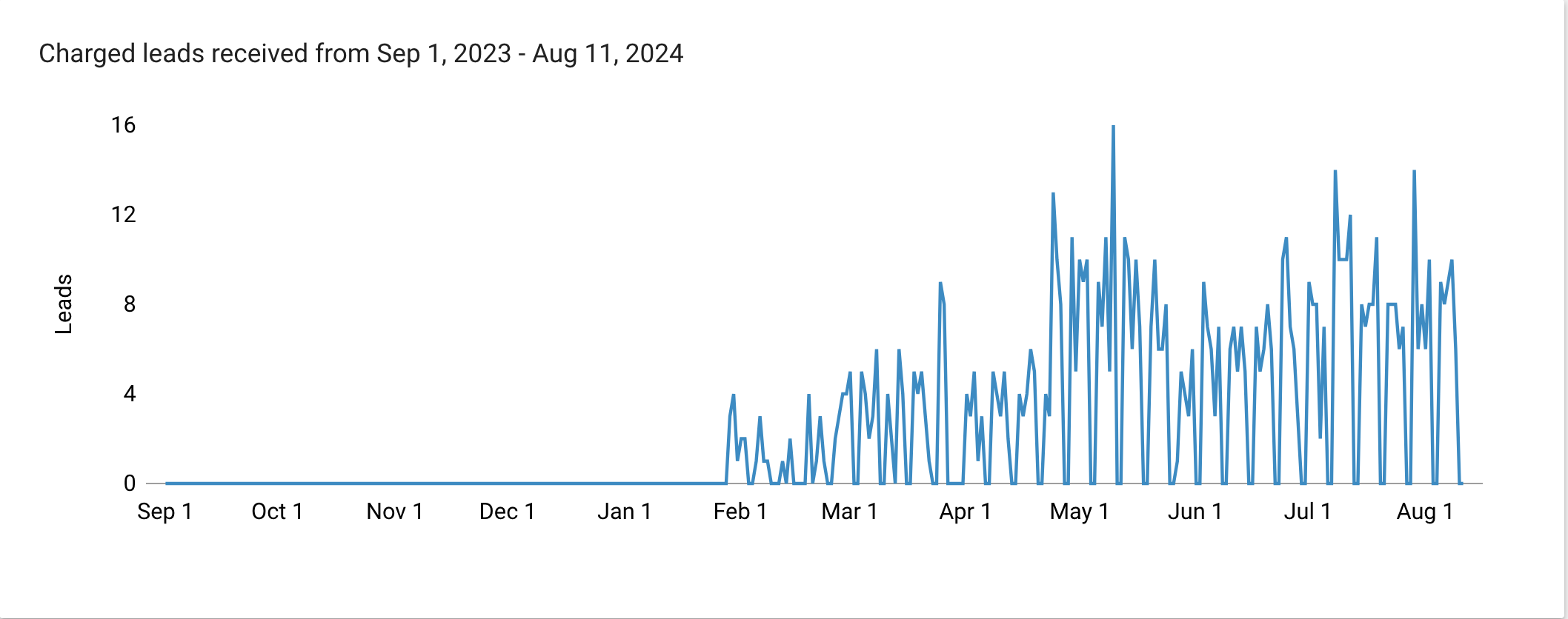
First LSA Lead After Weeks of No Leads (Low Review Roofing Company)
How to Revive a Failing Local Services Ads Account: Lessons from a Real-World Experience
As a roofing company, there’s nothing more frustrating than investing time and money into a Local Services Ads (LSA) account, only to see it fail to deliver any leads. It’s a feeling of helplessness—watching your account gain impressions without generating a single call, and wondering if all your efforts are in vain.
This is exactly what happened with a roofing company I worked with in Portland and Vancouver. Despite setting up their LSA account just like I had for other successful clients, the leads weren’t coming in. Here’s what I did to turn things around and how you can, too.
While working with a new roofing company in Portland & Vancouver, I faced an unexpected challenge: their LSA (Local Services Ads) account was dead in the water. Despite setting it up as I had done for countless other companies, no leads were coming in. Frustration was mounting on both sides.
Here’s the timeline:
- June 1st: We started with 88 impressions and a 100% top impression rate, but the account was never ranking number one. No leads came in.
- July: Still no leads, and while the impression rate remained high, the account continued to fail to secure the top spot.
- August: Finally, a breakthrough. By the 5th of the month, the client received their first lead at a relatively low cost. We had 65 impressions, with a 41% absolute top impression rate.
So, what changed?
I took several key steps to optimize the account:
- Increased Budget: Initially, the budget was set at $1,000. I increased it to $3,000 to improve visibility.
- Constant GBP Updates: I made regular updates to the Google Business Profile (GBP). This included adding photos, ensuring the business hours were accurate, and embedding the GBP on the client’s website.
- Engagement: I actively engaged with the account by asking and answering questions, utilizing insights from a “People Also Ask” interview with one of their technicians.
- Linked Social Media: I connected all relevant social media profiles to the GBP.
- Manual Monitoring and Management: I kept a close eye on the account, marking leads as booked immediately and ensuring nothing was stuck in the active tab. This is crucial because unresolved leads can clog the system and slow down performance.
Despite initial setbacks, persistence paid off. The key takeaway is that even if your LSA account isn’t performing right away, continuous updates, engagement, and patience are critical. Don’t be discouraged; with time and consistent effort, results will follow.
If you need help with optimizing Local Service Ads for your local service business, feel free to reach out! My name is Will, and I run an agency that helps local service businesses called LocalSink. I’m here to help you navigate these challenges and achieve success.
Alternatively, check out our FREE Guide: Optimize your Local Service Ads for Local Home Service Businesses.
How to Embed GBP Map on Website Location Service Page
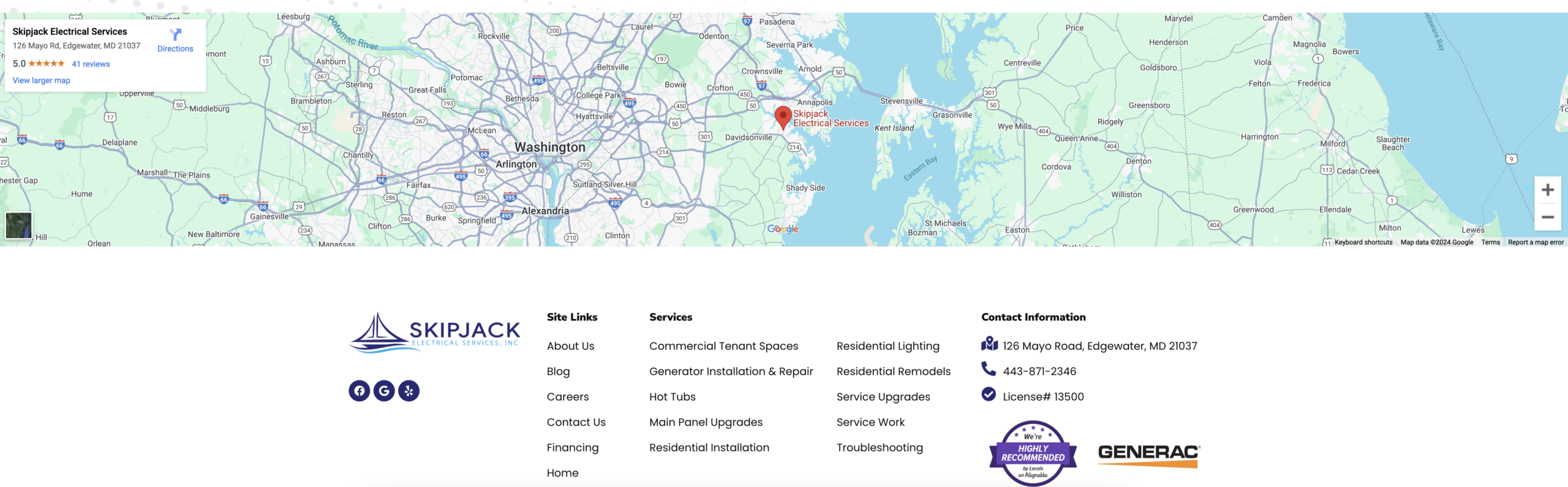
For local service businesses, enhancing your online presence is crucial to attracting more customers. One effective way to boost your local SEO is by embedding a Google Business Profile (GBP) map on your website.
This simple step not only helps customers find your location easily but also strengthens the connection between your website and your Google Business Profile in the eyes of search engines.
Here’s a step-by-step guide on how to embed a Google Business Profile map on your website and why it’s beneficial for local SEO.
Why Embedding a Google Business Profile Map is Important for Local SEO
Embedding a map from your GBP on your website has several benefits that contribute to better local SEO:
- Improves Local Search Visibility: When Google sees that your website and GBP are interconnected, it reinforces your business’s relevance for local search queries. This can help improve your ranking in local search results.
- Enhances User Experience: A map on your website makes it easier for potential customers to find your location. This convenience can increase the likelihood of visits and improve overall customer satisfaction.
- Builds Trust: Embedding a map from a trusted source like Google can lend credibility to your website. It shows that your business is legitimate and easy to locate.
- Increases Engagement: Maps are interactive elements that encourage users to engage with your website. The more users interact with your site, the better it signals to search engines that your site is valuable and relevant.
Step-by-Step Guide to Embedding a Google Business Profile Map on Your Website
Follow these steps to embed a map from your Google Business Profile onto your website:
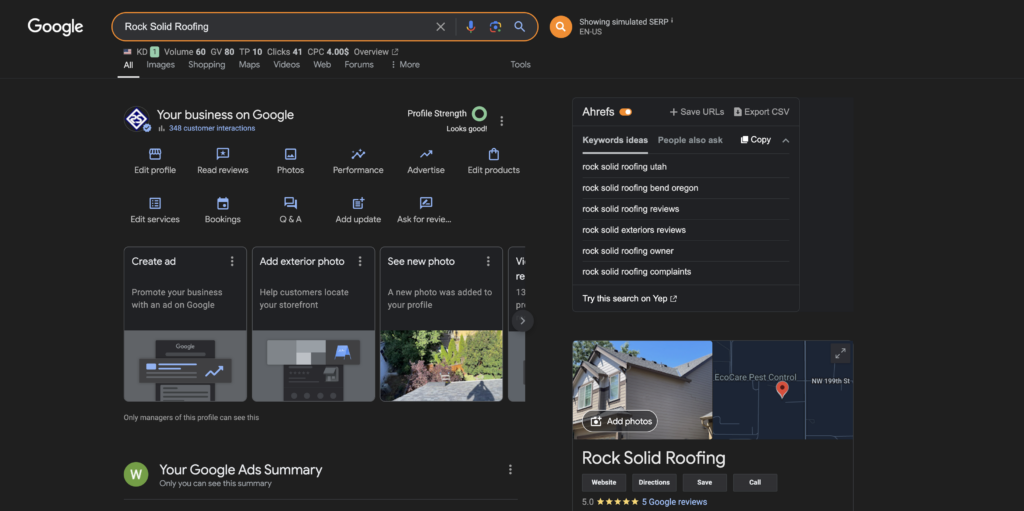
Find Your Google Business Profile on Google Maps:
- Start by searching for your business on Google Maps. You can do this by entering your business name in the search bar. Make sure your Google Business Profile is fully optimized and verified, as this ensures all information is accurate.
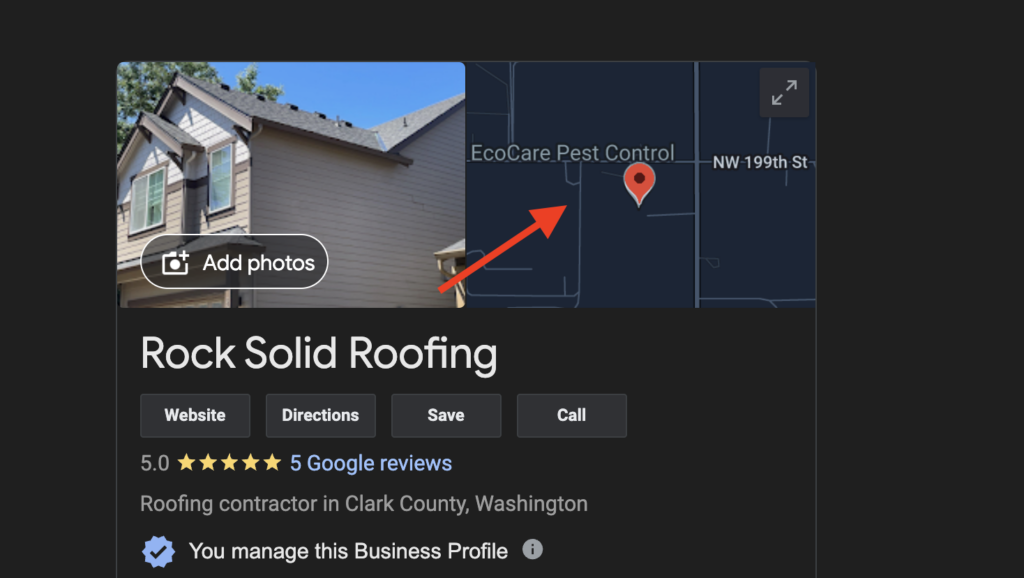
Open the Location Details:
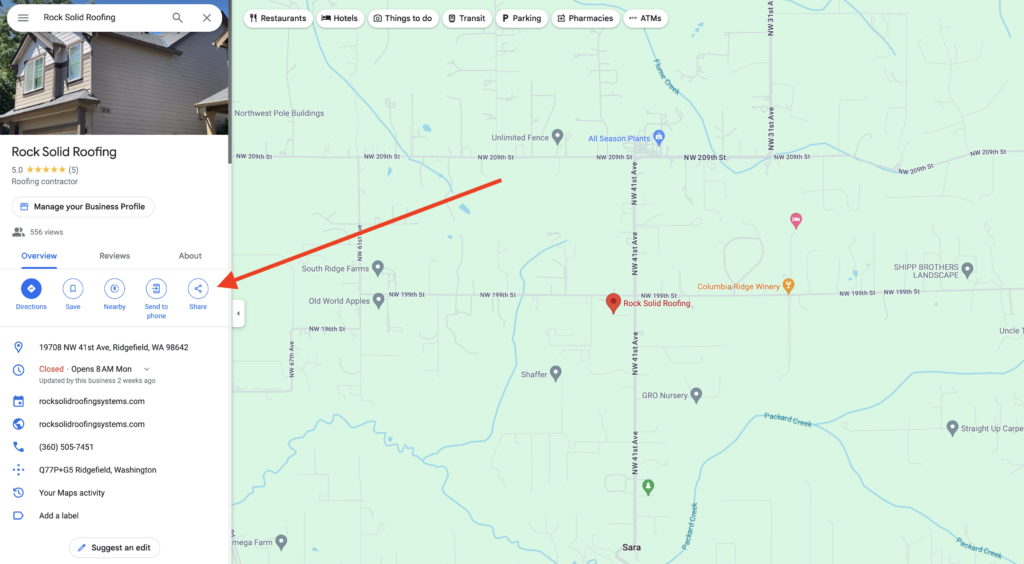
- Once your business appears on the map, click on your business name or location marker to open the detailed information panel on the left-hand side of the screen.
Access the Share Options:
- In the information panel, you’ll see a “Share” button. Click on this button to open a pop-up window with sharing options.
Select the “Embed a Map” Tab:
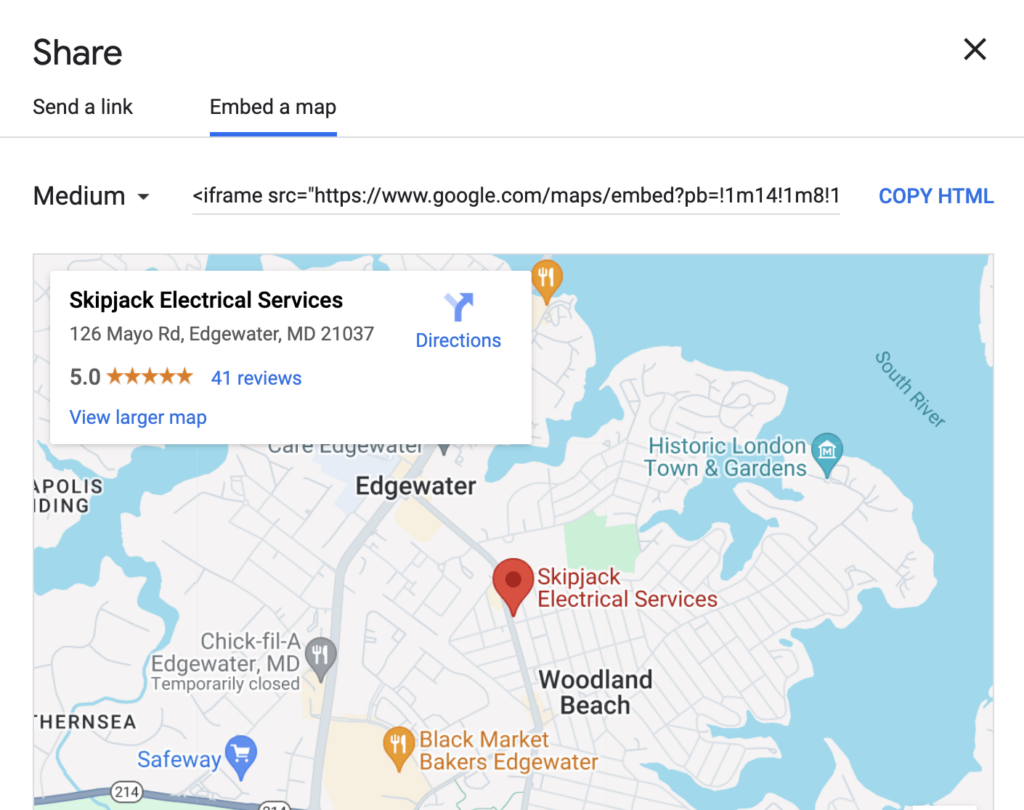
- In the sharing options window, switch to the “Embed a Map” tab. This will display a preview of your map along with an HTML code.
Choose the Map Size:
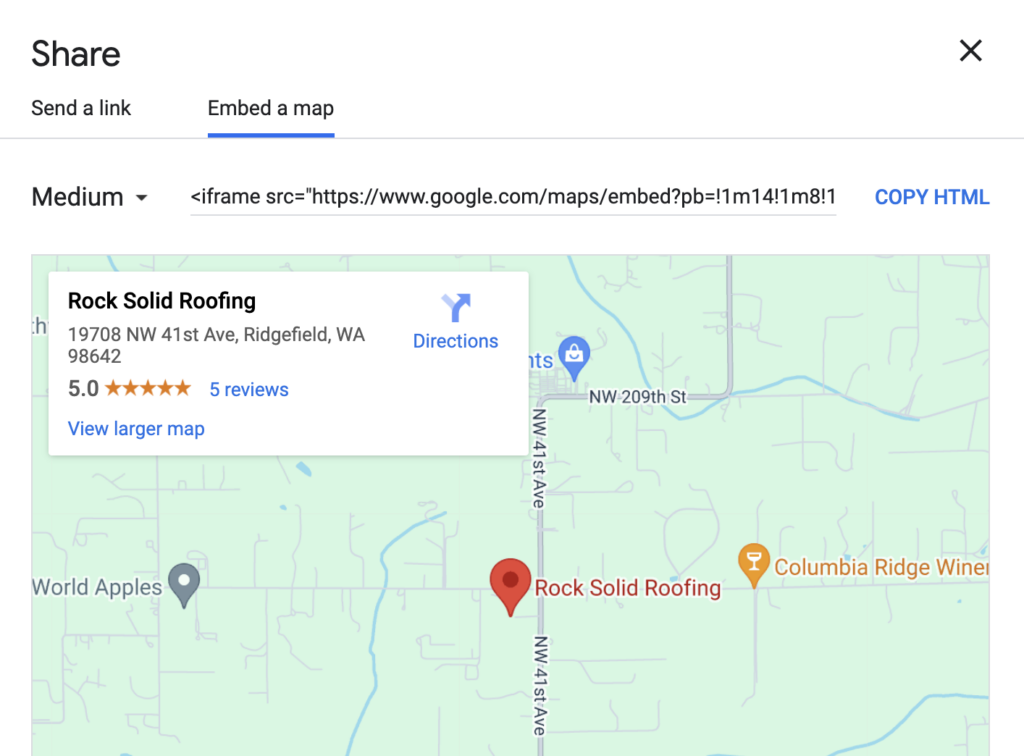
- Before copying the code, you can adjust the size of the map by selecting the drop-down menu that typically defaults to “Medium.” Choose from “Small,” “Medium,” “Large,” or “Custom size” depending on your website’s layout and design preferences.
Copy the HTML Code:
- Once you’ve selected the appropriate size, click the “Copy HTML” button. This code is what you will paste into your website’s HTML to embed the map.
Paste the Code into Your Website:
- Navigate to your website’s content management system (CMS) or HTML editor. Choose the page where you want to embed the map—typically, this would be your contact page or homepage.
- Find the spot in the HTML where you want the map to appear and paste the copied HTML code. Make sure to save and publish your changes.
Verify the Embedded Map:
- After embedding the map, visit the live version of your website to ensure the map appears correctly and is fully functional. Check that the location is accurate and that users can interact with the map.
Tips for Optimizing Your Embedded Map for SEO
- Include Relevant Keywords: When embedding the map, ensure the surrounding content is optimized with relevant local keywords. This can include phrases like “electrician in [city]” or “plumber near [neighborhood]”.
- Keep Your NAP Consistent: Ensure that your Name, Address, and Phone number (NAP) on your website matches exactly with what’s on your Google Business Profile. Consistency is key for local SEO.
- Link to Your Google Business Profile: If possible, include a direct link to your Google Business Profile within your website. This can further strengthen the connection between your site and your GBP.
- Update Regularly: If your business moves or any contact details change, be sure to update your GBP and the embedded map on your website to reflect these changes.
By embedding a Google Business Profile map on your website, you not only provide a better user experience but also enhance your local SEO efforts. This simple yet effective strategy can help your local service business stand out in search results and attract more customers from your area.
Do you need help with your GBP? Reach out to see if we can help you optimize your local home service business Google Business Profile!