
Author: David Bratvold
How to Boost Local SEO with a Citation on ebusinesspages

Building robust citations is essential for enhancing your business’s online visibility and credibility. While many businesses focus on traditional citation sources like Google My Business and Yelp, leveraging platforms like eBusinessPages can significantly bolster your local SEO efforts. This comprehensive guide will walk you through the process of building a citation on eBusinessPages, utilizing tools like Whitespark’s Local Citation Finder to maximize your SEO benefits and ensure your business stands out in local search results.
Why Building Citations Matters for Your Business
Citations—mentions of your business’s Name, Address, and Phone number (NAP) across various online platforms—are fundamental components of local SEO. They help search engines verify your business’s legitimacy and relevance within a specific geographic area, ultimately improving your rankings in local search results.
Benefits of Building Citations
- Enhanced Local SEO: Citations are a key factor in Google’s local search algorithms, helping your business appear in relevant local searches.
- Increased Online Visibility: Being listed across multiple platforms increases the chances of potential customers finding your business.
- Credibility and Trust: Consistent citations establish your business as trustworthy and legitimate.
- Competitive Advantage: Building comprehensive citations sets you apart from competitors who may have fewer or inconsistent listings.
Step-by-Step Guide to Building a Citation on eBusinessPages
Follow these detailed steps to create and optimize your business listing on eBusinessPages, ensuring it contributes effectively to your local SEO strategy.
Step 1: Utilize Whitespark’s Local Citation Finder Tool
Before diving into eBusinessPages, it’s beneficial to identify all potential citation opportunities. Whitespark’s Local Citation Finder is a valuable tool that streamlines this process.
- Access Whitespark’s Local Citation Finder:
- Visit Whitespark’s Local Citation Finder and sign up for an account if you haven’t already.
- Run a Local Citation Scan:
- Enter your business details, including NAP information.
- Select eBusinessPages as one of the platforms to include in your citation search.
- Initiate the scan to identify potential citation opportunities on eBusinessPages and other platforms.
- Review Opportunities:
- Browse through the list of suggested citation sources.
- Prioritize adding your business to reputable directories and platforms to maximize SEO benefits.
Step 2: Register and Create a Business Listing on eBusinessPages
To use eBusinessPages effectively for citations, ensure your business listing is fully optimized with accurate information.
- Visit eBusinessPages.com:
- Open your web browser and navigate to eBusinessPages.
- Claim Your Listing:
- On the homepage, locate and click the “Add Your Business for Free” button.
- Search for Your Business:
- Enter your business name (e.g., “Local Sync”) and city (e.g., “Las Vegas”).
- If your business appears in the search results, select it. If not, proceed to create a new listing.
- Create a New Listing:
- Click on “Claim a New Listing”.
- Fill Out Business Information:
- Business Name: Enter your official business name.
- Category: Select the primary category that best describes your business (e.g., Advertising Agency).
- Address: Enter your complete business address, ensuring it matches the address listed on your Google Business Profile and other citation sources.
- Phone Number: Provide a business-specific phone number. If you use tracking software like CallRail, consider using a tracking number here.
- Website: Enter your official business website URL (e.g.,
https://www.localsync.com). - Short Description: Provide a concise description of your business (e.g., “We help Home Service businesses fix their digital marketing”).
- Long Description: Offer a more detailed description of your business, highlighting your services, mission, and unique selling points.
- Add Visual Elements:
- Header Image: Upload a high-quality header image that represents your business visually.
- Main Image: Upload your business logo or another relevant image to enhance your listing’s visual appeal.
- Complete Additional Information:
- Service Area: Define the geographical areas you serve. For example, if you operate in Las Vegas, Nevada, specify that.
- Operating Hours: Enter your business’s operating hours to provide accurate information to potential customers.
- Privacy and Legal Information: Add links to your privacy policy and any other relevant legal information.
- Save and Publish Your Listing:
- After filling out all the necessary information, click “Submit” to make your business listing live on eBusinessPages.
Step 3: Add Your eBusinessPages Citation to Whitespark’s To-Do List
- Access Whitespark’s To-Do List:
- Log in to your Whitespark account.
- Navigate to your To-Do List where you manage your citation-building tasks.
- Mark eBusinessPages Citation as Done:
- Once your business listing on eBusinessPages is live, go back to Whitespark and mark the eBusinessPages citation as completed.
- Add the link to your eBusinessPages business listing for future reference and verification.
Step 4: Ensure Consistency Across All Citation Sources
Maintaining consistent information across all citation sources is crucial for effective local SEO.
- Verify NAP Consistency:
- Ensure that your Name, Address, and Phone number (NAP) are identical across all platforms, including eBusinessPages, Google My Business, Yelp, and your website.
- Use Tracking Numbers (Optional):
- If you use tracking software, assign unique phone numbers to specific citation sources to monitor lead sources effectively.
- Link to All Social Media Profiles:
- Ensure your eBusinessPages business listing links to all your other social media profiles (e.g., Facebook, Instagram, LinkedIn) to create a cohesive online presence.
Step 5: Monitor and Maintain Your Citations
Regularly updating and maintaining your citations ensures continued SEO benefits and accurate information across all platforms.
- Regular Audits:
- Periodically review your citation sources to ensure all information is up-to-date and consistent.
- Use Whitespark for Ongoing Citation Building:
- Continuously use tools like Whitespark to identify new citation opportunities and expand your online presence.
- Engage with Customers:
- Monitor reviews and feedback on eBusinessPages and other citation platforms to engage with customers and address any concerns promptly.
Best Practices for Building Citations on eBusinessPages
Implementing best practices ensures that your eBusinessPages citations are effective and contribute positively to your local SEO strategy.
1. Maintain NAP Consistency
- Uniform Information: Ensure that your Name, Address, and Phone number (NAP) are consistent across all citation platforms, including eBusinessPages.
- Standard Formatting: Use the same format for your address and phone number to improve search engine recognition.
2. Optimize Your eBusinessPages Business Listing
- Complete All Sections: Fill out every section of your eBusinessPages business listing with accurate and comprehensive information.
- Use Relevant Keywords: Incorporate keywords related to your services and location in your business description to enhance searchability.
3. Leverage High-Quality Visuals
- Professional Images: Use high-resolution images for your header and main images to present a professional image.
- Engaging Visuals: Choose visuals that accurately represent your business and resonate with your target audience.
4. Engage with Your Community
- Regular Updates: Post updates, news, and valuable content regularly on your eBusinessPages business page to keep your audience engaged.
- Respond to Reviews: Engage with customer reviews and feedback to build trust and improve your business’s reputation.
5. Utilize Tools for Efficiency
- Whitespark’s Local Citation Finder: Use this tool to identify and manage citation opportunities efficiently.
- Centralized Documentation: Maintain a centralized document with all your citation information to ensure consistency and ease of use.
Common Mistakes to Avoid When Building eBusinessPages Citations
Avoiding these common pitfalls can enhance the effectiveness of your eBusinessPages citations and improve your local SEO outcomes.
1. Incomplete Business Information
- Impact: Missing details can weaken your citation’s effectiveness and reduce search engine trust.
- Solution: Ensure all sections of your eBusinessPages business listing are fully completed with accurate information.
2. Ignoring Visual Branding
- Impact: Poor-quality images can detract from your business’s professionalism and deter potential customers.
- Solution: Always use high-resolution images that match your brand’s aesthetics and identity.
3. Neglecting to Link Other Assets
- Impact: Failing to link to your website and other social media profiles can limit your citation’s impact.
- Solution: Ensure all your online assets are interconnected through your eBusinessPages business listing.
4. Overlooking Regular Updates
- Impact: An inactive page can signal to search engines that your business is not engaged.
- Solution: Keep your eBusinessPages business page active by posting regular updates and engaging with your audience.
5. Not Monitoring Citation Consistency
- Impact: Inconsistent information across citation sources can confuse search engines and harm your SEO.
- Solution: Regularly audit your citation sources to ensure all information is consistent and up-to-date.
Frequently Asked Questions
Can I Use eBusinessPages as the Only Citation Source for My Business?
While eBusinessPages is a powerful citation source, it’s advisable to build citations across multiple platforms to maximize your SEO benefits and online visibility. Diversifying your citation sources helps establish your business’s credibility and ensures consistent NAP information across the web.
How Often Should I Update My eBusinessPages Citations?
Regularly review and update your eBusinessPages business page to reflect any changes in your business information, such as address, phone number, or services offered. Additionally, use tools like Whitespark to identify new citation opportunities and keep your online presence up-to-date.
Do Citations from Social Media Platforms Like eBusinessPages Directly Affect SEO?
Yes, citations from reputable platforms like eBusinessPages contribute to your local SEO efforts. They help search engines verify your business’s legitimacy and relevance within a specific geographic area, enhancing your visibility in local search results.
What If My eBusinessPages Page Isn’t Showing Up in Search Results?
- Solution:
- Ensure Page is Published: Make sure your eBusinessPages business page is published and not set to private.
- Complete All Information: Fully complete your page’s profile with accurate NAP information, services, and descriptions.
- Engage Regularly: Regular posts and interactions can improve your page’s visibility.
- Check Search Settings: Navigate to Settings and ensure that your page is discoverable by search engines.
How Can I Track Leads from eBusinessPages Citations?
- Use Tracking Software: Implement tracking tools like CallRail to assign unique phone numbers to your eBusinessPages citations, allowing you to monitor calls generated from your eBusinessPages business page.
- Google Analytics: Set up conversion goals in Google Analytics to track traffic and form submissions originating from your eBusinessPages business page.
Maximizing the Impact of eBusinessPages Citations
To fully leverage the benefits of building citations on eBusinessPages, integrate these strategies into your broader marketing and SEO efforts.
Align with Your Overall SEO Strategy
- Consistent NAP Information: Ensure that your Name, Address, and Phone number are consistent across all online platforms.
- Keyword Integration: Use relevant keywords in your eBusinessPages page’s description and services to enhance search engine visibility.
Utilize Data-Driven Insights
- Monitor Performance: Use eBusinessPages’ analytics tools to track engagement and the effectiveness of your citations.
- Refine Strategies: Adjust your citation-building efforts based on performance data to maximize effectiveness.
Integrate with Other Marketing Channels
- Social Media: Share updates from your eBusinessPages business page on other social media platforms to increase visibility.
- Email Marketing: Include links to your eBusinessPages page in your email signatures and newsletters to drive traffic and build citations.
Foster Team Collaboration
- Delegate Tasks: Assign team members to manage and update your eBusinessPages business page to ensure it remains active and up-to-date.
- Share Best Practices: Educate your team on the importance of citations and how to maintain consistency across platforms.
Enhance Customer Experience
- Engaging Content: Share valuable and engaging content on your eBusinessPages business page to attract and retain customers.
- Responsive Interaction: Actively respond to customer inquiries and feedback on your eBusinessPages business page to build trust and loyalty.
Conclusion
Building a citation on eBusinessPages is a strategic approach that enhances your local SEO efforts, increases online visibility, and establishes your business as a credible and trustworthy entity. By following this step-by-step guide and adhering to best practices, you can effectively manage your eBusinessPages citations and drive meaningful results for your business. Remember to maintain consistency, engage actively with your audience, and regularly update your citations to ensure long-term SEO success and business growth.
How to Boost Local SEO with a Citation on Hotfrog
Building robust citations is essential for enhancing your business’s online visibility and credibility. While many businesses focus on traditional citation sources like Google My Business and Yelp, leveraging platforms like eBusinessPages can significantly bolster your local SEO efforts. This comprehensive guide will walk you through the process of building a citation on eBusinessPages, utilizing tools like Whitespark’s Local Citation Finder to maximize your SEO benefits and ensure your business stands out in local search results.
Why Building Citations Matters for Your Business
Citations—mentions of your business’s Name, Address, and Phone number (NAP) across various online platforms—are fundamental components of local SEO. They help search engines verify your business’s legitimacy and relevance within a specific geographic area, ultimately improving your rankings in local search results.
Benefits of Building Citations
- Enhanced Local SEO: Citations are a key factor in Google’s local search algorithms, helping your business appear in relevant local searches.
- Increased Online Visibility: Being listed across multiple platforms increases the chances of potential customers finding your business.
- Credibility and Trust: Consistent citations establish your business as trustworthy and legitimate.
- Competitive Advantage: Building comprehensive citations sets you apart from competitors who may have fewer or inconsistent listings.
Step-by-Step Guide to Building a Citation on eBusinessPages
Follow these detailed steps to create and optimize your business listing on eBusinessPages, ensuring it contributes effectively to your local SEO strategy.
Step 1: Utilize Whitespark’s Local Citation Finder Tool
Before diving into eBusinessPages, it’s beneficial to identify all potential citation opportunities. Whitespark’s Local Citation Finder is a valuable tool that streamlines this process.
- Access Whitespark’s Local Citation Finder:
- Visit Whitespark’s Local Citation Finder and sign up for an account if you haven’t already.
- Run a Local Citation Scan:
- Enter your business details, including NAP information.
- Select eBusinessPages as one of the platforms to include in your citation search.
- Initiate the scan to identify potential citation opportunities on eBusinessPages and other platforms.
- Review Opportunities:
- Browse through the list of suggested citation sources.
- Prioritize adding your business to reputable directories and platforms to maximize SEO benefits.
Step 2: Register and Create a Business Listing on eBusinessPages
To use eBusinessPages effectively for citations, ensure your business listing is fully optimized with accurate information.
- Visit eBusinessPages.com:
- Open your web browser and navigate to eBusinessPages.
- Claim Your Listing:
- On the homepage, locate and click the “Add Your Business for Free” button.
- Search for Your Business:
- Enter your business name (e.g., “Local Sync”) and city (e.g., “Las Vegas”).
- If your business appears in the search results, select it. If not, proceed to create a new listing.
- Create a New Listing:
- Click on “Claim a New Listing”.
- Important: Ensure that you do not use someone else’s information. Your business details should be unique and accurate.
- Fill Out Business Information:
- Business Name: Enter your official business name.
- Category: Select the primary category that best describes your business (e.g., Advertising Agency).
- Address: Enter your complete business address, ensuring it matches the address listed on your Google Business Profile and other citation sources.
- Phone Number: Provide a business-specific phone number. If you use tracking software like CallRail, consider using a tracking number here.
- Website: Enter your official business website URL (e.g.,
https://www.localsync.com). - Short Description: Provide a concise description of your business (e.g., “We help Home Service businesses fix their digital marketing”).
- Long Description: Offer a more detailed description of your business, highlighting your services, mission, and unique selling points.
- Add Visual Elements:
- Header Image: Upload a high-quality header image that represents your business visually.
- Main Image: Upload your business logo or another relevant image to enhance your listing’s visual appeal.
- Complete Additional Information:
- Service Area: Define the geographical areas you serve. For example, if you operate in Las Vegas, Nevada, specify that.
- Operating Hours: Enter your business’s operating hours to provide accurate information to potential customers.
- Privacy and Legal Information: Add links to your privacy policy and any other relevant legal information.
- Save and Publish Your Listing:
- After filling out all the necessary information, click “Submit” to make your business listing live on eBusinessPages.
Step 3: Add Your eBusinessPages Citation to Whitespark’s To-Do List
- Access Whitespark’s To-Do List:
- Log in to your Whitespark account.
- Navigate to your To-Do List where you manage your citation-building tasks.
- Mark eBusinessPages Citation as Done:
- Once your business listing on eBusinessPages is live, go back to Whitespark and mark the eBusinessPages citation as completed.
- Add the link to your eBusinessPages business listing for future reference and verification.
Step 4: Ensure Consistency Across All Citation Sources
Maintaining consistent information across all citation sources is crucial for effective local SEO.
- Verify NAP Consistency:
- Ensure that your Name, Address, and Phone number (NAP) are identical across all platforms, including eBusinessPages, Google My Business, Yelp, and your website.
- Use Tracking Numbers (Optional):
- If you use tracking software, assign unique phone numbers to specific citation sources to monitor lead sources effectively.
- Link to All Social Media Profiles:
- Ensure your eBusinessPages business listing links to all your other social media profiles (e.g., Facebook, Instagram, LinkedIn) to create a cohesive online presence.
Step 5: Monitor and Maintain Your Citations
Regularly updating and maintaining your citations ensures continued SEO benefits and accurate information across all platforms.
- Regular Audits:
- Periodically review your citation sources to ensure all information is up-to-date and consistent.
- Use Whitespark for Ongoing Citation Building:
- Continuously use tools like Whitespark to identify new citation opportunities and expand your online presence.
- Engage with Customers:
- Monitor reviews and feedback on eBusinessPages and other citation platforms to engage with customers and address any concerns promptly.
Best Practices for Building Citations on eBusinessPages
Implementing best practices ensures that your eBusinessPages citations are effective and contribute positively to your local SEO strategy.
1. Maintain NAP Consistency
- Uniform Information: Ensure that your Name, Address, and Phone number (NAP) are consistent across all citation platforms, including eBusinessPages.
- Standard Formatting: Use the same format for your address and phone number to improve search engine recognition.
2. Optimize Your eBusinessPages Business Listing
- Complete All Sections: Fill out every section of your eBusinessPages business listing with accurate and comprehensive information.
- Use Relevant Keywords: Incorporate keywords related to your services and location in your business description to enhance searchability.
3. Leverage High-Quality Visuals
- Professional Images: Use high-resolution images for your header and main images to present a professional image.
- Engaging Visuals: Choose visuals that accurately represent your business and resonate with your target audience.
4. Engage with Your Community
- Regular Updates: Post updates, news, and valuable content regularly on your eBusinessPages business page to keep your audience engaged.
- Respond to Reviews: Engage with customer reviews and feedback to build trust and improve your business’s reputation.
5. Utilize Tools for Efficiency
- Whitespark’s Local Citation Finder: Use this tool to identify and manage citation opportunities efficiently.
- Centralized Documentation: Maintain a centralized document with all your citation information to ensure consistency and ease of use.
Common Mistakes to Avoid When Building eBusinessPages Citations
Avoiding these common pitfalls can enhance the effectiveness of your eBusinessPages citations and improve your local SEO outcomes.
1. Incomplete Business Information
- Impact: Missing details can weaken your citation’s effectiveness and reduce search engine trust.
- Solution: Ensure all sections of your eBusinessPages business listing are fully completed with accurate information.
2. Ignoring Visual Branding
- Impact: Poor-quality images can detract from your business’s professionalism and deter potential customers.
- Solution: Always use high-resolution images that match your brand’s aesthetics and identity.
3. Neglecting to Link Other Assets
- Impact: Failing to link to your website and other social media profiles can limit your citation’s impact.
- Solution: Ensure all your online assets are interconnected through your eBusinessPages business listing.
4. Overlooking Regular Updates
- Impact: An inactive page can signal to search engines that your business is not engaged.
- Solution: Keep your eBusinessPages business page active by posting regular updates and engaging with your audience.
5. Not Monitoring Citation Consistency
- Impact: Inconsistent information across citation sources can confuse search engines and harm your SEO.
- Solution: Regularly audit your citation sources to ensure all information is consistent and up-to-date.
Frequently Asked Questions
Can I Use eBusinessPages as the Only Citation Source for My Business?
While eBusinessPages is a powerful citation source, it’s advisable to build citations across multiple platforms to maximize your SEO benefits and online visibility. Diversifying your citation sources helps establish your business’s credibility and ensures consistent NAP information across the web.
How Often Should I Update My eBusinessPages Citations?
Regularly review and update your eBusinessPages business page to reflect any changes in your business information, such as address, phone number, or services offered. Additionally, use tools like Whitespark to identify new citation opportunities and keep your online presence up-to-date.
Do Citations from Social Media Platforms Like eBusinessPages Directly Affect SEO?
Yes, citations from reputable platforms like eBusinessPages contribute to your local SEO efforts. They help search engines verify your business’s legitimacy and relevance within a specific geographic area, enhancing your visibility in local search results.
What If My eBusinessPages Page Isn’t Showing Up in Search Results?
- Solution:
- Ensure Page is Published: Make sure your eBusinessPages business page is published and not set to private.
- Complete All Information: Fully complete your page’s profile with accurate NAP information, services, and descriptions.
- Engage Regularly: Regular posts and interactions can improve your page’s visibility.
- Check Search Settings: Navigate to Settings and ensure that your page is discoverable by search engines.
How Can I Track Leads from eBusinessPages Citations?
- Use Tracking Software: Implement tracking tools like CallRail to assign unique phone numbers to your eBusinessPages citations, allowing you to monitor calls generated from your eBusinessPages business page.
- Google Analytics: Set up conversion goals in Google Analytics to track traffic and form submissions originating from your eBusinessPages business page.
Maximizing the Impact of eBusinessPages Citations
To fully leverage the benefits of building citations on eBusinessPages, integrate these strategies into your broader marketing and SEO efforts.
Align with Your Overall SEO Strategy
- Consistent NAP Information: Ensure that your Name, Address, and Phone number are consistent across all online platforms.
- Keyword Integration: Use relevant keywords in your eBusinessPages page’s description and services to enhance search engine visibility.
Utilize Data-Driven Insights
- Monitor Performance: Use eBusinessPages’ analytics tools to track engagement and the effectiveness of your citations.
- Refine Strategies: Adjust your citation-building efforts based on performance data to maximize effectiveness.
Integrate with Other Marketing Channels
- Social Media: Share updates from your eBusinessPages business page on other social media platforms to increase visibility.
- Email Marketing: Include links to your eBusinessPages page in your email signatures and newsletters to drive traffic and build citations.
Foster Team Collaboration
- Delegate Tasks: Assign team members to manage and update your eBusinessPages business page to ensure it remains active and up-to-date.
- Share Best Practices: Educate your team on the importance of citations and how to maintain consistency across platforms.
Enhance Customer Experience
- Engaging Content: Share valuable and engaging content on your eBusinessPages business page to attract and retain customers.
- Responsive Interaction: Actively respond to customer inquiries and feedback on your eBusinessPages business page to build trust and loyalty.
Conclusion
Building a citation on eBusinessPages is a strategic approach that enhances your local SEO efforts, increases online visibility, and establishes your business as a credible and trustworthy entity. By following this step-by-step guide and adhering to best practices, you can effectively manage your eBusinessPages citations and drive meaningful results for your business. Remember to maintain consistency, engage actively with your audience, and regularly update your citations to ensure long-term SEO success and business growth.
How to Boost Local SEO with a Citation on Yahoo Local

Building robust citations is essential for enhancing your business’s online visibility and credibility. While many businesses focus on traditional citation sources like Google My Business and Yelp, leveraging platforms like Yahoo can significantly bolster your local SEO efforts. This comprehensive guide will walk you through the process of building a citation on Yahoo, utilizing tools like Whitespark’s Local Citation Finder to maximize your SEO benefits and ensure your business stands out in local search results.
Why Building Citations Matters for Your Business
Citations—mentions of your business’s Name, Address, and Phone number (NAP) across various online platforms—are fundamental components of local SEO. They help search engines verify your business’s legitimacy and relevance within a specific geographic area, ultimately improving your rankings in local search results.
Benefits of Building Citations
- Enhanced Local SEO: Citations are a key factor in Google’s local search algorithms, helping your business appear in relevant local searches.
- Increased Online Visibility: Being listed across multiple platforms increases the chances of potential customers finding your business.
- Credibility and Trust: Consistent citations establish your business as trustworthy and legitimate.
- Competitive Advantage: Building comprehensive citations sets you apart from competitors who may have fewer or inconsistent listings.
Step-by-Step Guide to Building a Citation on Yahoo
Follow these detailed steps to create and optimize your business listing on Yahoo, ensuring it contributes effectively to your local SEO strategy.
Step 1: Utilize Whitespark’s Local Citation Finder Tool
Before diving into Yahoo, it’s beneficial to identify all potential citation opportunities. Whitespark’s Local Citation Finder is a valuable tool that streamlines this process.
- Access Whitespark’s Local Citation Finder:
- Visit Whitespark’s Local Citation Finder and sign up for an account if you haven’t already.
- Run a Local Citation Scan:
- Enter your business details, including NAP information.
- Select Yahoo as one of the platforms to include in your citation search.
- Initiate the scan to identify potential citation opportunities on Yahoo and other platforms.
- Review Opportunities:
- Browse through the list of suggested citation sources.
- Prioritize adding your business to reputable directories and platforms to maximize SEO benefits.
Step 2: Register and Create a Business Listing on Yahoo
To use Yahoo effectively for citations, ensure your business listing is fully optimized with accurate information.
- Visit Yahoo Small Business:
- Open your web browser and navigate to Yahoo Small Business.
- Claim Your Listing:
- On the homepage, locate and click the “Claim Your Listing” button.
- Search for Your Business:
- Enter your business name (e.g., “Local Sync”) and city (e.g., “Las Vegas”).
- If your business appears in the search results, select it. If not, proceed to create a new listing.
- Create a New Listing:
- Click on “Start Your Free Business Listing”.
- Important: Ensure that you do not use someone else’s information. Your business details should be unique and accurate.
- Fill Out Business Information:
- Business Name: Enter your official business name.
- Category: Select the primary category that best describes your business (e.g., Advertising Agency).
- Address: Enter your complete business address, ensuring it matches the address listed on your Google Business Profile and other citation sources.
- Phone Number: Provide a business-specific phone number. If you use tracking software like CallRail, consider using a tracking number here.
- Website: Enter your official business website URL (e.g.,
https://www.localsync.com). - Short Description: Provide a concise description of your business (e.g., “We help Home Service businesses fix their digital marketing”).
- Long Description: Offer a more detailed description of your business, highlighting your services, mission, and unique selling points.
- Add Visual Elements:
- Header Image: Upload a high-quality header image that represents your business visually.
- Main Image: Upload your business logo or another relevant image to enhance your listing’s visual appeal.
- Complete Additional Information:
- Service Area: Define the geographical areas you serve. For example, if you operate in Las Vegas, Nevada, specify that.
- Operating Hours: Enter your business’s operating hours to provide accurate information to potential customers.
- Privacy and Legal Information: Add links to your privacy policy and any other relevant legal information.
- Save and Publish Your Listing:
- After filling out all the necessary information, click “Submit” to make your business listing live on Yahoo.
Step 3: Add Your Yahoo Citation to Whitespark’s To-Do List
- Access Whitespark’s To-Do List:
- Log in to your Whitespark account.
- Navigate to your To-Do List where you manage your citation-building tasks.
- Mark Yahoo Citation as Done:
- Once your business listing on Yahoo is live, go back to Whitespark and mark the Yahoo citation as completed.
- Add the link to your Yahoo business listing for future reference and verification.
Step 4: Ensure Consistency Across All Citation Sources
Maintaining consistent information across all citation sources is crucial for effective local SEO.
- Verify NAP Consistency:
- Ensure that your Name, Address, and Phone number (NAP) are identical across all platforms, including Yahoo, Google My Business, Yelp, and your website.
- Use Tracking Numbers (Optional):
- If you use tracking software, assign unique phone numbers to specific citation sources to monitor lead sources effectively.
- Link to All Social Media Profiles:
- Ensure your Yahoo business listing links to all your other social media profiles (e.g., Facebook, Instagram, LinkedIn) to create a cohesive online presence.
Step 5: Monitor and Maintain Your Citations
Regularly updating and maintaining your citations ensures continued SEO benefits and accurate information across all platforms.
- Regular Audits:
- Periodically review your citation sources to ensure all information is up-to-date and consistent.
- Use Whitespark for Ongoing Citation Building:
- Continuously use tools like Whitespark to identify new citation opportunities and expand your online presence.
- Engage with Customers:
- Monitor reviews and feedback on Yahoo and other citation platforms to engage with customers and address any concerns promptly.
Best Practices for Building Citations on Yahoo
Implementing best practices ensures that your Yahoo citations are effective and contribute positively to your local SEO strategy.
1. Maintain NAP Consistency
- Uniform Information: Ensure that your Name, Address, and Phone number (NAP) are consistent across all citation platforms, including Yahoo.
- Standard Formatting: Use the same format for your address and phone number to improve search engine recognition.
2. Optimize Your Yahoo Business Listing
- Complete All Sections: Fill out every section of your Yahoo business listing with accurate and comprehensive information.
- Use Relevant Keywords: Incorporate keywords related to your services and location in your business description to enhance searchability.
3. Leverage High-Quality Visuals
- Professional Images: Use high-resolution images for your header and main images to present a professional image.
- Engaging Visuals: Choose visuals that accurately represent your business and resonate with your target audience.
4. Engage with Your Community
- Regular Updates: Post updates, news, and valuable content regularly on your Yahoo business page to keep your audience engaged.
- Respond to Reviews: Engage with customer reviews and feedback to build trust and improve your business’s reputation.
5. Utilize Tools for Efficiency
- Whitespark’s Local Citation Finder: Use this tool to identify and manage citation opportunities efficiently.
- Centralized Documentation: Maintain a centralized document with all your citation information to ensure consistency and ease of use.
Common Mistakes to Avoid When Building Yahoo Citations
Avoiding these common pitfalls can enhance the effectiveness of your Yahoo citations and improve your local SEO outcomes.
1. Incomplete Business Information
- Impact: Missing details can weaken your citation’s effectiveness and reduce search engine trust.
- Solution: Ensure all sections of your Yahoo business listing are fully completed with accurate information.
2. Ignoring Visual Branding
- Impact: Poor-quality images can detract from your business’s professionalism and deter potential customers.
- Solution: Always use high-resolution images that match your brand’s aesthetics and identity.
3. Neglecting to Link Other Assets
- Impact: Failing to link to your website and other social media profiles can limit your citation’s impact.
- Solution: Ensure all your online assets are interconnected through your Yahoo business listing.
4. Overlooking Regular Updates
- Impact: An inactive page can signal to search engines that your business is not engaged.
- Solution: Keep your Yahoo business page active by posting regular updates and engaging with your audience.
5. Not Monitoring Citation Consistency
- Impact: Inconsistent information across citation sources can confuse search engines and harm your SEO.
- Solution: Regularly audit your citation sources to ensure all information is consistent and up-to-date.
Frequently Asked Questions
Can I Use Yahoo as the Only Citation Source for My Business?
While Yahoo is a powerful citation source, it’s advisable to build citations across multiple platforms to maximize your SEO benefits and online visibility. Diversifying your citation sources helps establish your business’s credibility and ensures consistent NAP information across the web.
How Often Should I Update My Yahoo Citations?
Regularly review and update your Yahoo business page to reflect any changes in your business information, such as address, phone number, or services offered. Additionally, use tools like Whitespark to identify new citation opportunities and keep your online presence up-to-date.
Do Citations from Social Media Platforms Like Yahoo Directly Affect SEO?
Yes, citations from reputable platforms like Yahoo contribute to your local SEO efforts. They help search engines verify your business’s legitimacy and relevance within a specific geographic area, enhancing your visibility in local search results.
What If My Yahoo Page Isn’t Showing Up in Search Results?
- Solution:
- Ensure Page is Published: Make sure your Yahoo business page is published and not set to private.
- Complete All Information: Fully complete your page’s profile with accurate NAP information, services, and descriptions.
- Engage Regularly: Regular posts and interactions can improve your page’s visibility.
- Check Search Settings: Navigate to Settings and ensure that your page is discoverable by search engines.
How Can I Track Leads from Yahoo Citations?
- Use Tracking Software: Implement tracking tools like CallRail to assign unique phone numbers to your Yahoo citations, allowing you to monitor calls generated from your Yahoo business page.
- Google Analytics: Set up conversion goals in Google Analytics to track traffic and form submissions originating from your Yahoo business page.
Maximizing the Impact of Yahoo Citations
To fully leverage the benefits of building citations on Yahoo, integrate these strategies into your broader marketing and SEO efforts.
Align with Your Overall SEO Strategy
- Consistent NAP Information: Ensure that your Name, Address, and Phone number are consistent across all online platforms.
- Keyword Integration: Use relevant keywords in your Yahoo page’s description and services to enhance search engine visibility.
Utilize Data-Driven Insights
- Monitor Performance: Use Yahoo’s analytics tools to track engagement and the effectiveness of your citations.
- Refine Strategies: Adjust your citation-building efforts based on performance data to maximize effectiveness.
Integrate with Other Marketing Channels
- Social Media: Share updates from your Yahoo business page on other social media platforms to increase visibility.
- Email Marketing: Include links to your Yahoo page in your email signatures and newsletters to drive traffic and build citations.
Foster Team Collaboration
- Delegate Tasks: Assign team members to manage and update your Yahoo business page to ensure it remains active and up-to-date.
- Share Best Practices: Educate your team on the importance of citations and how to maintain consistency across platforms.
Enhance Customer Experience
- Engaging Content: Share valuable and engaging content on your Yahoo business page to attract and retain customers.
- Responsive Interaction: Actively respond to customer inquiries and feedback on your Yahoo business page to build trust and loyalty.
Conclusion
Building a citation on Yahoo is a strategic approach that enhances your local SEO efforts, increases online visibility, and establishes your business as a credible and trustworthy entity. By following this step-by-step guide and adhering to best practices, you can effectively manage your Yahoo citations and drive meaningful results for your business. Remember to maintain consistency, engage actively with your audience, and regularly update your citations to ensure long-term SEO success and business growth.
How to Boost Local SEO with a Citation on Superpages

Building robust citations is essential for enhancing your business’s online visibility and credibility. While many businesses focus on traditional citation sources like Google My Business and Yelp, leveraging platforms like Super Pages can significantly bolster your local SEO efforts. This comprehensive guide will walk you through the process of building a citation on Super Pages, utilizing tools like Whitespark’s Local Citation Finder to maximize your SEO benefits and ensure your business stands out in local search results.
Why Building Citations Matters for Your Business
Citations—mentions of your business’s Name, Address, and Phone number (NAP) across various online platforms—are fundamental components of local SEO. They help search engines verify your business’s legitimacy and relevance within a specific geographic area, ultimately improving your rankings in local search results.
Benefits of Building Citations
- Enhanced Local SEO: Citations are a key factor in Google’s local search algorithms, helping your business appear in relevant local searches.
- Increased Online Visibility: Being listed across multiple platforms increases the chances of potential customers finding your business.
- Credibility and Trust: Consistent citations establish your business as trustworthy and legitimate.
- Competitive Advantage: Building comprehensive citations sets you apart from competitors who may have fewer or inconsistent listings.
Step-by-Step Guide to Building a Citation on Super Pages
Follow these detailed steps to create and optimize your business listing on Super Pages, ensuring it contributes effectively to your local SEO strategy.
Step 1: Utilize Whitespark’s Local Citation Finder Tool
Before diving into Super Pages, it’s beneficial to identify all potential citation opportunities. Whitespark’s Local Citation Finder is a valuable tool that streamlines this process.
- Access Whitespark’s Local Citation Finder:
- Visit Whitespark’s Local Citation Finder and sign up for an account if you haven’t already.
- Run a Local Citation Scan:
- Enter your business details, including NAP information.
- Select Super Pages as one of the platforms to include in your citation search.
- Initiate the scan to identify potential citation opportunities on Super Pages and other platforms.
- Review Opportunities:
- Browse through the list of suggested citation sources.
- Prioritize adding your business to reputable directories and platforms to maximize SEO benefits.
Step 2: Register and Create a Business Listing on Super Pages
To use Super Pages effectively for citations, ensure your business listing is fully optimized with accurate information.
- Visit SuperPages.com:
- Open your web browser and navigate to SuperPages.
- Claim Your Listing:
- On the homepage, locate and click the “Claim Your Listing” button.
- Search for Your Business:
- Enter your business name (e.g., “Local Sync”) and city (e.g., “Las Vegas”).
- If your business appears in the search results, select it. If not, proceed to create a new listing.
- Create a New Listing:
- Click on “Start Your Free Business Listing”.
- Important: Ensure that you do not use someone else’s information. Your business details should be unique and accurate.
- Fill Out Business Information:
- Business Name: Enter your official business name.
- Category: Select the primary category that best describes your business (e.g., Advertising Agency).
- Address: Enter your complete business address, ensuring it matches the address listed on your Google Business Profile and other citation sources.
- Phone Number: Provide a business-specific phone number. If you use tracking software like CallRail, consider using a tracking number here.
- Website: Enter your official business website URL (e.g.,
https://www.localsync.com). - Short Description: Provide a concise description of your business (e.g., “We help Home Service businesses fix their digital marketing”).
- Long Description: Offer a more detailed description of your business, highlighting your services, mission, and unique selling points.
- Add Visual Elements:
- Header Image: Upload a high-quality header image that represents your business visually.
- Main Image: Upload your business logo or another relevant image to enhance your listing’s visual appeal.
- Complete Additional Information:
- Service Area: Define the geographical areas you serve. For example, if you operate in Las Vegas, Nevada, specify that.
- Operating Hours: Enter your business’s operating hours to provide accurate information to potential customers.
- Privacy and Legal Information: Add links to your privacy policy and any other relevant legal information.
- Save and Publish Your Listing:
- After filling out all the necessary information, click “Submit” to make your business listing live on Super Pages.
Step 3: Add Your Super Pages Citation to Whitespark’s To-Do List
- Access Whitespark’s To-Do List:
- Log in to your Whitespark account.
- Navigate to your To-Do List where you manage your citation-building tasks.
- Mark Super Pages Citation as Done:
- Once your business listing on Super Pages is live, go back to Whitespark and mark the Super Pages citation as completed.
- Add the link to your Super Pages business listing for future reference and verification.
Step 4: Ensure Consistency Across All Citation Sources
Maintaining consistent information across all citation sources is crucial for effective local SEO.
- Verify NAP Consistency:
- Ensure that your Name, Address, and Phone number (NAP) are identical across all platforms, including Super Pages, Google My Business, Yelp, and your website.
- Use Tracking Numbers (Optional):
- If you use tracking software, assign unique phone numbers to specific citation sources to monitor lead sources effectively.
- Link to All Social Media Profiles:
- Ensure your Super Pages business listing links to all your other social media profiles (e.g., Facebook, Instagram, LinkedIn) to create a cohesive online presence.
Step 5: Monitor and Maintain Your Citations
Regularly updating and maintaining your citations ensures continued SEO benefits and accurate information across all platforms.
- Regular Audits:
- Periodically review your citation sources to ensure all information is up-to-date and consistent.
- Use Whitespark for Ongoing Citation Building:
- Continuously use tools like Whitespark to identify new citation opportunities and expand your online presence.
- Engage with Customers:
- Monitor reviews and feedback on Super Pages and other citation platforms to engage with customers and address any concerns promptly.
Best Practices for Building Citations on Super Pages
Implementing best practices ensures that your Super Pages citations are effective and contribute positively to your local SEO strategy.
1. Maintain NAP Consistency
- Uniform Information: Ensure that your Name, Address, and Phone number (NAP) are consistent across all citation platforms, including Super Pages.
- Standard Formatting: Use the same format for your address and phone number to improve search engine recognition.
2. Optimize Your Super Pages Business Listing
- Complete All Sections: Fill out every section of your Super Pages business listing with accurate and comprehensive information.
- Use Relevant Keywords: Incorporate keywords related to your services and location in your business description to enhance searchability.
3. Leverage High-Quality Visuals
- Professional Images: Use high-resolution images for your header and main images to present a professional image.
- Engaging Visuals: Choose visuals that accurately represent your business and resonate with your target audience.
4. Engage with Your Community
- Regular Updates: Post updates, news, and valuable content regularly on your Super Pages business page to keep your audience engaged.
- Respond to Reviews: Engage with customer reviews and feedback to build trust and improve your business’s reputation.
5. Utilize Tools for Efficiency
- Whitespark’s Local Citation Finder: Use this tool to identify and manage citation opportunities efficiently.
- Centralized Documentation: Maintain a centralized document with all your citation information to ensure consistency and ease of use.
Common Mistakes to Avoid When Building Super Pages Citations
Avoiding these common pitfalls can enhance the effectiveness of your Super Pages citations and improve your local SEO outcomes.
1. Incomplete Business Information
- Impact: Missing details can weaken your citation’s effectiveness and reduce search engine trust.
- Solution: Ensure all sections of your Super Pages business listing are fully completed with accurate information.
2. Ignoring Visual Branding
- Impact: Poor-quality images can detract from your business’s professionalism and deter potential customers.
- Solution: Always use high-resolution images that match your brand’s aesthetics and identity.
3. Neglecting to Link Other Assets
- Impact: Failing to link to your website and other social media profiles can limit your citation’s impact.
- Solution: Ensure all your online assets are interconnected through your Super Pages business listing.
4. Overlooking Regular Updates
- Impact: An inactive page can signal to search engines that your business is not engaged.
- Solution: Keep your Super Pages business page active by posting regular updates and engaging with your audience.
5. Not Monitoring Citation Consistency
- Impact: Inconsistent information across citation sources can confuse search engines and harm your SEO.
- Solution: Regularly audit your citation sources to ensure all information is consistent and up-to-date.
Frequently Asked Questions
Can I Use Super Pages as the Only Citation Source for My Business?
While Super Pages is a powerful citation source, it’s advisable to build citations across multiple platforms to maximize your SEO benefits and online visibility. Diversifying your citation sources helps establish your business’s credibility and ensures consistent NAP information across the web.
How Often Should I Update My Super Pages Citations?
Regularly review and update your Super Pages business page to reflect any changes in your business information, such as address, phone number, or services offered. Additionally, use tools like Whitespark to identify new citation opportunities and keep your online presence up-to-date.
Do Citations from Social Media Platforms Like Super Pages Directly Affect SEO?
Yes, citations from reputable platforms like Super Pages contribute to your local SEO efforts. They help search engines verify your business’s legitimacy and relevance within a specific geographic area, enhancing your visibility in local search results.
What If My Super Pages Page Isn’t Showing Up in Search Results?
- Solution:
- Ensure Page is Published: Make sure your Super Pages business page is published and not set to private.
- Complete All Information: Fully complete your page’s profile with accurate NAP information, services, and descriptions.
- Engage Regularly: Regular posts and interactions can improve your page’s visibility.
- Check Search Settings: Navigate to Settings and ensure that your page is discoverable by search engines.
How Can I Track Leads from Super Pages Citations?
- Use Tracking Software: Implement tracking tools like CallRail to assign unique phone numbers to your Super Pages citations, allowing you to monitor calls generated from your Super Pages business page.
- Google Analytics: Set up conversion goals in Google Analytics to track traffic and form submissions originating from your Super Pages business page.
Maximizing the Impact of Super Pages Citations
To fully leverage the benefits of building citations on Super Pages, integrate these strategies into your broader marketing and SEO efforts.
Align with Your Overall SEO Strategy
- Consistent NAP Information: Ensure that your Name, Address, and Phone number are consistent across all online platforms.
- Keyword Integration: Use relevant keywords in your Super Pages page’s description and services to enhance search engine visibility.
Utilize Data-Driven Insights
- Monitor Performance: Use Super Pages’ analytics tools to track engagement and the effectiveness of your citations.
- Refine Strategies: Adjust your citation-building efforts based on performance data to maximize effectiveness.
Integrate with Other Marketing Channels
- Social Media: Share updates from your Super Pages business page on other social media platforms to increase visibility.
- Email Marketing: Include links to your Super Pages page in your email signatures and newsletters to drive traffic and build citations.
Foster Team Collaboration
- Delegate Tasks: Assign team members to manage and update your Super Pages business page to ensure it remains active and up-to-date.
- Share Best Practices: Educate your team on the importance of citations and how to maintain consistency across platforms.
Enhance Customer Experience
- Engaging Content: Share valuable and engaging content on your Super Pages business page to attract and retain customers.
- Responsive Interaction: Actively respond to customer inquiries and feedback on your Super Pages business page to build trust and loyalty.
Conclusion
Building a citation on Super Pages is a strategic approach that enhances your local SEO efforts, increases online visibility, and establishes your business as a credible and trustworthy entity. By following this step-by-step guide and adhering to best practices, you can effectively manage your Super Pages citations and drive meaningful results for your business. Remember to maintain consistency, engage actively with your audience, and regularly update your citations to ensure long-term SEO success and business growth.
How to Boost Local SEO with a Citation on Manta

Citations play a pivotal role in enhancing your business’s online visibility and credibility. While many businesses focus on traditional citation sources like Google My Business and Yelp, leveraging platforms like Manta can significantly bolster your local SEO efforts. This comprehensive guide will walk you through the process of building a citation on Manta, utilizing tools like Whitespark’s Local Citation Finder to maximize your SEO benefits and ensure your business stands out in local search results.
Why Building Citations Matters for Your Business
Citations—mentions of your business’s Name, Address, and Phone number (NAP) across various online platforms—are fundamental components of local SEO. They help search engines verify your business’s legitimacy and relevance within a specific geographic area, ultimately improving your rankings in local search results.
Benefits of Building Citations
- Enhanced Local SEO: Citations are a key factor in Google’s local search algorithms, helping your business appear in relevant local searches.
- Increased Online Visibility: Being listed across multiple platforms increases the chances of potential customers finding your business.
- Credibility and Trust: Consistent citations establish your business as trustworthy and legitimate.
- Competitive Advantage: Building comprehensive citations sets you apart from competitors who may have fewer or inconsistent listings.
Step-by-Step Guide to Building a Citation on Manta
Follow these detailed steps to create and optimize your business listing on Manta, ensuring it contributes effectively to your local SEO strategy.
Step 1: Utilize Whitespark’s Local Citation Finder Tool
Before diving into Manta, it’s beneficial to identify all potential citation opportunities. Whitespark’s Local Citation Finder is a valuable tool that streamlines this process.
- Access Whitespark’s Local Citation Finder:
- Visit Whitespark’s Local Citation Finder and sign up for an account if you haven’t already.
- Run a Local Citation Scan:
- Enter your business details, including NAP information.
- Select Manta as one of the platforms to include in your citation search.
- Initiate the scan to identify potential citation opportunities on Manta and other platforms.
- Review Opportunities:
- Browse through the list of suggested citation sources.
- Prioritize adding your business to reputable directories and platforms to maximize SEO benefits.
Step 2: Register and Create a Business Listing on Manta
To use Manta effectively for citations, ensure your business listing is fully optimized with accurate information.
- Visit Manta.com:
- Open your web browser and navigate to Manta.
- Register an Account:
- Click on Claim Your Listing or Get Started.
- Enter your city and create a password.
- Note: Protect your login information and avoid sharing passwords publicly.
- Verify Your Email Address:
- Manta will send a verification email to the address you provided.
- Open the email and follow the verification link to confirm your account.
Step 3: Create and Optimize Your Business Listing
- Access Business Listings:
- Once logged in, click on your account icon in the top-right corner.
- Navigate to Business Listings from the dropdown menu.
- Start a Free Business Listing:
- Click on the green Start Your Free Business Listing button.
- This initiates the process of creating your business profile on Manta.
- Fill Out Business Information:
- Business Name: Enter your official business name (e.g., “Local Sync”).
- Category: Select the primary category that best describes your business (e.g., Advertising Agency).
- Address: Enter your complete business address, ensuring it matches the address listed on your Google Business Profile and other citation sources.
- Phone Number: Provide a business-specific phone number. If you use tracking software like CallRail, consider using a tracking number here.
- Website: Enter your official business website URL (e.g.,
https://www.localsync.com). - Short Description: Provide a concise description of your business (e.g., “We help Home Services businesses fix their digital marketing”).
- Long Description: Offer a more detailed description of your business, highlighting your services, mission, and unique selling points.
- Add Visual Elements:
- Header Image: Upload a high-quality header image that represents your business visually.
- Main Image: Upload your business logo or another relevant image to enhance your listing’s visual appeal.
- Complete Additional Information:
- Service Area: Define the geographical areas you serve. For example, if you operate in Las Vegas, Nevada, specify that.
- Operating Hours: Enter your business’s operating hours to provide accurate information to potential customers.
- Privacy and Legal Information: Add links to your privacy policy and any other relevant legal information.
- Save and Publish Your Listing:
- After filling out all the necessary information, click Save or Publish to make your business listing live on Manta.
Step 4: Add Your Manta Citation to Whitespark’s To-Do List
- Access Whitespark’s To-Do List:
- Log in to your Whitespark account.
- Navigate to your To-Do List where you manage your citation-building tasks.
- Mark Manta Citation as Done:
- Once your business listing on Manta is live, go back to Whitespark and mark the Manta citation as completed.
- Add the link to your Manta business listing for future reference and verification.
Step 5: Ensure Consistency Across All Citation Sources
Maintaining consistent information across all citation sources is crucial for effective local SEO.
- Verify NAP Consistency:
- Ensure that your Name, Address, and Phone number (NAP) are identical across all platforms, including Manta, Google My Business, Yelp, and your website.
- Use Tracking Numbers (Optional):
- If you use tracking software, assign unique phone numbers to specific citation sources to monitor lead sources effectively.
- Link to All Social Media Profiles:
- Ensure your Manta business listing links to all your other social media profiles (e.g., Facebook, Instagram, LinkedIn) to create a cohesive online presence.
Step 6: Monitor and Maintain Your Citations
Regularly updating and maintaining your citations ensures continued SEO benefits and accurate information across all platforms.
- Regular Audits:
- Periodically review your citation sources to ensure all information is up-to-date and consistent.
- Use Whitespark for Ongoing Citation Building:
- Continuously use tools like Whitespark to identify new citation opportunities and expand your online presence.
- Engage with Customers:
- Monitor reviews and feedback on Manta and other citation platforms to engage with customers and address any concerns promptly.
Best Practices for Building Citations on Manta
Implementing best practices ensures that your Manta citations are effective and contribute positively to your local SEO strategy.
1. Maintain NAP Consistency
- Uniform Information: Ensure that your Name, Address, and Phone number (NAP) are consistent across all citation platforms, including Manta.
- Standard Formatting: Use the same format for your address and phone number to improve search engine recognition.
2. Optimize Your Manta Business Listing
- Complete All Sections: Fill out every section of your Manta business listing with accurate and comprehensive information.
- Use Relevant Keywords: Incorporate keywords related to your services and location in your business description to enhance searchability.
3. Leverage High-Quality Visuals
- Professional Images: Use high-resolution images for your header and main images to present a professional image.
- Engaging Visuals: Choose visuals that accurately represent your business and resonate with your target audience.
4. Engage with Your Community
- Regular Updates: Post updates, news, and valuable content regularly on your Manta business page to keep your audience engaged.
- Respond to Reviews: Engage with customer reviews and feedback to build trust and improve your business’s reputation.
5. Utilize Tools for Efficiency
- Whitespark’s Local Citation Finder: Use this tool to identify and manage citation opportunities efficiently.
- Centralized Documentation: Maintain a centralized document with all your citation information to ensure consistency and ease of use.
Common Mistakes to Avoid When Building Manta Citations
Avoiding these common pitfalls can enhance the effectiveness of your Manta citations and improve your local SEO outcomes.
1. Incomplete Business Information
- Impact: Missing details can weaken your citation’s effectiveness and reduce search engine trust.
- Solution: Ensure all sections of your Manta business listing are fully completed with accurate information.
2. Ignoring Visual Branding
- Impact: Poor-quality images can detract from your business’s professionalism and deter potential customers.
- Solution: Always use high-resolution images that match your brand’s aesthetics and identity.
3. Neglecting to Link Other Assets
- Impact: Failing to link to your website and other social media profiles can limit your citation’s impact.
- Solution: Ensure all your online assets are interconnected through your Manta business listing.
4. Overlooking Regular Updates
- Impact: An inactive page can signal to search engines that your business is not engaged.
- Solution: Keep your Manta business page active by posting regular updates and engaging with your audience.
5. Not Monitoring Citation Consistency
- Impact: Inconsistent information across citation sources can confuse search engines and harm your SEO.
- Solution: Regularly audit your citation sources to ensure all information is consistent and up-to-date.
Frequently Asked Questions
Can I Use Manta as the Only Citation Source for My Business?
While Manta is a powerful citation source, it’s advisable to build citations across multiple platforms to maximize your SEO benefits and online visibility. Diversifying your citation sources helps establish your business’s credibility and ensures consistent NAP information across the web.
How Often Should I Update My Manta Citations?
Regularly review and update your Manta business page to reflect any changes in your business information, such as address, phone number, or services offered. Additionally, use tools like Whitespark to identify new citation opportunities and keep your online presence up-to-date.
Do Citations from Social Media Platforms Like Manta Directly Affect SEO?
Yes, citations from reputable platforms like Manta contribute to your local SEO efforts. They help search engines verify your business’s legitimacy and relevance within a specific geographic area, enhancing your visibility in local search results.
What If My Manta Page Isn’t Showing Up in Search Results?
- Solution:
- Ensure Page is Published: Make sure your Manta business page is published and not set to private.
- Complete All Information: Fully complete your page’s profile with accurate NAP information, services, and descriptions.
- Engage Regularly: Regular posts and interactions can improve your page’s visibility.
- Check Search Settings: Navigate to Settings and ensure that your page is discoverable by search engines.
How Can I Track Leads from Manta Citations?
- Use Tracking Software: Implement tracking tools like CallRail to assign unique phone numbers to your Manta citations, allowing you to monitor calls generated from your Manta business page.
- Google Analytics: Set up conversion goals in Google Analytics to track traffic and form submissions originating from your Manta business page.
Maximizing the Impact of Manta Citations
To fully leverage the benefits of building citations on Manta, integrate these strategies into your broader marketing and SEO efforts.
Align with Your Overall SEO Strategy
- Consistent NAP Information: Ensure that your Name, Address, and Phone number are consistent across all online platforms.
- Keyword Integration: Use relevant keywords in your Manta page’s description and services to enhance search engine visibility.
Utilize Data-Driven Insights
- Monitor Performance: Use Manta’s analytics tools to track engagement and the effectiveness of your citations.
- Refine Strategies: Adjust your citation-building efforts based on performance data to maximize effectiveness.
Integrate with Other Marketing Channels
- Social Media: Share updates from your Manta business page on other social media platforms to increase visibility.
- Email Marketing: Include links to your Manta page in your email signatures and newsletters to drive traffic and build citations.
Foster Team Collaboration
- Delegate Tasks: Assign team members to manage and update your Manta business page to ensure it remains active and up-to-date.
- Share Best Practices: Educate your team on the importance of citations and how to maintain consistency across platforms.
Enhance Customer Experience
- Engaging Content: Share valuable and engaging content on your Manta business page to attract and retain customers.
- Responsive Interaction: Actively respond to customer inquiries and feedback on your Manta business page to build trust and loyalty.
Conclusion
Building a citation on Manta is a strategic approach that enhances your local SEO efforts, increases online visibility, and establishes your business as a credible and trustworthy entity. By following this step-by-step guide and adhering to best practices, you can effectively manage your Manta citations and drive meaningful results for your business. Remember to maintain consistency, engage actively with your audience, and regularly update your citations to ensure long-term SEO success and business growth.
How to Boost Your Local SEO with a Patch Citation
Building robust citations is essential for enhancing your business’s online visibility and credibility. While many businesses focus on traditional citation sources like Google My Business and Yelp, leveraging social media platforms such as Patch can significantly bolster your local SEO efforts. This comprehensive guide will walk you through the process of using Patch as a citation source, utilizing tools like Whitespark’s Local Citation Finder to maximize your SEO benefits.
Why Use Patch for Building Citations?
Patch is a hyperlocal news and information platform that serves communities across the United States. By creating a business listing on Patch, you can establish a strong local presence, connect with your community, and enhance your local SEO through consistent and accurate citations.
Benefits of Using Patch for Citations
- Enhanced Local Visibility: Patch caters to specific neighborhoods and communities, allowing your business to appear prominently in local searches.
- Credible Backlinks: Patch provides high-quality backlinks to your website, improving your site’s authority and search engine rankings.
- Community Engagement: Engage with your local community through Patch’s platform, fostering trust and loyalty among potential customers.
- Comprehensive Information: Patch allows you to provide detailed business information, ensuring consistency across all citation sources.
Step-by-Step Guide to Using Patch as a Citation Source
Follow these detailed steps to create and optimize your business listing on Patch, ensuring it contributes effectively to your local SEO strategy.
Step 1: Utilize Whitespark’s Local Citation Finder Tool
Before diving into Patch, it’s beneficial to identify all potential citation opportunities. Whitespark’s Local Citation Finder is a valuable tool that streamlines this process.
- Access Whitespark’s Local Citation Finder:
- Visit Whitespark’s Local Citation Finder and sign up for an account if you haven’t already.
- Run a Local Citation Scan:
- Enter your business details, including Name, Address, and Phone number (NAP) information.
- Select Patch as one of the platforms to include in your citation search.
- Initiate the scan to identify potential citation opportunities on Patch and other platforms.
- Review Opportunities:
- Browse through the list of suggested citation sources.
- Prioritize adding your business to reputable directories and platforms to maximize SEO benefits.
Step 2: Register and Create a Business Listing on Patch
To use Patch effectively for citations, ensure your business listing is fully optimized with accurate information.
- Visit Patch.com:
- Open your web browser and navigate to Patch.
- Register an Account:
- Click on Register or Sign Up.
- Enter your city, password, and other required details.
- Note: Ensure you use a business-specific email address to maintain professionalism and consistency.
- Verify Your Email Address:
- After registering, Patch will send a verification email to your provided address.
- Open the email and follow the verification link to confirm your account.
Step 3: Create and Optimize Your Business Listing
- Access Business Listings:
- Once logged in, click on your account icon in the top-right corner.
- Navigate to Business Listings from the dropdown menu.
- Start a Free Business Listing:
- Click on the green Start Your Free Business Listing button.
- This initiates the process of creating your business profile on Patch.
- Fill Out Business Information:
- Business Name: Enter your official business name.
- Category: Select the primary category that best describes your business (e.g., Plumber, Electrician).
- Address: Enter your complete business address, ensuring it matches the address listed on your Google Business Profile and other citation sources.
- Phone Number: Provide a business-specific phone number. If you use tracking software like CallRail, consider using a tracking number here.
- Website: Enter your official business website URL.
- Short Description: Provide a concise description of your business (e.g., “We help Home Service businesses fix their digital marketing”).
- Long Description: Offer a more detailed description of your business, highlighting your services, mission, and unique selling points.
- Add Visual Elements:
- Header Image: Upload a high-quality header image that represents your business visually.
- Main Image: Upload your business logo or another relevant image to enhance your listing’s visual appeal.
- Complete Additional Information:
- Operating Hours: Enter your business’s operating hours to provide accurate information to potential customers.
- Privacy and Legal Info: Add links to your privacy policy and any other relevant legal information.
- Save and Publish Your Listing:
- After filling out all the necessary information, click Save or Publish to make your business listing live on Patch.
Step 4: Add Your Patch Citation to Whitespark’s To-Do List
- Access Whitespark’s To-Do List:
- Log in to your Whitespark account.
- Navigate to your To-Do List where you manage your citation-building tasks.
- Mark Patch Citation as Done:
- Once your business listing on Patch is live, go back to Whitespark and mark the Patch citation as completed.
- Add the link to your Patch business listing for future reference and verification.
Step 5: Ensure Consistency Across All Citation Sources
Maintaining consistent information across all citation sources is crucial for effective local SEO.
- Verify NAP Consistency:
- Ensure that your Name, Address, and Phone number (NAP) are identical across all platforms, including Patch, Google My Business, Yelp, and your website.
- Use Tracking Numbers (Optional):
- If you use tracking software, assign unique phone numbers to specific citation sources to monitor lead sources effectively.
- Link to All Social Media Profiles:
- Ensure your Patch business listing links to all your other social media profiles (e.g., Facebook, Instagram, LinkedIn) to create a cohesive online presence.
Step 6: Monitor and Maintain Your Citations
Regularly updating and maintaining your citations ensures continued SEO benefits and accurate information across all platforms.
- Regular Audits:
- Periodically review your citation sources to ensure all information is up-to-date and consistent.
- Use Whitespark for Ongoing Citation Building:
- Continuously use tools like Whitespark to identify new citation opportunities and expand your online presence.
- Engage with Customers:
- Monitor reviews and feedback on Patch and other citation platforms to engage with customers and address any concerns promptly.
Best Practices for Building Citations on Patch
Implementing best practices ensures that your Patch citations are effective and contribute positively to your local SEO strategy.
1. Maintain NAP Consistency
- Uniform Information: Ensure that your Name, Address, and Phone number (NAP) are consistent across all citation platforms, including Patch.
- Standard Formatting: Use the same format for your address and phone number to improve search engine recognition.
2. Optimize Your Patch Business Listing
- Complete All Sections: Fill out every section of your Patch business listing with accurate and comprehensive information.
- Use Relevant Keywords: Incorporate keywords related to your services and location in your business description to enhance searchability.
3. Leverage High-Quality Visuals
- Professional Images: Use high-resolution images for your header and main images to present a professional image.
- Engaging Visuals: Choose visuals that accurately represent your business and resonate with your target audience.
4. Engage with Your Community
- Regular Updates: Post updates, news, and valuable content regularly on your Patch business page to keep your audience engaged.
- Respond to Reviews: Engage with customer reviews and feedback to build trust and improve your business’s reputation.
5. Utilize Tools for Efficiency
- Whitespark’s Local Citation Finder: Use this tool to identify and manage citation opportunities efficiently.
- Centralized Documentation: Maintain a centralized document with all your citation information to ensure consistency and ease of use.
Common Mistakes to Avoid When Building Patch Citations
Avoiding these common pitfalls can enhance the effectiveness of your Patch citations and improve your local SEO outcomes.
1. Incomplete Business Information
- Impact: Missing details can weaken your citation’s effectiveness and reduce search engine trust.
- Solution: Ensure all sections of your Patch business listing are fully completed with accurate information.
2. Ignoring Visual Branding
- Impact: Poor-quality images can detract from your business’s professionalism and deter potential customers.
- Solution: Always use high-resolution images that match your brand’s aesthetics and identity.
3. Neglecting to Link Other Assets
- Impact: Failing to link to your website and other social media profiles can limit your citation’s impact.
- Solution: Ensure all your online assets are interconnected through your Patch business listing.
4. Overlooking Regular Updates
- Impact: An inactive page can signal to search engines that your business is not engaged.
- Solution: Keep your Patch business page active by posting regular updates and engaging with your audience.
5. Not Monitoring Citation Consistency
- Impact: Inconsistent information across citation sources can confuse search engines and harm your SEO.
- Solution: Regularly audit your citation sources to ensure all information is consistent and up-to-date.
Frequently Asked Questions
Can I Use Patch as the Only Citation Source for My Business?
While Patch is a powerful citation source, it’s advisable to build citations across multiple platforms to maximize your SEO benefits and online visibility. Diversifying your citation sources helps establish your business’s credibility and ensures consistent NAP information across the web.
How Often Should I Update My Patch Citations?
Regularly review and update your Patch business page to reflect any changes in your business information, such as address, phone number, or services offered. Additionally, use tools like Whitespark to identify new citation opportunities and keep your online presence up-to-date.
Do Citations from Social Media Platforms Like Patch Directly Affect SEO?
Yes, citations from reputable platforms like Patch contribute to your local SEO efforts. They help search engines verify your business’s legitimacy and relevance within a specific geographic area, enhancing your visibility in local search results.
What If My Patch Page Isn’t Showing Up in Search Results?
- Solution:
- Ensure Page is Published: Make sure your Patch business page is published and not set to private.
- Complete All Information: Fully complete your page’s profile with accurate NAP information, services, and descriptions.
- Engage Regularly: Regular posts and interactions can improve your page’s visibility.
- Check Search Settings: Navigate to Settings and ensure that your page is discoverable by search engines.
How Can I Track Leads from Patch Citations?
- Use Tracking Software: Implement tracking tools like CallRail to assign unique phone numbers to your Patch citations, allowing you to monitor calls generated from your Patch business page.
- Google Analytics: Set up conversion goals in Google Analytics to track traffic and form submissions originating from your Patch business page.
Maximizing the Impact of Patch Citations
To fully leverage the benefits of building citations on Patch, integrate these strategies into your broader marketing and SEO efforts.
Align with Your Overall SEO Strategy
- Consistent NAP Information: Ensure that your Name, Address, and Phone number are consistent across all online platforms.
- Keyword Integration: Use relevant keywords in your Patch page’s description and services to enhance search engine visibility.
Utilize Data-Driven Insights
- Monitor Performance: Use Patch’s analytics tools to track engagement and the effectiveness of your citations.
- Refine Strategies: Adjust your citation-building efforts based on performance data to maximize effectiveness.
Integrate with Other Marketing Channels
- Social Media: Share updates from your Patch business page on other social media platforms to increase visibility.
- Email Marketing: Include links to your Patch page in your email signatures and newsletters to drive traffic and build citations.
Foster Team Collaboration
- Delegate Tasks: Assign team members to manage and update your Patch business page to ensure it remains active and up-to-date.
- Share Best Practices: Educate your team on the importance of citations and how to maintain consistency across platforms.
Enhance Customer Experience
- Engaging Content: Share valuable and engaging content on your Patch business page to attract and retain customers.
- Responsive Interaction: Actively respond to customer inquiries and feedback on your Patch business page to build trust and loyalty.
Conclusion
Using Patch as a citation source is a strategic approach that enhances your local SEO efforts, increases online visibility, and establishes your business as a credible and trustworthy entity. By following this step-by-step guide and adhering to best practices, you can effectively manage your Patch citations and drive meaningful results for your business. Remember to maintain consistency, engage actively with your audience, and regularly update your citations to ensure long-term SEO success and business growth.
How to Fix “optimizations for shops not available” Error in Facebook Ads

Running Facebook Ads is a powerful way to boost your business’s online presence and drive sales. However, encountering issues during the ad creation process can be frustrating, especially when Facebook displays error messages like “Optimizations for shops not available”. This issue often arises due to specific settings related to your ad’s destination type. Fortunately, there’s a straightforward fix that can get your ads up and running smoothly. This comprehensive guide will walk you through resolving this issue, ensuring your Facebook Ads perform optimally.
Why Does the “Optimizations for Shops Not Available” Error Occur?
Facebook uses various optimization settings to help your ads reach the right audience and achieve your business goals. The error message “Optimizations for shops not available” typically appears when there’s a mismatch between your ad’s destination type and the selected optimization settings. This can hinder your ability to effectively track conversions and optimize your ads for better performance.
Step-by-Step Guide to Fix the “Optimizations for Shops Not Available” Issue
Follow these detailed steps to resolve the error and ensure your Facebook Ads are optimized for your shop:
Step 1: Access Your Facebook Ads Manager
- Log In to Facebook:
- Open your web browser and navigate to Facebook Ads Manager.Enter your username and password, then click Log In.
Step 2: Navigate to Your Ad Campaign
- Select the Correct Campaign:
- In Ads Manager, locate the campaign that’s displaying the error.Click on the campaign to open its details.
Step 3: Modify the Ad’s Destination Type
- Edit the Ad:
- Within the campaign, go to the Ad Set level.
- Select the ad set experiencing the issue and click Edit.
- Change Destination Type to Shop Automatic:
- In the ad set settings, locate the Destination Type option.Change the destination type to Shop Automatic. This setting ensures that your ads are optimized for shop-related actions.
Step 4: Re-upload Your Media
- Remove Existing Media:
- In the ad creation interface, locate the media section where your images or videos are uploaded.Click on Remove Media to delete the current media files.
- Add New Media:
- Click on Add Media or Upload Image.Select the image or video you wish to use for your ad from your computer.Ensure the media is properly optimized and meets Facebook’s ad specifications.
- Confirm and Save:
- After uploading the new media, confirm the details such as text, links, and other settings.Click Next or Save to apply the changes.
Step 5: Publish Your Ad
- Review Your Changes:
- Double-check all settings to ensure everything is correctly configured.
- Ensure that the Destination Type is set to Shop Automatic and that the media has been successfully re-uploaded.
- Publish the Ad:
- Click on Publish to submit your ad for review.Monitor the ad status to ensure it gets approved without further issues.
Step 6: Verify the Fix
- Check for Errors:
- After publishing, verify that the “Optimizations for shops not available” error no longer appears.Ensure that your ad is now processing correctly and optimizing for shop-related actions.
Best Practices for Optimizing Facebook Ads for Shops
Implementing these best practices can enhance the performance of your Facebook Ads and ensure seamless optimization for shop-related actions:
1. Maintain High-Quality Media
- Use High-Resolution Images: Ensure your images are clear, high-resolution, and relevant to your products or services.
- Optimize Video Content: Videos should be engaging, concise, and properly formatted to meet Facebook’s ad specifications.
2. Consistent Branding
- Brand Elements: Use consistent logos, color schemes, and messaging across all your ads to reinforce brand identity.
- Clear Call-to-Action (CTA): Include a strong CTA that directs users to take the desired action, such as Shop Now or Learn More.
3. Accurate Targeting
- Audience Segmentation: Use Facebook’s targeting options to reach the most relevant audience based on demographics, interests, and behaviors.
- Retargeting Campaigns: Implement retargeting strategies to engage users who have previously interacted with your shop.
4. Monitor and Adjust
- Regular Monitoring: Keep an eye on your ad performance metrics to identify areas for improvement.
- A/B Testing: Experiment with different ad creatives, headlines, and CTAs to determine what resonates best with your audience.
Common Mistakes to Avoid
Avoiding these common mistakes can help you optimize your Facebook Ads effectively and prevent recurring issues:
1. Ignoring Destination Type Settings
- Impact: Incorrect destination type settings can hinder ad optimization and performance.
- Solution: Always ensure the Destination Type is appropriately set based on your campaign goals.
2. Using Low-Quality Media
- Impact: Poor-quality images or videos can negatively affect user engagement and ad performance.
- Solution: Invest in high-quality visuals that accurately represent your products or services.
3. Overcomplicating Ad Settings
- Impact: Excessive settings can confuse the optimization process, leading to subpar ad performance.
- Solution: Keep your ad settings straightforward and aligned with your primary objectives.
4. Neglecting to Test Ads
- Impact: Failing to test different ad variations can result in missed opportunities for optimization.
- Solution: Conduct A/B testing to identify the most effective ad creatives and settings.
5. Not Monitoring Ad Performance
- Impact: Without regular monitoring, you won’t be able to identify and address performance issues promptly.
- Solution: Use Facebook Ads Manager to track and analyze your ad performance continuously.
Frequently Asked Questions
Can I Change the Destination Type After Creating an Ad?
Yes, you can edit the destination type of your ad after its creation. Navigate to the ad in Ads Manager, click Edit, and update the Destination Type as needed.
Why Does Re-uploading Media Fix the Optimization Issue?
Re-uploading media can resolve underlying issues related to file corruption or compatibility that may prevent Facebook from properly optimizing your ad for shop-related actions.
How Long Does It Take for Facebook Ads to Process After Changes?
Typically, once you make the necessary changes and publish your ad, processing can take a few minutes to a few hours. However, it may vary based on Facebook’s current review times and ad volume.
Will Changing the Destination Type Affect My Ad’s Performance?
Changing the destination type to Shop Automatic aligns your ad with shop-specific optimizations, which can enhance performance by targeting relevant actions and audiences.
Do I Need to Use Whitespark’s Local Citation Finder for Facebook Ads?
No, using Whitespark’s Local Citation Finder is optional. While it can help identify additional citation opportunities, the primary fix for the optimization issue involves adjusting your ad’s destination type and re-uploading media.
Maximizing the Impact of Your Facebook Ads
To fully leverage the benefits of Facebook Ads, integrate these strategies into your broader marketing and SEO efforts:
1. Align with Your Marketing Goals
- Define Clear Objectives: Establish what you aim to achieve with your ads, such as increasing sales, generating leads, or boosting brand awareness.
- Tailor Ad Creatives: Design ad creatives that resonate with your target audience and align with your marketing objectives.
2. Utilize Data to Optimize Strategies
- Analyze Performance Metrics: Regularly review metrics like click-through rates (CTR), conversion rates, and return on ad spend (ROAS) to gauge ad effectiveness.
- Refine Targeting: Adjust your audience targeting based on performance data to reach the most responsive segments.
3. Integrate with Other Marketing Channels
- Social Media Integration: Promote your Facebook Ads across other social media platforms to increase reach and engagement.
- Email Marketing: Use insights from Facebook Ads to inform your email marketing campaigns and personalize your outreach.
4. Foster Team Collaboration
- Share Insights: Collaborate with your marketing team to share data and insights from your ad campaigns.
- Provide Training: Ensure team members are trained on using Facebook Ads Manager and understanding ad performance metrics.
5. Enhance Customer Experience
- Consistent Branding: Maintain a consistent brand message and visual identity across all touchpoints to build trust and recognition.
- Responsive Interaction: Engage with customers who interact with your ads by responding to comments and messages promptly.
Conclusion
Encountering the “Optimizations for shops not available” error in Facebook Ads can be frustrating, but with the right adjustments, you can quickly resolve the issue and enhance your ad performance. By changing the destination type to Shop Automatic and re-uploading your media, you ensure that your ads are properly optimized for shop-related actions, improving your local SEO and driving better results.
Remember to follow best practices, avoid common mistakes, and continuously monitor your ad performance to maximize the effectiveness of your Facebook Ads. With these strategies in place, you can leverage Facebook’s powerful advertising platform to boost your business’s online presence and achieve your marketing goals.
How to Boost Local SEO by Building a Citation on Instagram

In the competitive world of local SEO, building robust citations is essential for enhancing your online visibility and establishing credibility with search engines like Google. While many businesses focus on traditional citation sources like Google My Business, Yelp, and local directories, social media platforms such as Instagram are often overlooked as valuable citation sources. This comprehensive guide will walk you through how to use your Instagram business page as a citation, leveraging tools like Whitespark’s Local Citation Finder to maximize your local SEO efforts.
Why Use Instagram for Building Citations?
Instagram, a leading social media platform, is not only a hub for visual content but also a significant citation source that can bolster your local SEO strategy. By ensuring your Instagram business page is properly optimized, you can create a strong web of citations that signal to search engines that your business is legitimate and trustworthy.
Benefits of Using Instagram for Citations
- Enhanced Local SEO: Instagram citations contribute to your local search rankings by providing consistent Name, Address, and Phone number (NAP) information across a reputable platform.
- Increased Online Visibility: With millions of active users, Instagram offers extensive exposure, making it easier for potential customers to discover your business.
- Professional Credibility: A well-maintained Instagram page signals to both users and search engines that your business is active and reliable.
- User Engagement: Instagram allows for direct interaction with customers through posts, stories, and direct messages, fostering stronger relationships and trust.
Step-by-Step Guide to Using Instagram as a Citation
Follow these detailed steps to optimize your Instagram business page for citations, ensuring consistency and enhancing your local SEO.
Step 1: Utilize Whitespark’s Local Citation Finder Tool
Before diving into Instagram, it’s beneficial to identify all potential citation opportunities. Whitespark’s Local Citation Finder is a valuable tool that streamlines this process.
- Access Whitespark’s Local Citation Finder:
- Visit Whitespark’s Local Citation Finder and sign up for an account if you haven’t already.
- Run a Local Citation Scan:
- Enter your business details, including NAP information.
- Select Instagram as one of the platforms to include in your citation search.
- Initiate the scan to identify potential citation opportunities on Instagram and other platforms.
- Review Opportunities:
- Browse through the list of suggested citation sources.
- Prioritize adding your business to reputable directories and platforms to maximize SEO benefits.
Step 2: Access and Optimize Your Instagram Business Page
To use Instagram effectively for citations, ensure your business page is fully optimized with accurate information.
- Log In to Instagram:
- Open your web browser or mobile app and navigate to Instagram.
- Log in using your business account credentials. If you don’t have a business page, create one by switching your profile to a Business Account in the settings.
- Select Your Business Profile:
- From the home screen, click on your profile picture in the top-right corner.Select the business page you wish to optimize.
- Navigate to Edit Profile:
- Click on Edit Profile located next to your username.
Step 3: Fill Out Contact and Basic Info
Consistency in your business’s Name, Address, and Phone number (NAP) across all platforms is crucial for effective citations.
- Update Website URL:
- In the Website field, enter your business’s official website URL (e.g.,
https://www.yourbusiness.com). - Note: Instagram allows you to update the website URL only via the mobile app. Ensure you are signed in on your phone to make this change.
- In the Website field, enter your business’s official website URL (e.g.,
- Separate Personal and Business Accounts:
- If you have a personal Instagram account, ensure it links to your personal website, and your business account links to your business website.
- Avoid Cross-Linking: Keeping your personal and business assets separate prevents confusion and maintains professional integrity.
- Optimize Your Bio:
- In the Bio section, provide a concise description of your business. For example:bashCopy
We help local service businesses fix their digital marketing. - Consistency: Use the same bio across all citation sources for uniformity.
- In the Bio section, provide a concise description of your business. For example:bashCopy
- Set the Correct Category:
- In the Category section, select the primary category that best describes your business (e.g., Plumber, Electrician).Add Additional Categories: If applicable, add multiple categories to cover all your services.
- Enter Accurate NAP Information:
- Address: Enter your complete business address, ensuring it matches the address listed on your Google Business Profile and other citation sources.
- Phone Number: Provide a business-specific phone number. If you use tracking software like CallRail, consider using a tracking number here.
- Link to Other Social Media Profiles:
- In the Website or Contact sections, add links to your other social media profiles (e.g., LinkedIn, Facebook, YouTube) to create a cohesive online presence.
Step 4: Upload High-Quality Profile Picture and Stories Highlights
Visual elements play a significant role in branding and user perception.
- Profile Picture:
- Upload your business logo to maintain brand consistency.
- Ensure the image is high-resolution and properly cropped.
- Stories Highlights:
- Use Stories Highlights to showcase your services, customer testimonials, and other key aspects of your business.Organize Highlights into relevant categories for easy navigation.
Step 5: Consistently Update and Engage
Regular engagement and updates enhance your page’s visibility and credibility.
- Post Regularly:
- Share updates, promotions, and valuable content consistently to keep your audience engaged.
- Use relevant hashtags to increase the reach of your posts.
- Engage with Followers:
- Respond to comments and messages promptly to build relationships and trust with your audience.
- Encourage reviews and testimonials on your Instagram page.
- Monitor Insights:
- Use Instagram Insights to track engagement metrics and optimize your content strategy based on performance data.
Step 6: Maintain NAP Consistency Across All Citations
Consistency is key to building trust with search engines and improving your local SEO.
- Uniform Information:
- Ensure that your Name, Address, and Phone number are identical across all citation platforms, including Instagram.
- Standard Formatting: Use the same format for your address and phone number to improve search engine recognition.
- Regular Audits:
- Periodically review your citation sources to ensure all information is up-to-date and consistent.
Best Practices for Building Citations on Instagram
Implementing best practices ensures that your Instagram citations are effective and contribute positively to your local SEO strategy.
1. Maintain NAP Consistency
- Uniform Information: Ensure that your Name, Address, and Phone number are consistent across all citation platforms, including Instagram.
- Standard Formatting: Use the same format for your address and phone number to improve search engine recognition.
2. Optimize Your Instagram Business Page
- Complete All Sections: Fill out every section of your Instagram business page, including Bio, Contact Information, and Services.
- Use Relevant Keywords: Incorporate keywords related to your business and services in your bio and services to enhance searchability.
3. Leverage High-Quality Visuals
- Professional Images: Use high-resolution images for your profile picture and posts to present a professional image.
- Regular Updates: Refresh your visuals periodically to reflect any changes in branding or services.
4. Engage with Your Audience
- Post Regularly: Share updates, news, and valuable content consistently to keep your audience engaged.
- Respond to Interactions: Engage with comments and messages to build relationships and trust with your audience.
5. Utilize Tools for Efficiency
- Whitespark’s Local Citation Finder: Use this tool to identify and manage citation opportunities efficiently.
- Google Documents: Maintain a centralized document with all your citation information to ensure consistency and ease of use.
Common Mistakes to Avoid When Building Instagram Citations
Avoiding these common pitfalls can enhance the effectiveness of your Instagram citations and improve your local SEO outcomes.
1. Incomplete Page Information
- Impact: Missing details can weaken your citation’s effectiveness and reduce search engine trust.
- Solution: Ensure all sections of your Instagram business page are fully completed with accurate information.
2. Ignoring Visual Branding
- Impact: Poor-quality images can detract from your business’s professionalism and deter potential customers.
- Solution: Always use high-resolution images that match your brand’s aesthetics and identity.
3. Neglecting to Link Other Assets
- Impact: Failing to link to your website and other social media profiles can limit your citation’s impact.
- Solution: Ensure all your online assets are interconnected through your Instagram business page.
4. Overlooking Regular Updates
- Impact: An inactive page can signal to search engines that your business is not engaged.
- Solution: Keep your Instagram business page active by posting regular updates and engaging with your audience.
5. Not Monitoring Citation Consistency
- Impact: Inconsistent information across citation sources can confuse search engines and harm your SEO.
- Solution: Regularly audit your citation sources to ensure all information is consistent and up-to-date.
Frequently Asked Questions
Can I Use Instagram as the Only Citation Source for My Business?
While Instagram is a powerful citation source, it’s advisable to build citations across multiple platforms to maximize your SEO benefits and online visibility. Diversifying your citation sources helps establish your business’s credibility and ensures consistent NAP information across the web.
How Often Should I Update My Instagram Citations?
Regularly review and update your Instagram business page to reflect any changes in your business information, such as address, phone number, or services offered. Additionally, use tools like Whitespark to identify new citation opportunities and keep your online presence up-to-date.
Do Citations from Social Media Platforms Like Instagram Directly Affect SEO?
Yes, citations from reputable social media platforms like Instagram contribute to your local SEO efforts. They help search engines verify your business’s legitimacy and relevance within a specific geographic area, enhancing your visibility in local search results.
What If My Instagram Page Isn’t Showing Up in Search Results?
- Solution:
- Ensure Page is Published: Make sure your Instagram business page is published and not set to private.
- Complete All Information: Fully complete your page’s profile with accurate NAP information, services, and descriptions.
- Engage Regularly: Regular posts and interactions can improve your page’s visibility.
- Check Search Settings: Navigate to Settings > Privacy and Security and ensure that your page is discoverable by search engines.
How Can I Track Leads from Instagram Citations?
- Use Tracking Software: Implement tracking tools like CallRail to assign unique phone numbers to your Instagram citations, allowing you to monitor calls generated from your Instagram page.
- Google Analytics: Set up conversion goals in Google Analytics to track traffic and form submissions originating from your Instagram business page.
Maximizing the Impact of Instagram Citations
To fully leverage the benefits of building citations on Instagram, integrate these strategies into your broader marketing and SEO efforts.
Align with Your Overall SEO Strategy
- Consistent NAP Information: Ensure that your Name, Address, and Phone number are consistent across all online platforms.
- Keyword Integration: Use relevant keywords in your Instagram page’s bio and services to enhance search engine visibility.
Utilize Data-Driven Insights
- Monitor Performance: Use Instagram Insights and analytics tools to track engagement and the effectiveness of your citations.
- Refine Strategies: Adjust your citation-building efforts based on performance data to maximize effectiveness.
Integrate with Other Marketing Channels
- Social Media: Share updates from your Instagram business page on other social media platforms to increase visibility.
- Email Marketing: Include links to your Instagram page in your email signatures and newsletters to drive traffic and build citations.
Foster Team Collaboration
- Delegate Tasks: Assign team members to manage and update your Instagram business page to ensure it remains active and up-to-date.
- Share Best Practices: Educate your team on the importance of citations and how to maintain consistency across platforms.
Enhance Customer Experience
- Engaging Content: Share valuable and engaging content on your Instagram business page to attract and retain customers.
- Responsive Interaction: Actively respond to customer inquiries and feedback on your Instagram business page to build trust and loyalty.
Conclusion
Using your Instagram business page as a citation is a strategic approach that enhances your local SEO efforts, increases online visibility, and establishes your business as a credible and trustworthy entity. By following this step-by-step guide and adhering to best practices, you can effectively manage your citations and drive meaningful results for your business. Remember to maintain consistency, engage actively with your audience, and regularly update your citations to ensure long-term SEO success and business growth.
How to Build a Citation for Your Business on Facebook to Boost Local SEO
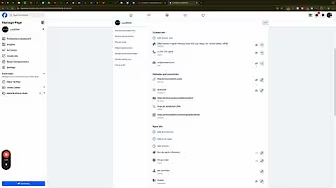
In the competitive landscape of local search engine optimization (SEO), building robust citations is essential for improving your business’s online visibility and credibility. Citations—mentions of your business’s Name, Address, and Phone number (NAP) across various online platforms—play a pivotal role in boosting your local search rankings. Among the myriad of citation sources, Facebook stands out as a powerful tool due to its extensive reach and integration with other social media platforms. This comprehensive guide will walk you through the process of using your Facebook page as a citation for your business, leveraging tools like Whitespark to maximize your SEO efforts.
Why Use Facebook for Building Citations?
Facebook is not just a social media platform; it serves as a significant citation source that can enhance your local SEO strategy. By ensuring your Facebook business page is properly optimized, you can create a strong web of citations that signal to search engines like Google that your business is legitimate and trustworthy.
Benefits of Using Facebook for Citations
- Enhanced Local SEO: Facebook citations contribute to your local search rankings by providing consistent NAP information across a reputable platform.
- Increased Online Visibility: With millions of active users, Facebook offers extensive exposure, making it easier for potential customers to find your business.
- Professional Credibility: A well-maintained Facebook page signals to both users and search engines that your business is active and reliable.
- User Engagement: Facebook allows for direct interaction with customers through reviews, messages, and posts, fostering stronger relationships and trust.
Step-by-Step Guide to Using Facebook as a Citation
Follow these detailed steps to optimize your Facebook business page for citations, ensuring consistency and enhancing your local SEO.
Step 1: Utilize Whitespark’s Local Citation Finder Tool
Before diving into Facebook, it’s beneficial to identify all potential citation opportunities. Whitespark’s Local Citation Finder is a valuable tool that streamlines this process.
- Access Whitespark’s Local Citation Finder:
- Visit Whitespark’s Local Citation Finder and sign up for an account if you haven’t already.
- Run a Local Citation Scan:
- Enter your business details, including NAP information.
- Select Facebook as one of the platforms to include in your citation search.
- Initiate the scan to identify potential citation opportunities on Facebook and other platforms.
- Review Opportunities:
- Browse through the list of suggested citation sources.
- Prioritize adding your business to reputable directories and platforms to maximize SEO benefits.
Step 2: Access and Optimize Your Facebook Business Page
To use Facebook effectively for citations, ensure your business page is fully optimized with accurate information.
- Log In to Facebook:
- Open your web browser and navigate to Facebook.
- Log in using your personal credentials. If you don’t have a business page, create one by clicking Create > Page.
- Select Your Business Page:
- From the top-right corner, click on the Pages icon.
- Select the business page you wish to optimize.
- Navigate to Page Settings:
- On your business page, click on Settings in the bottom-left corner.
Step 3: Fill Out Contact and Basic Info
Ensuring consistency in your business’s Name, Address, and Phone number (NAP) across all platforms is crucial for effective citations.
- Go to Page Details:
- In the Settings menu, click on Page Details under the Audience and Visibility section.
- Update Category:
- Under Page Details, find the Category section.
- Select the primary category that best describes your business (e.g., Plumber, Electrician).
- Enter Accurate NAP Information:
- Address: Enter your complete business address, ensuring it matches the address listed on your Google Business Profile and other citation sources.
- Phone Number: Provide a business-specific phone number. If you use tracking software like CallRail, consider using a tracking number here.
- Add Additional Categories (If Applicable):
- You can add multiple categories if your business offers a variety of services.
- Set the Correct Time Zone and Operating Hours:
- Ensure your time zone is accurately set to reflect your business’s location.Enter your business’s operating hours to provide accurate information to customers.
Step 4: Link to Your Website and Other Social Media Profiles
Creating a network of linked assets enhances your business’s credibility and SEO.
- Add Your Website URL:
- In the Contact Information section, enter your main website URL.
- Link to Other Social Media Profiles:
- Include links to your other social media profiles (e.g., Instagram, LinkedIn, YouTube) to create a cohesive online presence.
- Add a Tracking Number (Optional):
- If you use a tracking service, include the tracking number to monitor leads originating from Facebook.
Step 5: Upload a High-Quality Profile Picture and Cover Photo
Visual elements play a significant role in branding and user perception.
- Profile Picture:
- Upload your business logo to maintain brand consistency.
- Ensure the image is high-resolution and properly cropped.
- Cover Photo:
- Choose a visually appealing cover photo that represents your business.Update it periodically to reflect current promotions or seasonal themes.
Step 6: Complete Additional Page Details
Fill out all available sections to provide comprehensive information about your business.
- Mission and Vision:
- Add a brief description of your business’s mission and vision to communicate your values to customers.
- Privacy and Legal Information:
- Include links to your privacy policy and any other relevant legal information.
- Services:
- List the services you offer to give potential customers a clear understanding of what you provide.
- Additional Information:
- Fill out any other fields that can help improve your page’s visibility and credibility.
Step 7: Publish and Verify Your Page
- Save Changes:
- After updating all necessary information, click Save Changes to apply the updates to your Facebook business page.
- Verify Your Page:
- Ensure that your page is verified by Facebook to enhance trustworthiness. Go to Settings > General > Page Verification and follow the prompts if verification is available.
Step 8: Monitor and Maintain Your Citations
Regularly updating and maintaining your citations ensures continued SEO benefits and accurate information across all platforms.
- Regular Audits:
- Periodically review your citation sources to ensure all information is up-to-date and consistent.
- Use Whitespark for Ongoing Citation Building:
- Continuously use tools like Whitespark to identify new citation opportunities and expand your online presence.
Best Practices for Building Citations on Facebook
Implementing best practices ensures that your Facebook citations are effective and contribute positively to your local SEO strategy.
1. Maintain NAP Consistency
- Uniform Information: Ensure that your Name, Address, and Phone number are consistent across all citation platforms, including Facebook.
- Standard Formatting: Use the same format for your address and phone number to improve search engine recognition.
2. Optimize Your Facebook Business Page
- Complete All Sections: Fill out every section of your Facebook business page, including About, Services, and Contact Information.
- Use Relevant Keywords: Incorporate keywords related to your business and services in your page description and specialties to enhance searchability.
3. Leverage High-Quality Visuals
- Professional Images: Use high-resolution images for your profile and cover photos to present a professional image.
- Regular Updates: Refresh your visuals periodically to reflect any changes in branding or services.
4. Engage with Your Audience
- Post Regularly: Share updates, news, and valuable content regularly to keep your audience engaged.
- Respond to Interactions: Engage with comments and messages to build relationships and trust with your audience.
5. Utilize Tools for Efficiency
- Whitespark’s Local Citation Finder: Use this tool to identify and manage citation opportunities efficiently.
- Google Documents: Maintain a centralized document with all your citation information to ensure consistency and ease of use.
Common Mistakes to Avoid When Building Facebook Citations
Avoiding these common pitfalls can enhance the effectiveness of your Facebook citations and improve your local SEO outcomes.
1. Incomplete Page Information
- Impact: Missing details can weaken your citation’s effectiveness and reduce search engine trust.
- Solution: Ensure all sections of your Facebook business page are fully completed with accurate information.
2. Ignoring Visual Branding
- Impact: Poor-quality images can detract from your business’s professionalism.
- Solution: Always use high-resolution images that match your brand’s aesthetics and identity.
3. Neglecting to Link Other Assets
- Impact: Failing to link to your website and other social media profiles can limit your citation’s impact.
- Solution: Ensure all your online assets are interconnected through your Facebook business page.
4. Overlooking Regular Updates
- Impact: An inactive page can signal to search engines that your business is not engaged.
- Solution: Keep your Facebook business page active by posting regular updates and engaging with your audience.
5. Not Monitoring Citation Consistency
- Impact: Inconsistent information across citation sources can confuse search engines and harm your SEO.
- Solution: Regularly audit your citation sources to ensure all information is consistent and up-to-date.
Frequently Asked Questions
Can I Use Facebook as the Only Citation Source for My Business?
While Facebook is a powerful citation source, it’s advisable to build citations across multiple platforms to maximize your SEO benefits and online visibility. Diversifying your citation sources helps establish your business’s credibility and ensures consistent NAP information across the web.
How Often Should I Update My Facebook Citations?
Regularly review and update your Facebook business page to reflect any changes in your business information, such as address, phone number, or services offered. Additionally, use tools like Whitespark to identify new citation opportunities and keep your online presence up-to-date.
Do Citations from Social Media Platforms Like Facebook Directly Affect SEO?
Yes, citations from reputable social media platforms like Facebook contribute to your local SEO efforts. They help search engines verify your business’s legitimacy and relevance within a specific geographic area, enhancing your visibility in local search results.
What If My Facebook Page Isn’t Showing Up in Search Results?
- Solution:
- Ensure Page is Published: Make sure your Facebook business page is published and not set to private.
- Complete All Information: Fully complete your page’s profile with accurate NAP information, services, and descriptions.
- Engage Regularly: Regular posts and interactions can improve your page’s visibility.
- Check Search Settings: Navigate to Settings > General and ensure that Page Visibility is set to Page published and not hidden from search engines.
How Can I Track Leads from Facebook Citations?
- Use Tracking Software: Implement tracking tools like CallRail to assign unique phone numbers to your Facebook citations, allowing you to monitor calls generated from your Facebook page.
- Google Analytics: Set up conversion goals in Google Analytics to track traffic and form submissions originating from your Facebook business page.
Maximizing the Impact of Facebook Citations
To fully leverage the benefits of building citations on Facebook, integrate these strategies into your broader marketing and SEO efforts.
Align with Your Overall SEO Strategy
- Consistent NAP Information: Ensure that your Name, Address, and Phone number are consistent across all online platforms.
- Keyword Integration: Use relevant keywords in your Facebook page’s description and services to enhance search engine visibility.
Utilize Data-Driven Insights
- Monitor Performance: Use Facebook Insights and analytics tools to track engagement and the effectiveness of your citations.
- Refine Strategies: Adjust your citation-building efforts based on performance data to maximize effectiveness.
Integrate with Other Marketing Channels
- Social Media: Share updates from your Facebook business page on other social media platforms to increase visibility.
- Email Marketing: Include links to your Facebook page in your email signatures and newsletters to drive traffic and build citations.
Foster Team Collaboration
- Delegate Tasks: Assign team members to manage and update your Facebook business page to ensure it remains active and up-to-date.
- Share Best Practices: Educate your team on the importance of citations and how to maintain consistency across platforms.
Enhance Customer Experience
- Engaging Content: Share valuable and engaging content on your Facebook business page to attract and retain customers.
- Responsive Interaction: Actively respond to customer inquiries and feedback on your Facebook business page to build trust and loyalty.
Conclusion
Using your Facebook business page as a citation is a strategic approach that enhances your local SEO efforts, increases online visibility, and establishes your business as a credible and trustworthy entity. By following this step-by-step guide and adhering to best practices, you can effectively manage your citations and drive meaningful results for your business. Remember to maintain consistency, engage actively with your audience, and regularly update your citations to ensure long-term SEO success and business growth.
How to Change Your WordPress Site Title, Tagline, and Favicon

Establishing a strong online presence starts with a well-configured website. One of the first steps in personalizing your WordPress site involves customizing essential elements like the site title, tagline, and favicon. These elements not only define your brand identity but also enhance user experience and improve your website’s professionalism. This comprehensive guide will walk you through the process of changing your site title, tagline, and favicon on a WordPress website, ensuring your site accurately reflects your brand and stands out to visitors.
Why Customize Your Site Title, Tagline, and Favicon?
Customizing these elements is crucial for several reasons:
Benefits of Customization
- Brand Identity: Your site title and tagline communicate your brand’s mission and values.
- Professional Appearance: A unique favicon adds a professional touch and helps your site stand out in browser tabs.
- SEO Advantages: Relevant site titles and taglines can improve your website’s search engine optimization (SEO), making it easier for potential customers to find you.
- User Experience: Clear and consistent branding enhances user trust and engagement.
Step-by-Step Guide to Changing Site Title, Tagline, and Favicon
Follow these detailed steps to customize your WordPress website’s title, tagline, and favicon using the WordPress dashboard.
Step 1: Access Your WordPress Dashboard
- Log In to WordPress:
- Open your web browser and navigate to
yourwebsite.com/wp-admin.Enter your username and password, then click Log In to access your dashboard.
- Open your web browser and navigate to
Step 2: Navigate to General Settings
- Go to Settings:
- In the left-hand sidebar of your WordPress dashboard, hover over Settings and click on General.
Step 3: Change Site Title and Tagline
- Edit Site Title:
- In the General Settings page, locate the Site Title field.
- Enter your desired site title. This title appears in the header of your site and is often used by search engines.
- Edit Tagline:
- Below the site title, find the Tagline field.Enter a brief tagline that describes your website or business. The tagline typically appears below the site title and is used by search engines in snippets.
Step 4: Change the Favicon (Site Icon)
- Access Site Icon Settings:
- Scroll down to the Site Icon section within the General Settings page.
- The site icon appears in the browser tab, bookmark bar, and other places where your site is referenced.
- Upload a New Site Icon:
- Click on Select Site Icon.Upload an image that represents your brand. The recommended size is 512×512 pixels.Crop the image as needed and click Publish to set it as your new favicon.
- Confirm the Change:
- Once uploaded, your new favicon will be displayed in your browser tab. It may take some time to update across all browsers.
Step 5: Update the Administrator Email Address
- Edit Administrator Email:
- In the General Settings page, locate the Administration Email Address field.Enter the email address you want to use for administrative purposes. This email receives important notifications from WordPress.
- Save Changes:
- Scroll down and click Save Changes to apply the new email address.
Step 6: Set the Correct Time Zone and Date Format
- Select Time Zone:
- In the General Settings page, find the Time Zone dropdown menu.
- Select your appropriate time zone to ensure that all time-related data on your website is accurate.
- Customize Date Format:
- Below the time zone, locate the Date Format section.Choose a date format that suits your preference or enter a custom format. This setting affects how dates are displayed on your site.
- Save Changes:
- After making adjustments, click Save Changes to update your settings.
Step 7: Verify Your Changes
- Check Your Site:
- Visit your website to ensure that the site title, tagline, and favicon reflect the changes you made.Clear your browser cache if you don’t see the updates immediately.
- Test Email Notifications:
- If you changed the administrator email, ensure that you receive notifications correctly by performing a test action, such as submitting a form.
Best Practices for Customizing Site Title, Tagline, and Favicon
Implementing best practices ensures that your customizations are effective and contribute positively to your website’s performance and user experience.
1. Maintain Consistency with Your Brand
- Use Brand Colors and Fonts: Ensure that your site title, tagline, and favicon align with your brand’s color scheme and typography.
- Clear Messaging: Your tagline should succinctly communicate what your business does or its core values.
2. Optimize for SEO
- Relevant Keywords: Incorporate relevant keywords into your site title and tagline to improve search engine rankings.
- Avoid Keyword Stuffing: Keep your site title and tagline natural and easy to read without overloading with keywords.
3. Choose a Memorable Favicon
- Simplicity: Opt for a simple and recognizable design that scales well at smaller sizes.
- Distinctiveness: Ensure your favicon stands out and is easily distinguishable from others in browser tabs.
4. Keep Information Up-to-Date
- Regular Updates: Periodically review and update your site title, tagline, and favicon to reflect any changes in your business or branding strategy.
- Accurate Time Settings: Ensure your time zone and date format are always accurate to avoid discrepancies in scheduling and content publishing.
Common Mistakes to Avoid
Avoiding these common pitfalls can help you maintain an effective and professional website.
1. Not Saving Changes
- Issue: Forgetting to click Save Changes after making adjustments means your updates won’t take effect.
- Solution: Always double-check that you’ve saved your changes before exiting the settings page.
2. Using Low-Quality Images for Favicon
- Issue: Blurry or pixelated favicons can detract from your site’s professionalism.
- Solution: Use high-resolution images (512×512 pixels recommended) and ensure they are clear and recognizable when scaled down.
3. Overcomplicating the Tagline
- Issue: A lengthy or unclear tagline can confuse visitors and dilute your message.
- Solution: Keep your tagline concise, clear, and focused on your core message or value proposition.
4. Ignoring SEO Best Practices
- Issue: Neglecting SEO can hinder your website’s visibility in search engine results.
- Solution: Incorporate relevant keywords naturally into your site title and tagline, and avoid overusing keywords to prevent penalties.
5. Mismatched Branding Elements
- Issue: Inconsistent colors, fonts, or styles can weaken your brand identity.
- Solution: Ensure that all branding elements, including site title, tagline, and favicon, are harmonized with your overall brand guidelines.
Frequently Asked Questions
Can I Change My Site Title and Tagline Anytime?
Yes, you can update your site title and tagline as often as needed through the Settings > General section in your WordPress dashboard. Regular updates can reflect changes in your business focus or branding strategy.
What Should I Use for My Tagline?
Your tagline should succinctly describe your business’s purpose, mission, or unique selling proposition. It should be clear, memorable, and aligned with your brand identity. For example, “Quality Home Restoration Services” or “Innovative Solutions for Modern Problems.”
How Do I Create an Effective Favicon?
To create an effective favicon:
- Size: Use a 512×512 pixel image to ensure quality when scaled down.
- Format: Save your favicon in a compatible format like PNG or ICO.
- Design: Keep it simple and recognizable, focusing on your logo or a distinct element of your brand.
- Consistency: Ensure it matches the overall aesthetic and color scheme of your website.
Why Isn’t My Favicon Updating?
- Caching Issues: Browsers often cache favicons, causing delays in updates.
- Solution: Clear your browser cache or use a different browser to view the updated favicon. It may also take some time to propagate across all browsers.
Do Site Title and Tagline Affect SEO?
Yes, both the site title and tagline play roles in SEO:
- Site Title: Appears in search engine results and browser tabs, influencing click-through rates.
- Tagline: Provides additional context about your site’s content, helping search engines understand your site’s purpose.
How Do I Ensure My Site Title is SEO-Friendly?
- Include Relevant Keywords: Incorporate primary keywords related to your business.
- Keep It Concise: Limit the title to around 60 characters to prevent it from being cut off in search results.
- Avoid Keyword Stuffing: Use keywords naturally without overloading the title.
Conclusion
Customizing your WordPress website’s site title, tagline, and favicon is a simple yet impactful way to enhance your brand’s online presence and professionalism. By following this step-by-step guide, you can ensure that these elements accurately reflect your brand identity, improve your website’s SEO, and provide a better user experience for your visitors. Remember to maintain consistency, adhere to SEO best practices, and regularly update these settings to keep your website fresh and relevant.
Embrace the power of personalized branding elements to make your WordPress website stand out and effectively communicate your business’s values and offerings to your audience.